

v1.0
release

Falings' Summonings
Adds a new ender mob with trades to spare, a new currency and a new magic structure
 3,36k
3,36k
Falings' Summonings
What is it?
The order of the eye lives once more. A long-lost race of traders from another plane have made their answer to extinction: by interjecting Ender magic into villagers, they are able to create a gateway to the Overworld to find a new life and spread their trades to all.
Features
Faling
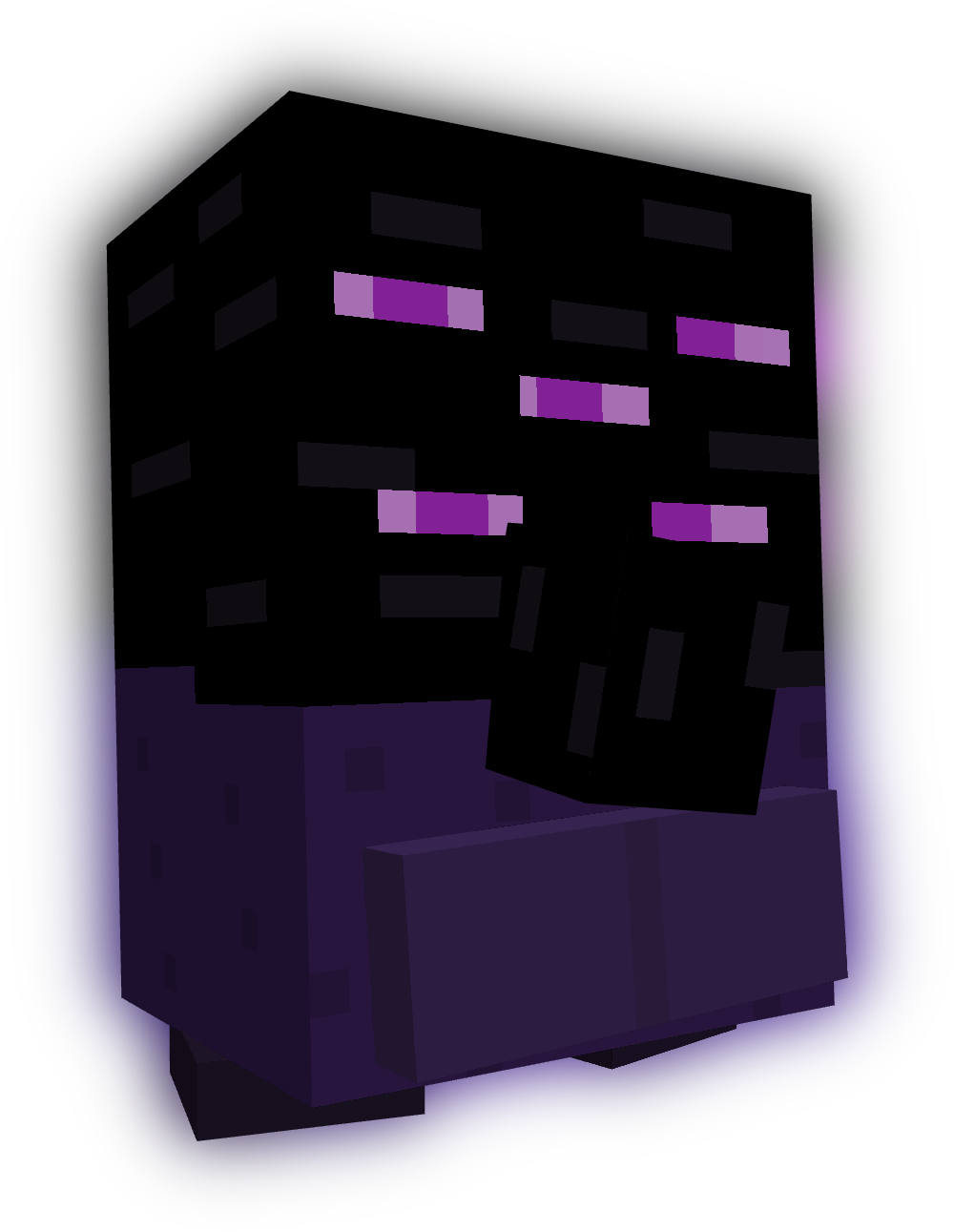
This is the Faling. It's summoned by throwing an eye of ender at a villager, and harnessing their ancient ender magic, a faling will take its place.
Trading with falings
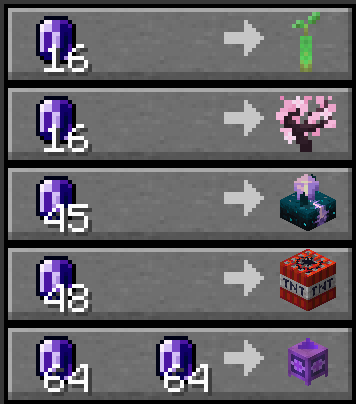
Falings have collected a specific collection of rare items that they intend to trade off to players, seeing as these are some of the rarest items out there.
Endmeralds
The falings trade for a rare material dubbed endmerald, due to them looking similar to emeralds. >

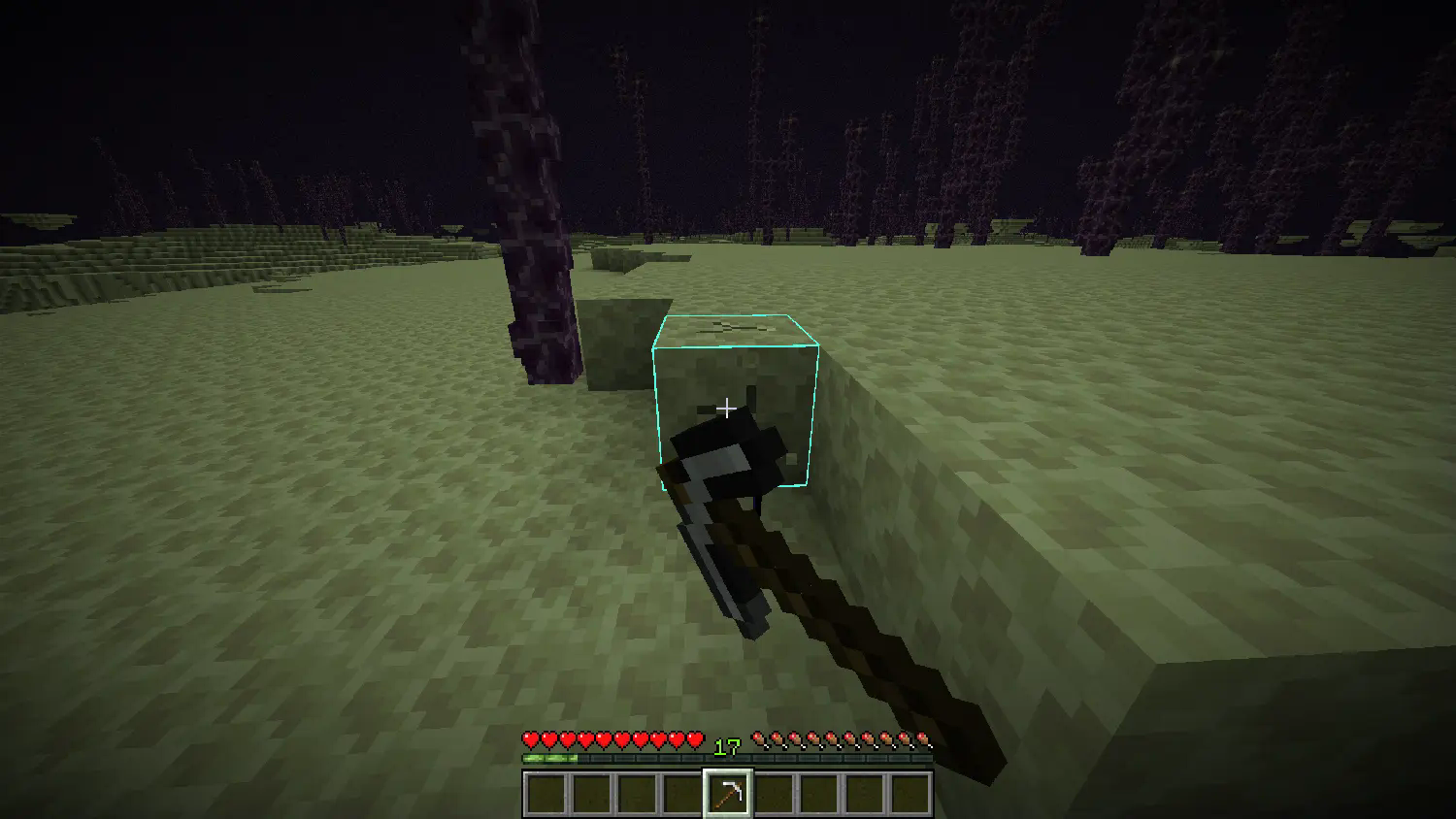
Endmeralds can be obtained by mining endstone with a pickaxe and hoping luck is on your side. The Fortune enchantment on the pickaxe increases the amounts of endmeralds dropped.
The End Combine

The faling race's newest genius: the End Combine, a machination that utilizes mysterious hammerspace tech to build itself when placed. Upon so, it provides the Slow Falling effect to all players nearby, useful for places with a lot of vertical travel.
Advancements
- Faling From the Deep: Summon a Faling by throwing an Eye of Ender at a Villager - World Trade: Trade with a Faling using Endmeralds - Acquire Floatware: Buy and End Combine from a Faling - Combined Power: Place an End Combine
Installation Guide:
Data Pack version:
- Make sure your Minecraft version matches the data pack version - Download the data pack - Download the resource pack provided with the data pack by clicking on the data pack at the downloads page - Exit the world you want to install the data pack in - Select that world in the world selection screen, click on "Edit", then "Open world folder". - Open the folder named "datapacks", and put the downloaded 'faling[version you downloaded]-data.zip' file into it. - Go back to the main ".minecraft" folder and enter the "resourcepacks" folder - Place the "faling[version you downloaded]-resources.zip" file provided with the data pack file into this folder - Now enter the world, and have fun :)
Mod version:
- Make sure your Minecraft version matches the mod version - Download the mod - Go to your main ".minecraft" folder - Enter the "mods" folder (or if you don't have one yet create one) - Place the downloaded mod into the mods folder - Now enter the world, and have fun :)
Using the Modrinth App on desktop:
- Install the mod/data pack - That's it, have fun :)
Gallery
Versions
v1.0
release
v1.0
release
v1.0
release
v1.0
release
v1.0
release
v1.0
release
v1.0
release
v1.0
release
v1.0
release
v1.0
release
v1.0
release
v1.0+mod
release