




1.1.0-beta
beta
fzPaint
A creative painting mod for Minecraft Fabric that allows you to paint blocks with custom colors and create pixel art using the Paint Brush tool.
 319
319
fzPaint
fzPaint
A creative painting mod for Minecraft Fabric that allows you to paint blocks with custom colors and create pixel art using the Paint Brush tool.
Features
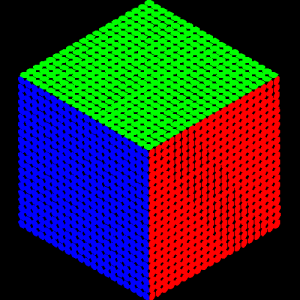
- Paint Brush Tool: A special tool to paint blocks with custom colors - Pixel Art Support: Create detailed 16x16 pixel art on block faces - Color Customization: Choose from millions of colors to paint your blocks - Persistent Painting: Your paintings are saved and persist across game sessions - Easy to Use: Simple and intuitive painting interface
Installation
1. Download and install Fabric Loader 2. Download Fabric API 3. Download fzPaint from Modrinth 4. Place both Fabric API and fzPaint JAR files in your .minecraft/mods folder 5. Launch Minecraft with the Fabric profile
How to Use
1. Get the Paint Brush from the Creative Inventory (Tools tab) 2. Right-click on any block face to open the painting interface 3. Choose your color or create pixel art 4. Save your masterpiece!
Requirements
- Minecraft 1.21.1 - Fabric Loader 0.17.3 or higher - Fabric API 0.116.7 or higher - Java 21 or higher
Contributing
Contributions are welcome! Feel free to open issues or submit pull requests.
Contact
- Modrinth: Modrinth
Made with ❤️ for the Minecraft community