

1.2.0
release

gChat
gChat - This is not just a chat plugin, it is a full-fledged communication system that will turn ordinary Minecraft chat into a powerful tool for your community!
 813
813
gChat
💬 gChat — The Ultimate Chat Management Solution
gChat is a modern, highly optimized, and feature-packed chat management plugin for Spigot/Paper servers. Whether you need simple local/global chat separation, stunning HEX gradients, interactive messages, or advanced regex moderation, gChat provides an all-in-one solution to make your server's communication beautiful and safe.
---
Addons:
---
✨ Core Features
* 🌍 Chat Bubbles: Easily separate conversations with configurable chat radius. Players can switch modes using `/l` and `/g`. * 🎨 Chat Bubbles: Full support for modern Minecraft colors. Create stunning gradients using `{#start_hex>}text{#end_hex<}` or standard `&#hex` codes! * 🖱️ Chat Bubbles: Hover over player names to see their ranks or stats (PlaceholderAPI support), and click to quickly send a private message. * 🗡️ Chat Bubbles: Allow players to show off their gear! Typing `[item]` in chat displays the item in their main hand with a beautiful hoverable tooltip showing enchantments, lore, and amount. * 💭 Chat Bubbles: Bring your server to life! When players speak, holographic chat bubbles appear above their heads for a few seconds.
🛡️ Smart Moderation & Protection
* 🧠 Chat Control: Block swears, insults, and advertisements. The smart regex engine catches bypass attempts (like `s.w.e.a.r` or `w.o.r.d`). * 🛑 Chat Control: Prevent players from sending duplicate messages or spamming CAPITAL LETTERS. * 🔗 Chat Control: Automatically block unauthorized links and server IPs in the chat. * 🔇 Chat Control: Seamlessly integrates with Chat Control: and Chat Control:. If a player is muted there, gChat won't let them speak! * 🧹 Chat Control: Clear the chat (`/clearchat`) or mute the entire global chat globally (`/mutechat`) during emergencies.
⚙️ Deep Customization
* 🎭 Auto-Broadcaster: Create unique chat formats, Join, and Quit messages for different Auto-Broadcaster: ranks. * 💀 Auto-Broadcaster: Replaces boring vanilla deaths. Set unique, customizable messages based on the exact cause of death (Fall, Lava, Void, Fire, Drowning, Player Kill, Mob Kill). * 🏆 Auto-Broadcaster: Beautiful, hoverable advancement announcements that natively support both Vanilla and Datapack/Modded advancements! * 📺 Auto-Broadcaster: Create specific channels (e.g., Staff Chat, Trade Chat) with their own permissions, aliases, and radius. * 📢 Auto-Broadcaster: Scheduled server announcements with multi-line support, headers, footers, and clickable URL links.
🧑🤝🧑 Player Experience
* 🔔 personal chat color theme Type `@Player` to notify them with a sound and Action Bar message. Admins can use `@everyone`. * ✉️ personal chat color theme Built-in `/msg` and `/reply` system. Admins can silently monitor conversations using Social Spy. * 🛠️ personal chat color theme Players can customize their chat experience! They can toggle global chat, disable death/join messages, change their mention sound, or even set a personal chat color theme.
---
🔌 Supported Integrations
gChat plays nicely with your favorite plugins to expand its functionality: * EssentialsX & AdvancedBan: Prefix, Suffix, and group-based formatting. * EssentialsX & AdvancedBan: Use any placeholder in chat formats, hover texts, and join/quit messages. * EssentialsX & AdvancedBan: Two-way chat synchronization between your Minecraft server and Discord server. * EssentialsX & AdvancedBan: Add Town and Nation tags directly into the chat format. * EssentialsX & AdvancedBan: Native mute checking.
---
📂 Installation & Setup
1. Drop the `gChat.jar` into your `plugins` folder. 2. Ensure you have PlaceholderAPI and PlaceholderAPI installed (Optional, but highly recommended). 3. Restart the server. 4. Configure your formats, filters, and settings in the deeply commented `config.yml`. 5. Run `/gchat reload` to apply changes instantly!
---
↗️ Stats
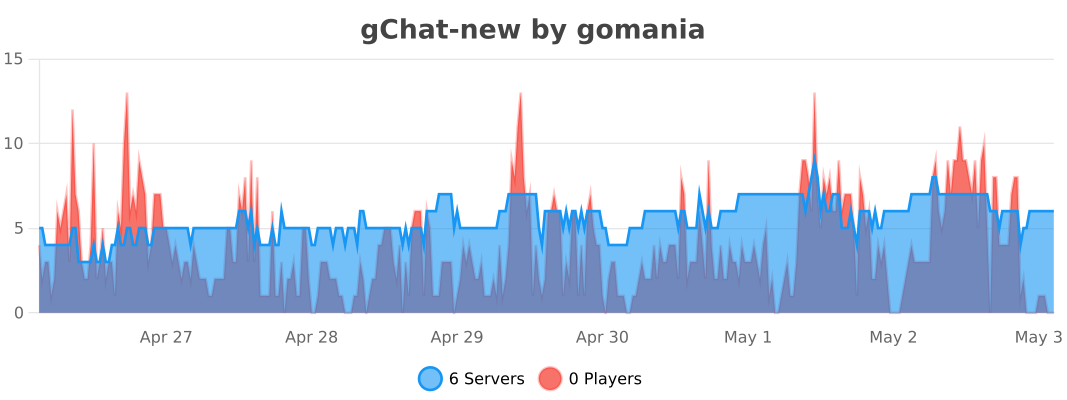
https://bstats.org/plugin/bukkit/gChat-new/30690
Gallery
Versions
2.3.1
release
2.0.1
release
1.0.0
release
2.3.3
release
2.6.2
release
2.2.0
release
1.4.2
release
2.3.0-SNAPSHOT
alpha
2.6.0
release
2.4.0
release
1.2.1
release
1.5.2
release
1.1.0
release
2.6.3
release
1.4.0
release
1.3.1
release
2.1.0
release
2.6.1
release
2.0.0
release
1.5.0
release
2.3.2
release
1.3.2
release
1.6.0
release
1.3
release