

1.4.2-BETA
beta

Genius-Shop
Data-driven economy shop for Paper/Spigot with GUI menus, Vault, dynamic pricing, stock limits/resets, permissions, bulk sell, localization, and a built-in web editor.
 2,09k
2,09k
Genius-Shop
Genius Shop
A modern, data-driven economy shop plugin for Bukkit/Spigot/Paper/Purpur with GUI menus, dynamic pricing, stock limits and resets, localization, and a built-in web editor.
Features
Flexible Shop System
- Data-driven shops: create unlimited shop files in `shops/` - Buy and sell support with per-item buy/sell control - Permission-based access for shops and individual items - Multi-page GUI support with slot-based item placement - Time-restricted shops/items with readable schedule output - Dynamic pricing with min/max bounds and price-change rules - Player limits and global stock limits - Stock reset automation: daily, hourly, minute interval, second interval, weekly, monthly, yearly, once - Shop-level and item-level stock behavior controls: - `sell-adds-to-stock` - `allow-sell-stock-overflow` - Item requirement guards for selling (name/lore checks) - Unstable TNT support - Full support for potions, tipped arrows, spawners, and custom enchantments
Modern GUI and Formatting
- Main menu + shop + purchase + sell + bulk sell interfaces - Rich formatting with legacy colors, HEX, and gradients - Multi-stop gradient support (`<gradient:#A:#B:#C>...</gradient>`) - Proper legacy style compatibility inside gradients (e.g. `&l`) - Configurable lore-format pipeline in `menus/gui-settings.yml` - New lore placeholders: - `%global-limit%` - `%player-limit%` - `%stock-reset-timer%` - Per-item display toggles: - `show-stock` - `show-stock-reset-timer` - Live GUI updates while open for stock/price/lore changes
Web Editor
- Real-time visual editing and live Minecraft-style preview - Main menu editor + shop/item editor + GUI settings editor - Section toggles for lore, enchantments, commands, limits, and available-times - `run-as` dropdown support for command execution context (player/console) - Safer language/preview behavior and improved history UX - Secure login flow with in-game confirmation for new IPs - Built-in REST API for remote management
Economy, Integrations, and Runtime
- Vault economy integration - Optional SmartSpawner integration - Optional Floodgate/Bedrock compatibility improvements - Discord webhook transaction notifications - SQLite runtime storage (`data.db`) with legacy `data.yml` migration - Update checks and in-game update notifications with configurable sound - Permission-aware `/shop` tab completion - Commands: - `/shop` - `/shop reload` - `/shop editor` - `/shop confirmlogin <token>` - `/shop wiki` - `/shop resetstock all|shop|item`
Developer API
- Public API for opening menus and querying shop data - Custom events for shop open, buy, sell, and transactions
Requirements
- Minecraft: 1.21+ (Bukkit, Spigot, Paper, Purpur) - Java: 21+ - Vault: required - Economy plugin: any Vault-compatible economy provider (e.g. EssentialsX)
Dependencies
Required
- Vault - Spigot: https://www.spigotmc.org/resources/vault.34315/ - Economy plugin (Vault-compatible, choose one) - EssentialsX (Spigot): https://www.spigotmc.org/resources/essentialsx.9089/ - EssentialsX (Modrinth): https://modrinth.com/plugin/essentialsx
Optional
- SmartSpawner (for advanced spawner item integration) - Modrinth: https://modrinth.com/plugin/smartspawner - Floodgate (for Bedrock support improvements) - Modrinth: https://modrinth.com/plugin/floodgate
Quick Start
1. Install Vault and an economy plugin 2. Drop `Shop-x.x.x.jar` into your plugins folder 3. Start the server 4. Configure shops in `plugins/Genius-Shop/shops/` 5. Configure menus in `plugins/Genius-Shop/menus/` 6. (Optional) enable web editor API in `config.yml` 7. Run `/shop reload` 8. Use `/shop` in game
Configuration
- Shop files: `plugins/Genius-Shop/shops/*.yml` - Menu files: `plugins/Genius-Shop/menus/*.yml` - Languages: `plugins/Genius-Shop/languages/*.yml` - Web editor/API settings: `config.yml`
For detailed schema and examples, see: - `wiki/Configuration.md` - `wiki/Examples.md`
Permissions
- `geniusshop.use` - open and use shops - `geniusshop.sell` - use bulk sell - `geniusshop.reload` - reload plugin config - `geniusshop.resetstock` - run stock reset commands - `geniusshop.wiki` - access `/shop wiki` - `geniusshop.admin` - full admin access - `geniusshop.login.ip.bypass` - approve web-editor IP bypass flow
Data Storage
- Runtime counters and state: `plugins/GeniusShop/data.db` (SQLite) - Legacy migration: `data.yml` migrates automatically on startup
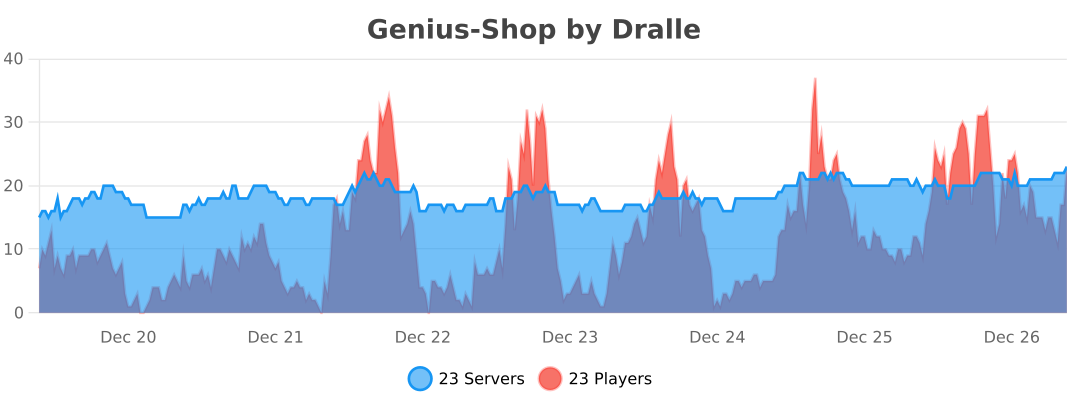
BStats
Gallery
Versions
1.4.0
release
1.4.3-BETA
beta
1.2.0
release
1.3.0
release
1.0.0
release
1.5.0
release
1.4.1-BETA
beta
1.1.0
release
1.4.3-BETA.1
beta