




Bukkit
release

IP Limit
Limit the Number of Online Players with the Same IP
 459
459
IP Limit
IP Limit —— Limit the Number of Online Players with the Same IP
---
✨ Features
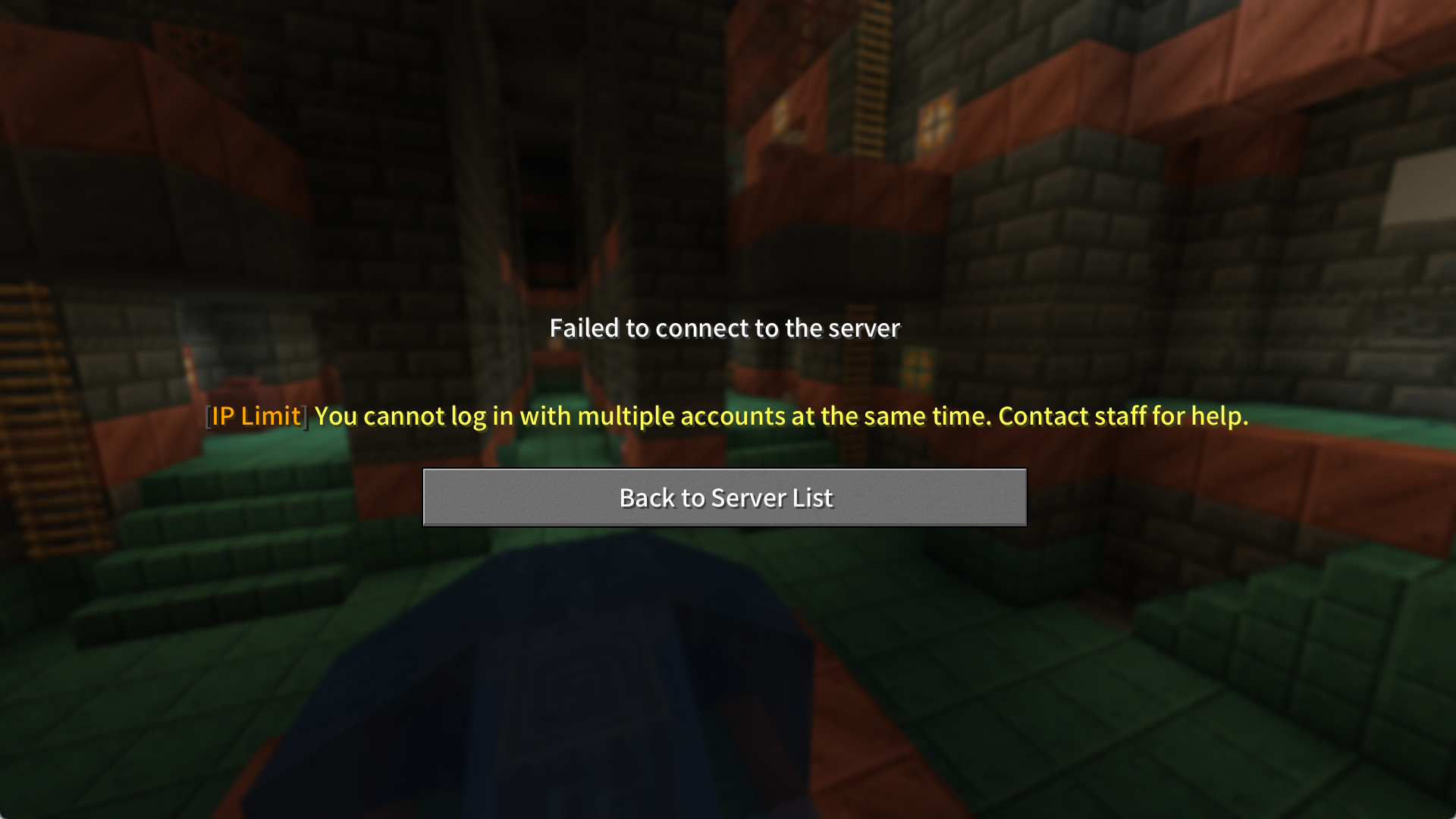
- Velocity Compatibility: Automatically detect and block IP addresses with more than the configured number of connections. - Velocity Compatibility: Configure trusted IP addresses to bypass checks (e.g., `127.0.0.1` by default). - Velocity Compatibility: Send warnings when a specific number of players share the same IP. - Velocity Compatibility: Players with `iplimit.bypass` permission are exempt from restrictions. - Velocity Compatibility: Supports MiniMessage formatting (gradients, click events, hover text, etc.). - Velocity Compatibility: Seamlessly switch configs between Bukkit and Velocity. Use the Velocity version for global IP restrictions across proxies, or the Bukkit version for per-server limits (both versions are non-conflicting).
---
⚙️ Configuration Guide
Default `config.yml`: ```yaml
Maximum connections allowed per IP
max-connections: 3
Threshold for sending alerts
warn-threshold: 2
Trusted IPs excluded from rules
ignored-ips: - "127.0.0.1" # Localhost - "192.168.1.100" # Internal network device
Interface language (en/zh)
language: en
```
Language file example (`messages/messages_en.yml`): ```yaml prefix: "<dark_gray>[<gold>IP Limit</gold>]" kick-message: "<prefix> <yellow>You cannot log in with multiple accounts at the same time. Contact staff for help." warning-message: "<prefix> <red>You seem to be using an alt account. The server only allows <yellow><bold><max></bold></yellow> accounts at the same time." no-permission: "<prefix> <red>You don't have permission!" reload-success: "<prefix> <green>Config reloaded successfully!" ```
---
🛠️ Usage
Permissions: - `iplimit.bypass` — Bypass connection limits. - `iplimit.reload` — Reload plugin configuration.
Commands: - `/iplimitreload` — Reload the plugin.
---
🌍 Localization
| Language | Code | Status | |----------|------|--------------| | English | en | ✅ Supported | | Chinese | zh | ✅ Supported |
---
❓ FAQ
A A: Add the IP to `ignored-ips` in `config.yml` or grant the `iplimit.bypass` permission (OPs are exempt by default).
---
> Tip: Learn about MiniMessage formatting Tip. > For a lightweight alternative, try the %%MD1%%. *(Writeen by Chinese)*
---
IP Limit —— 限制相同IP在线玩家数量
✨ 功能特性
- IP同玩家数限制: 自动检测并阻止超过设定数量的 IP 连接
- IP白名单: 支持配置忽略的特殊 IP 地址(默认忽略127.0.0.1)
- 阈值提醒: 当同IP X位玩家时进行提示
- 权限绕过: 允许拥有iplimit.bypass权限的玩家不受限制
- 富文本支持: 支持 MiniMessage 富文本格式(渐变、点击事件、悬停提示等)
- Velocity支持: 可无缝切换配置文件(Bukkit/Velocity),如需限制全服IP限制,请使用Velocity版本,如仅需限制单个服务器,请使用Bukkit版本(两者无冲突)
如需使用轻量版本,可使用Skript脚本版
⚙️ 配置指南
默认配置 (`config.yml`):
```yaml
同一IP允许的最大连接数
Maximum connections allowed per IP
max-connections: 2
触发警告的连接数阈值
Threshold for sending alerts
warn-threshold: 1
忽略检查的IP列表
Trusted IPs excluded from rules
ignored-ips:
- "127.0.0.1" # 本机地址 | Localhost
- "192.168.1.100" # 内网设备 | Internal network device
语言设置 (en/zh)
Interface language (en/zh)
language: zh
```
语言文件示例 (`messages/messages_zh.yml`):
```yaml
prefix: "<dark_gray>[<gold>IP限制</gold>]"
kick-message: "<prefix> <yellow>你不能同时登录多个游戏账号,如有疑问请联系管理员"
warning-message: "<prefix> <red>您正在使用小号进入服务器,服务器仅允许同时使用 <yellow><bold><max>个</bold></yellow> 账号登录"
no-permission: "<prefix> <red>没有权限执行此操作!"
reload-success: "<prefix> <green>配置重载成功!"
```
🛠️ 使用说明
权限节点:
- `iplimit.bypass` - 绕过连接限制
- `iplimit.reload` - 重载插件权限
命令:
- `/iplimitreload` - 重载插件配置
🌍 多语言支持
英语(默认) 中文
❓ 常见问题
Q: 如何让某个玩家的 IP 不受限制?
A: 将 IP 加入 `ignored-ips` 列表或在用户组添加 `iplimit.bypass` 权限(OP默认不限制)
Q/A:插件使用了Adventure API,如Lib内容无法下载,请更换网络环境
> Tips:关于MiniMessage的使用,可参考本帖
Gallery
Versions
Velocity
release