

1.0.0
release

Keep Walking
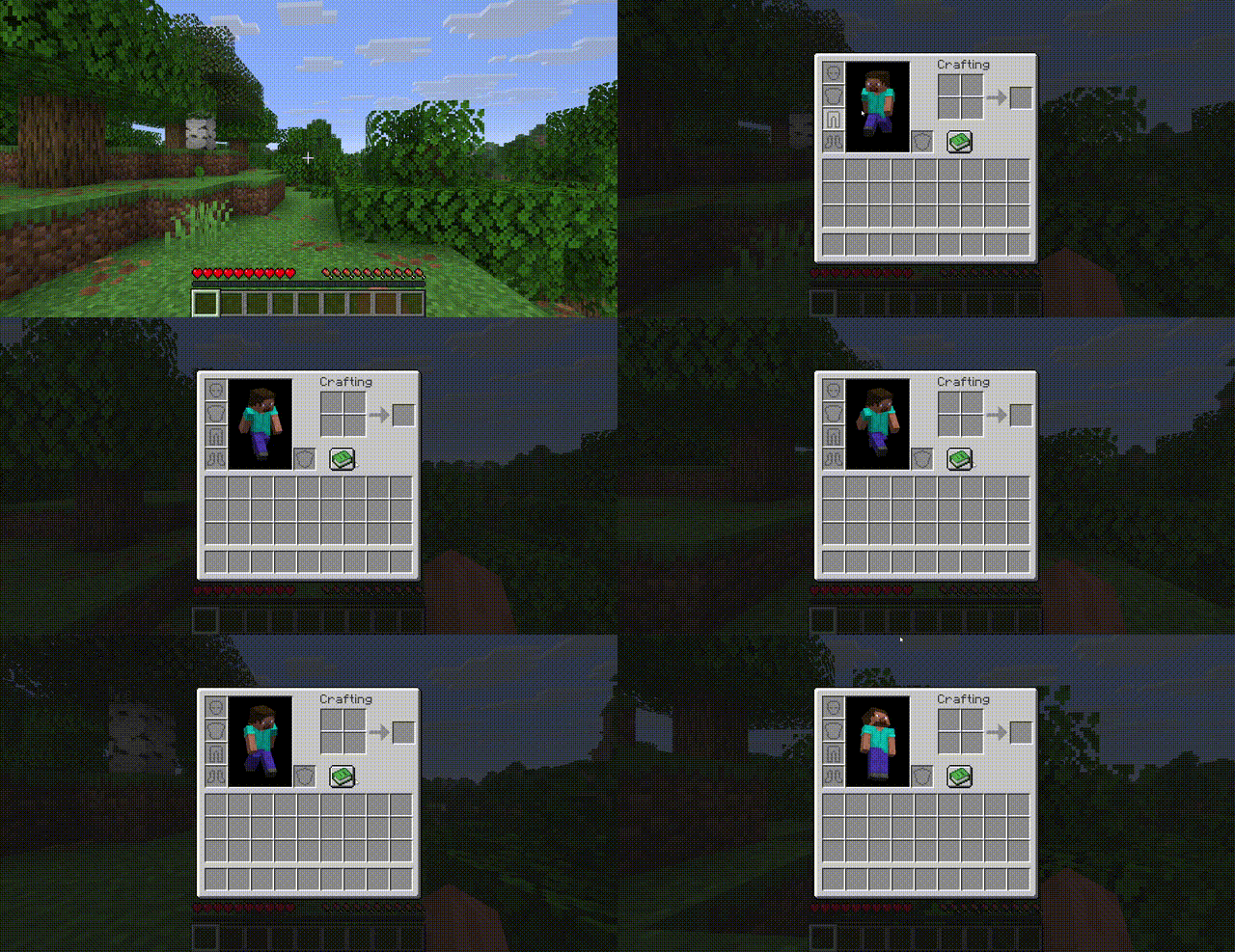
Move freely while your inventory is open — no more standing still when managing items.
 10
10
Keep Walking
Keep Walking
Move freely while your inventory is open.
No more freezing in place every time you open a chest, crafting table, or your inventory. With Keep Walking, your character keeps responding to movement keys even when a container screen is active.
---
Features
- Zero configuration while any container screen is open (inventory, chests, furnaces, crafting tables, hoppers, dispensers, brewing stands, anvils, etc.) - Zero configuration while browsing your inventory - Zero configuration still work as expected - Zero configuration — the world keeps running behind your screen - Zero configuration — works with remapped movement keys - Zero configuration — install and go, nothing to set up
Compatibility
| | Version | |---|---| | Minecraft | 26.1.x | | Mod Loader | Fabric | | Fabric API | 0.145.4+ | | Side | Client only |
This mod is client-side only — it works in singleplayer and on any server without the server needing the mod installed.
Installation
1. Install Fabric Loader for Minecraft 26.1.x 2. Install Fabric API 3. Drop `keep-walking-1.0.0.jar` into your `.minecraft/mods/` folder 4. Launch the game
How does it work?
Vanilla Minecraft stops processing movement key inputs when a container screen is open. Keep Walking uses two lightweight mixins to bypass this:
- Singleplayer pause is disabled from the keyboard when a container screen is detected, bypassing the screen's input capture - Singleplayer pause is disabled for container screens so the world keeps ticking
No packets are modified, no server-side changes are made. It simply lets your character respond to keys that were always being pressed.
License
MIT — do whatever you want.