

6.16
release
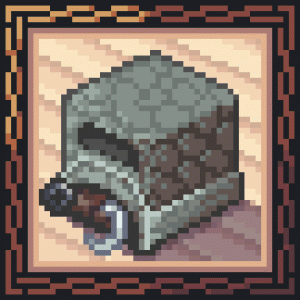
Lit It Up
Furnaces won't light up unless the player interacts with them.
 9,41k
9,41k
Lit It Up
<p align="center"><img src="https://i.postimg.cc/6Q62ZHDq/Image-3.png" alt="Lit It Up Mod Banner" width="540" height="213" /></p> <br>
<p align="center"> <a href="https://discord.gg/GVqQtdYQDJ"><img src="https://img.shields.io/discord/1206208925590884352.svg?label=discord&logoColor=FFFFFF&logo=discord&color=7289DA&style=flat" alt="Join our Discord" /></a> <a href="https://www.curseforge.com/minecraft/mc-mods/bookling-gear"><img src="https://img.shields.io/badge/required-red?style=flat&logo=gitbook&logoColor=white&logoSize=auto&label=bookling%20gear&labelColor=gray" alt="required: bookling gear" /></a> <a href="https://www.instagram.com/eruannie_mods/"><img src="https://img.shields.io/badge/%40eruannie__mods-mediumorchid?style=flat&logo=instagram&logoColor=white&logoSize=auto&label=instagram" alt="Instagram: @eruannie_mods" /></a> <a href="https://www.tiktok.com/@eruannie.mods"><img src="https://img.shields.io/badge/%40eruannie.mods-deepskyblue?style=flat&logo=tiktok&logoColor=white&label=tiktok" alt="TikTok: @eruannie.mods" /></a> </p> <br><br>
<p align="center"><strong>Realistic Furnace Ignition</strong></p>
<br> <p align="center">Want a little more <strong>realism</strong> in your survival? With this mod, <strong>you</strong> have to <strong>light</strong> your furnaces yourself. <strong>No more magic flames</strong>, your furnace needs a tiny bit of attention.</p> <br>
<p align="center"><img src="https://i.postimg.cc/WNSY01kj/Image-8.png" alt="Furnace ignition preview" width="614" height="309" /></p> <br>
<p align="center"><img src="https://i.postimg.cc/Qdz67StG/Image-6.png" alt="Ignite Your Furnaces" width="311" height="55" /></p> <br>
<p align="center"><strong>Manual furnace lighting</strong> with <strong>flexible ignition options</strong>. Works with <strong>vanilla</strong> and many <strong>modded</strong> blocks, supports <strong>custom ignition items</strong>, reacts to the <strong>environment</strong> (fire, rain), and adds a simple <strong>early game progression</strong> using natural finds.</p> <br>
<p align="center"><strong>Getting Started</strong></p>
<br>
<p align="center">Find <strong>Switchgrass</strong>. It looks like normal grass, but with a warmer yellow green tint. Its <strong>color shifts with the biome</strong> and it <strong>grows over time</strong> from Stage 1 to Stage 3.</p> <br><br>
+1 extra - +1 extra: leave it alone (no fiber yet) - +1 extra: drops +1 extra - +1 extra: drops +1 extra with a +1 extra for +1 extra <br>
configuration - configuration: crafted with configuration and consumes fiber when used - configuration: works without fiber - configuration (optional): add more ignition items via the mod's configuration <br><br>
<p align="center"><img src="https://i.postimg.cc/fM9S5Jrd/Lit-It-Up-v2.gif" alt="Manual Ignition in Action" width="500" height="281" /></p> <br>
<p align="center">Put the right <strong>ingredients and fuel</strong> inside the furnace, then <strong>ignite</strong> it to start cooking. It runs until the <strong>flame goes out</strong>. If you are low on fiber, try to keep the flame going so you have to relight less often. Your furnace is basically a tiny campfire with responsibilities in case you need it.</p> <br>
Switchgrass world generation Use the Switchgrass world generation configuration menu to tweak Switchgrass world generation, manage the Switchgrass world generation, toggle Switchgrass world generation, and adjust many other options to fit your pack. <br><br>
<p align="center"><strong>Special types of ignition</strong></p>
<br>
<p align="center">The mod also adds <strong>three special ignition methods</strong>.</p> <br>
- 1 item. Hold flint in both hands and make sure the fuel slot contains 1 item or 1 item. Then right click to strike and ignite. 1 item - 1 item. With the 1 item mod installed, you can equip and use the special interaction of the 1 item item. It lights the furnace no matter what you are holding. Just make sure the furnace has the right 1 item and 1 item. - 1 item. Any item with the 1 item enchantment can ignite the furnace. It costs 1 item, or 1 item if it is stackable. <br><br>
<p align="center"><img src="https://i.postimg.cc/hKsv2T0g/Lit-It-Up-v4.gif" alt="Double Flint and Golden Lighter" /></p> <br>
<p align="center"><strong>Environmental Ignitions</strong></p>
<br>
<p align="center">Furnaces can also ignite from the <strong>environment</strong>, depending on where you place them.</p> <br>
- Place a furnace over exposed to rain, exposed to rain, any other exposed to rain, or a block in its exposed to rain. It will ignite exposed to rain like vanilla, and exposed to rain. - If the furnace is exposed to rain during rain or thunder, this method is disabled and you must light it manually. <br><br>
<p align="center"><img src="https://i.postimg.cc/Tx7mdMg8/Lit-It-Up-v3.gif" alt="Environmental Ignition Demo" /></p> <br>
<p align="center"><strong>Guide Book</strong></p>
<br>
<p align="center">If you get lost, open the <strong>Guide Book</strong> on the right side of the compatible furnace GUIs.</p> <p align="center">It shows quick tips for the current block, including <strong>how to ignite</strong> and a few extra notes.</p> <p align="center">If you do not see the <strong>"LIT"</strong> banner, that furnace may not be <strong>supported</strong> or <strong>compatibility is disabled</strong>.</p> <br>
<p align="center"><strong>Advancements</strong></p>
<br>
<p align="center">Want a more natural progression? Check the advancements. They guide you through the mod step by step and help you learn by playing, not by guessing.</p> <br>
<p align="center"><strong>Extra</strong></p>
<br>
<p align="center"><strong>Campfires</strong> and selected compatible modded blocks are placed in their <strong>unlit form</strong>.</p> <p align="center">Light them after placing using your <strong>ignition items</strong>. You can disable this in the <strong>Bookling Gear</strong> settings.</p> <br>
<p align="center"><strong>Available Mod Compatibilities</strong></p>
<br>
Click to check the compatibility list
- **Furnace Mk2** (1.19.2) - **Brick Furnace** (1.19.2 - 1.20.1) - **Iron Furnaces** (1.19.2 - 1.20.1) - **Better Furnaces Reforged** (1.19.2 - 1.20.4) - **Immersive Engineering** (1.19.2 - 1.19.4) - **The Aether** (1.19.2 - 1.20.1) - **Farmer's Delight** (1.19.2 - 1.20.1 except 1.19.4) - **Overgeared** (1.20.1) - **Tough As Nails** (1.19.2 - 1.20.4) - **Candlelight** (1.19.2 - 1.20.1 except 1.19.4) - **Crock Pot** (1.20.1)
<p align="center"><strong>More compatibilities coming soon!</strong></p>
<br>
简体中文说明 / Simplified Chinese
<br>
<p align="center"><strong>真实熔炉点火</strong></p>
<br> <p align="center">想让你的生存模式多一点<strong>真实感</strong> 吗?有了这个模组 <strong>你</strong> 必须亲自<strong>点燃</strong> 你的熔炉. <strong>不再有魔法般自动燃起的火焰</strong>,你的熔炉需要一点点用心照料。</p> <br>
<p align="center"><img src="https://i.postimg.cc/WNSY01kj/Image-8.png" alt="Furnace ignition preview" width="614" height="309" /></p> <br>
<p align="center"><img src="https://i.postimg.cc/Qdz67StG/Image-6.png" alt="Ignite Your Furnaces" width="311" height="55" /></p> <br>
<p align="center"><strong>手动点燃熔炉</strong>,并提供<strong>灵活的点火方式</strong>。可兼容<strong>原版</strong>及多种<strong>模组</strong>方块,支持<strong>自定义点火物品</strong>,会对<strong>环境</strong>(火焰、雨水)作出反应,并通过自然资源加入简洁的<strong>前期发展流程</strong>。</p> <br>
<p align="center"><strong>开始使用</strong></p>
<br>
<p align="center">寻找<strong>荆草</strong>。它看起来像普通的草,但带有更温暖的黄绿色调。它的<strong>颜色会随生物群系变化</strong>,并且会<strong>随着时间生长</strong>,从阶段 1 生长到阶段 3。</p> <br><br>
+1 个 - +1 个:不要破坏(尚不会掉落纤维) - +1 个: 掉落 +1 个 - +1 个: 掉落 +1 个 并有 +1 个 额外获得 +1 个 <br>
配置 - 配置 由 配置 合成,使用时会消耗纤维 - 配置: 无需纤维即可使用 - 配置 (可选):可通过模组的 配置 添加更多点火物品 <br><br>
<p align="center"><img src="https://i.postimg.cc/fM9S5Jrd/Lit-It-Up-v2.gif" alt="Manual Ignition in Action" width="500" height="281" /></p> <br>
<p align="center">将正确的<strong>材料与燃料</strong>放入熔炉中,然后<strong>点燃</strong>它开始烧炼。它会持续运作,直到<strong>火焰熄灭</strong>。如果你的纤维不多,尽量保持火焰持续燃烧,这样就不用频繁重新点火。需要时,你的熔炉就像一个肩负职责的小型营火。</p> <br>
荆草世界生成 使用 荆草世界生成 的配置菜单来调整 荆草世界生成,管理 荆草世界生成,切换 荆草世界生成 <br><br>
<p align="center"><strong>特殊点火方式</strong></p>
<br>
<p align="center">该模组还增加了 <strong>三种特殊点火方式</strong>。</p> <br>
- 1 个物品。双手各持燧石,并确保燃料栏中有 1 个物品 或 1 个物品。然后右键点击即可击打点燃。1 个物品 - 1 个物品。安装 1 个物品 模组后,可以装备并使用 1 个物品 的特殊交互效果。无论手中持有什么,都能点燃熔炉。只需确保熔炉中有正确的 1 个物品 和 1 个物品。 - 1 个物品。任何带有 1 个物品 附魔的物品都可以点燃熔炉。消耗 1 个物品,如果可堆叠则消耗 1 个物品 。<br><br>
<p align="center"><img src="https://i.postimg.cc/hKsv2T0g/Lit-It-Up-v4.gif" alt="Double Flint and Golden Lighter" /></p> <br>
<p align="center"><strong>环境点火</strong></p>
<br>
<p align="center">熔炉也可以根据放置位置从 <strong>环境</strong> 中点燃。</p> <br>
- 将熔炉放置在 暴露在雨中, 暴露在雨中、任何其他 暴露在雨中或处于 暴露在雨中 的方块上。它会像原版一样 暴露在雨中。 - 如果熔炉在雨天或雷雨中 暴露在雨中 ,此方法将失效,必须手动点燃。 <br><br>
<p align="center"><img src="https://i.postimg.cc/Tx7mdMg8/Lit-It-Up-v3.gif" alt="Environmental Ignition Demo" /></p> <br>
<p align="center"><strong>指南书</strong></p>
<br>
<p align="center">如果迷路了,可以打开兼容熔炉界面右侧的 <strong>指南书</strong>。 </p> <p align="center">它会显示当前方块的快速提示,包括 <strong>如何点燃</strong> 以及一些额外说明。 </p> <p align="center">如果没有看到 <strong>“LIT”</strong> 标识,该熔炉可能不被 <strong>支持</strong>,或者 <strong>兼容性已禁用</strong>。</p> <br>
<p align="center"><strong>进度</strong></p>
<br>
<p align="center">想要更自然的进度体验?查看 <strong>进度</strong>。它们会一步步引导你使用模组,让你通过实际操作学习,而不是靠猜测。</p> <br>
<p align="center"><strong>额外内容</strong></p>
<br>
<p align="center"><strong>营火</strong> 以及部分兼容的模组方块在放置时为 <strong>未点燃状态</strong>。</p> <p align="center">放置后使用你的 <strong>点火物品</strong> 点燃它们。你可以在 <strong>Bookling Gear</strong> 设置中禁用此功能。</p> <br>
<p align="center"><strong>可用模组兼容列表</strong></p>
<br>
<details> <summary>点击查看兼容性列表</summary>
- **Furnace Mk2** (1.19.2) - **Brick Furnace** (1.19.2 - 1.20.1) - **Iron Furnaces** (1.19.2 - 1.20.1) - **Better Furnaces Reforged** (1.19.2 - 1.20.4) - **Immersive Engineering** (1.19.2 - 1.19.4) - **The Aether** (1.19.2 - 1.20.1) - **Farmer's Delight** (1.19.2 - 1.20.1 except 1.19.4) - **Overgeared** (1.20.1) - **Tough As Nails** (1.19.2 - 1.20.4) - **Candlelight** (1.19.2 - 1.20.1 except 1.19.4) - **Crock Pot** (1.20.1)
<p align="center"><strong>更多兼容内容即将推出!</strong></p>
<br>
</details> <br>
<p align="center"><strong>Hi there! Enjoyed this mod? Here are a few more you might like. 😊</strong></p> <br>
<p align="center"> <a href="https://legacy.curseforge.com/minecraft/mc-mods/item-interaction-disabler"><img src="https://i.postimg.cc/JhMz01hW/Icon-7.gif" alt="Item Interaction Disabler Mod" width="100" height="100" /></a> <a href="https://legacy.curseforge.com/minecraft/mc-mods/burning-furnace"><img src="https://i.postimg.cc/vZ6VfHMg/Icon-2.gif" alt="Burning Furnace Mod" width="100" height="100" /></a> <a href="https://legacy.curseforge.com/minecraft/mc-mods/brew-chew"><img src="https://i.postimg.cc/PJrDwWrT/Icon-1.gif" alt="Brew Chew Mod" width="100" height="100" /></a> <a href="https://legacy.curseforge.com/minecraft/mc-mods/extra-gore"><img src="https://i.postimg.cc/qv87pt4L/Icon-6.gif" alt="Extra Gore Mod" width="100" height="100" /></a> <a href="https://legacy.curseforge.com/minecraft/mc-mods/burn-it-all"><img src="https://i.postimg.cc/L5bJgGb3/Icon-3.gif" alt="Burn It All Mod" width="100" height="100" /></a> <a href="https://legacy.curseforge.com/minecraft/mc-mods/no-mo-portals"><img src="https://i.postimg.cc/YqFrx4GH/Icon-10.gif" alt="No Mo' Portals Mod" width="100" height="100" /></a> </p> <br>
<p align="center"> <a href="https://legacy.curseforge.com/minecraft/mc-mods/miner-villager"><img src="https://i.postimg.cc/PxFXSYQt/Icon-9.gif" alt="Miner Villager Mod" width="100" height="100" /></a> <a href="https://legacy.curseforge.com/minecraft/mc-mods/experimental-settings-disabler"><img src="https://i.postimg.cc/Fz7RvDHd/Icon-4.gif" alt="Experimental Settings Disabler Mod" width="100" height="100" /></a> <a href="https://legacy.curseforge.com/minecraft/mc-mods/extra-color-codes"><img src="https://i.postimg.cc/gkLJBS71/Icon-5.gif" alt="Extra Color Codes Mod" width="100" height="100" /></a> </p> <br>
Gallery
Versions
4.26
release
6.17
release
4.25.1
release
6.17.1
release
1.26
release
4.24
release
4.23
release
2.27
release
6.15
release
1.27.1
release
2.28
release
6.18
release
1.25
release
4.25
release
1.27
release
2.25
release
1.28
release
2.27.1
release
2.26
release