

1.0.2
release
Magisitas Rarity Icons
Custom Rarities for each item ! Fully editable ! Eclectic Trove and Icons compatibility !!!
 3,38k
3,38k
Magisitas Rarity Icons
- <img alt="Static Badge" src="https://img.shields.io/badge/Modrinth-26.1 1.0.4-1bd96a?logo=modrinth&logoColor=1bd96a&labelColor=16181c"> <img alt="Static Badge" src="https://img.shields.io/badge/Curseforge- 26.1 1.0.4-f16436?logo=curseforge&logoColor=f16436&labelColor=0d0d0d"> <img alt="Static Badge" src="https://img.shields.io/badge/Legacy%20Curseforge-26.1 1.0.4-f16436?logo=curseforge&logoColor=f16436&labelColor=faf9fa"> <img alt="Static Badge" src="https://img.shields.io/badge/Planet%20Minecraft-1.21.9 1.0.2-6ec310?labelColor=0157a9"> - <img alt="Static Badge" src="https://img.shields.io/badge/Minecraft%20Versions-1.21%20%7C%201.21.11%20%7C%2026.1-3c8527?labelColor=171615"> - <img alt="Static Badge" src="https://img.shields.io/badge/Need%20Support%20DM%20me-%40magisitas-5e6bec?logo=discord&logoColor=5e6bec&labelColor=11111f">
1.21.1 REQUIRES ICONS TO WORK
- <img alt="Static Badge" src="https://img.shields.io/badge/Icons-1.11.3-1bd96a?logo=modrinth&logoColor=1bd96a&labelColor=16181c"> <img alt="Static Badge" src="https://img.shields.io/badge/Icons-1.11.3-f16436?logo=curseforge&logoColor=f16436&labelColor=0d0d0d"> <img alt="Static Badge" src="https://img.shields.io/badge/Icons-1.11.3-f16436?logo=curseforge&logoColor=f16436&labelColor=faf9fa">
If you need help, Discord is Discord for this. Discord on Discord if that didn't help
Latest Update 1.0.4 by PlanetWaffle :
Added Golden Dandelion
Rarity change on Name Tag
Latest Update 1.0.3 by PlanetWaffle :

Added Command Rarity to items that are obtained with commands
Added to see how much food you can get with the food item you have
Added all of 1.21.11 items to the list of rarity
Latest Update 1.0.2 : Loot Beam Up Support !
- <img alt="Static Badge" src="https://img.shields.io/badge/Loot Beams Up-3.6.1 Fabric-dbb69b?logo=modrinth&logoColor=1bd96a&labelColor=16181c"> <img alt="Static Badge" src="https://img.shields.io/badge/Loot Beams Up-3.6.1 Fabric-f16436?logo=curseforge&logoColor=f16436&labelColor=0d0d0d"> <img alt="Static Badge" src="https://img.shields.io/badge/Loot Beams Up-3.6.1 Fabric-f16436?logo=curseforge&logoColor=f16436&labelColor=faf9fa"><img alt="Static Badge" src="https://img.shields.io/badge/Loot Beams Up-3.6.1 Quilt-ad84d8?logo=modrinth&logoColor=1bd96a&labelColor=16181c"> <img alt="Static Badge" src="https://img.shields.io/badge/Loot Beams Up-3.6.1 Quilt-f16436?logo=curseforge&logoColor=f16436&labelColor=0d0d0d"> <img alt="Static Badge" src="https://img.shields.io/badge/Loot Beams Up-3.6.1 Quilt-f16436?logo=curseforge&logoColor=f16436&labelColor=faf9fa">
Magisitas Rarity Icons
_Featuring :_
7 Unique Rarities :
Creative Rarity :
- Only for Creative items ! - This includes all the items you cannot get in you inventory normaly in survival. - Creative
Unique Rarity :
- Only for Unique items ! - This includes only the Dragon Egg since it's the only item you cannot get multiple of ~~(without cheats)~~ - Unique
Artifact Rarity :
- This includes items that are very hard to get, usually the best reward of the most diffcult Regions of the game. - Nether Star, Disc 5, Mace and even Elytras are here ! - 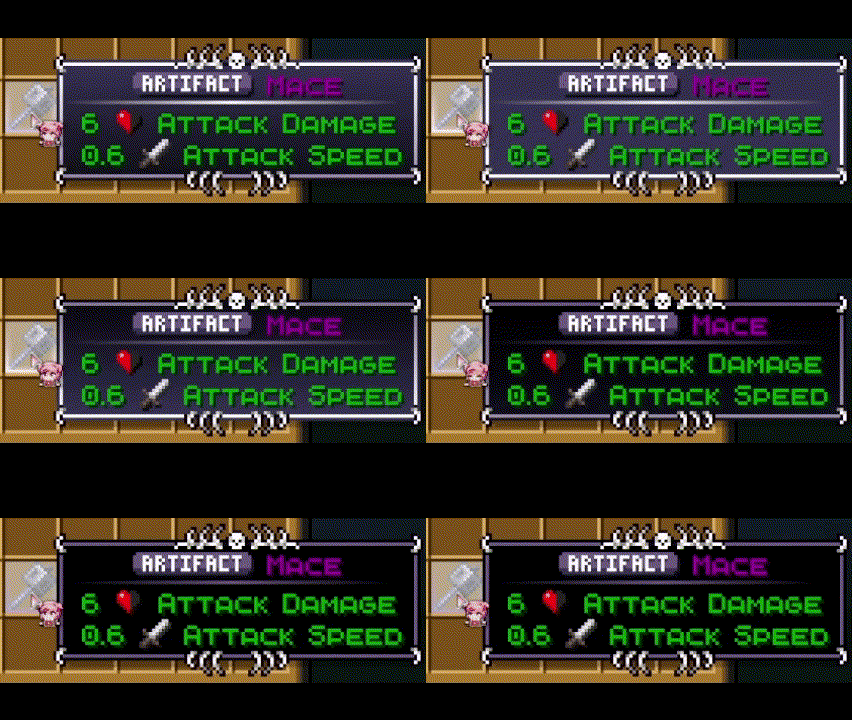
Trophee, Epic, Rare, Common and Trash Rarities :
- These items were given a rarity based on my personal feeling, feel free to give me feedback if you want some changes ! - Btw yes most items are in the common rarity, junk is only here for like dirt cobble etc
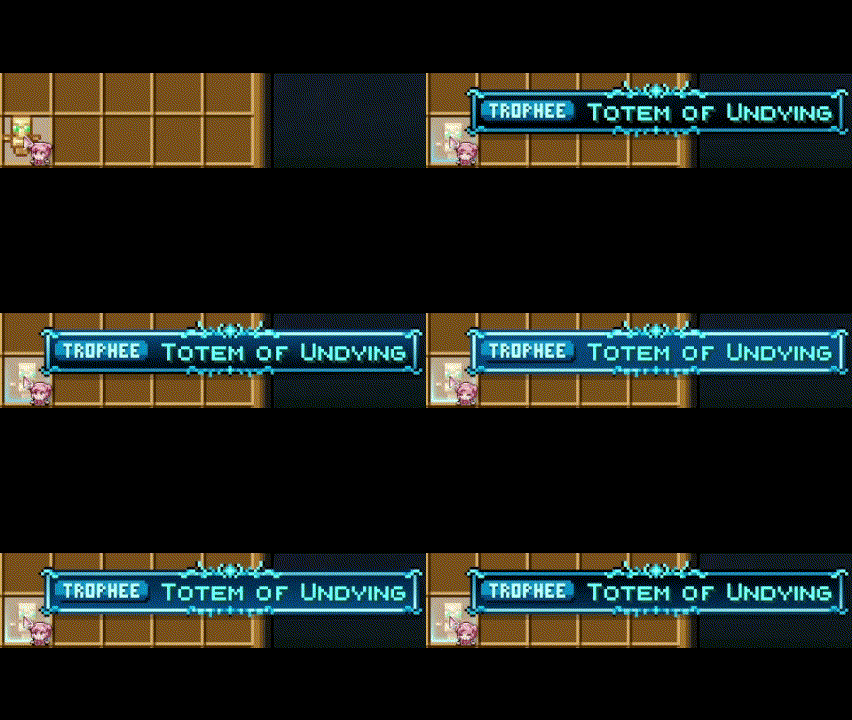
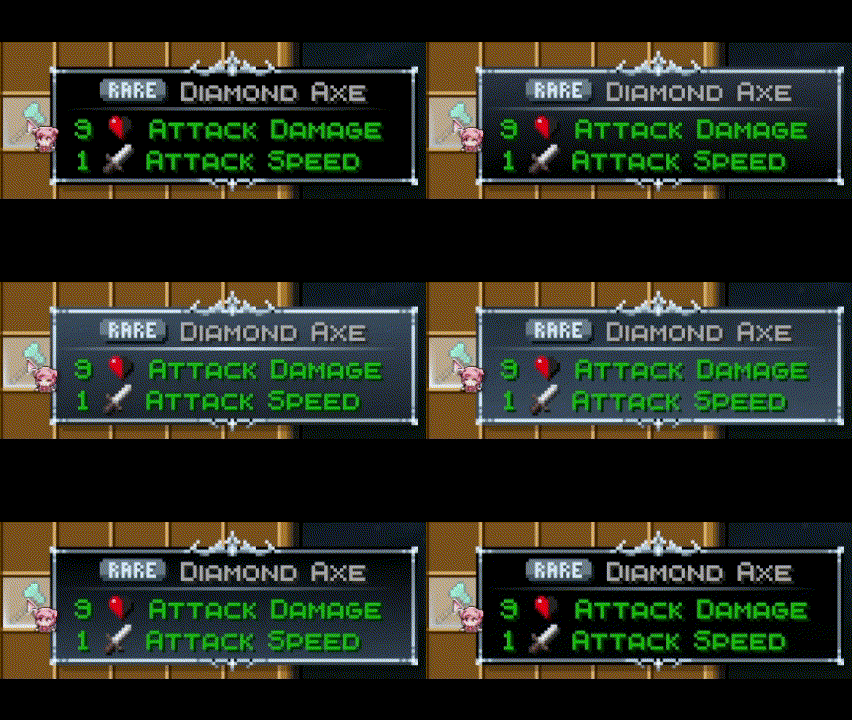
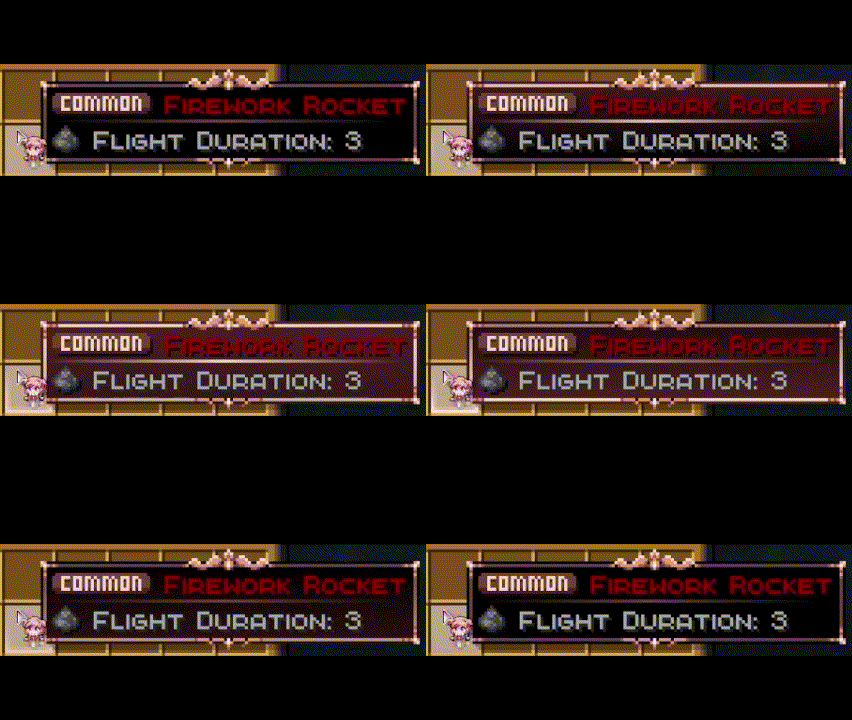
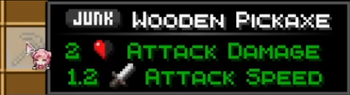
Eclectic Trove + Legendary Tooltips Support
Yes, you need the Legendary Tooltips mod to use all the features. It is needed for the Cool tooltip art and animations to work. Without this mod, you will only get Rarity Icons and Color text !
- <img alt="Static Badge" src="https://img.shields.io/badge/Legendary Tooltips-1.4.11 Fabric-dbb69b?logo=modrinth&logoColor=1bd96a&labelColor=16181c"> <img alt="Static Badge" src="https://img.shields.io/badge/Legendary Tooltips-1.4.11 NeoForge-f99e6b?logo=modrinth&logoColor=1bd96a&labelColor=16181c"> <img alt="Static Badge" src="https://img.shields.io/badge/Legendary Tooltips-1.4.11 Forge-959eef?logo=modrinth&logoColor=1bd96a&labelColor=16181c"> <img alt="Static Badge" src="https://img.shields.io/badge/Legendary Tooltips-1.4.11 Fabric-f16436?logo=curseforge&logoColor=f16436&labelColor=0d0d0d"> <img alt="Static Badge" src="https://img.shields.io/badge/Legendary Tooltips-1.4.11 NeoForge-f16436?logo=curseforge&logoColor=f16436&labelColor=0d0d0d"> <img alt="Static Badge" src="https://img.shields.io/badge/Legendary Tooltips-1.4.11 Forge-f16436?logo=curseforge&logoColor=f16436&labelColor=0d0d0d"> <img alt="Static Badge" src="https://img.shields.io/badge/Legendary Tooltips-1.4.11 Fabric-f16436?logo=curseforge&logoColor=f16436&labelColor=faf9fa"> <img alt="Static Badge" src="https://img.shields.io/badge/Legendary Tooltips-1.4.11 NeoForge-f16436?logo=curseforge&logoColor=f16436&labelColor=faf9fa"> <img alt="Static Badge" src="https://img.shields.io/badge/Legendary Tooltips-1.4.11 Forge-f16436?logo=curseforge&logoColor=f16436&labelColor=faf9fa">
- <img alt="Static Badge" src="https://img.shields.io/badge/Eclectic Trove-1.2.0-1bd96a?logo=modrinth&logoColor=1bd96a&labelColor=16181c"> <img alt="Static Badge" src="https://img.shields.io/badge/Eclectic Trove-1.2.0-f16436?logo=curseforge&logoColor=f16436&labelColor=0d0d0d"> <img alt="Static Badge" src="https://img.shields.io/badge/Eclectic Trove-1.2.0-f16436?logo=curseforge&logoColor=f16436&labelColor=faf9fa">
YOU NEED TO USE MY CUSTOM CONFIG FILE (in the zip) FOR THIS TO WORK (more info in the readme.txt)
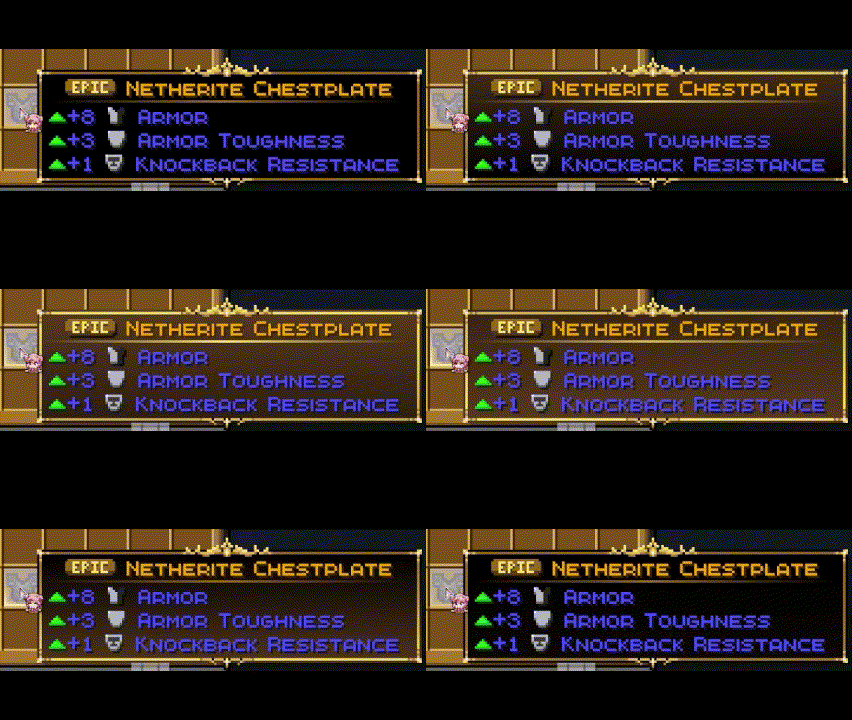
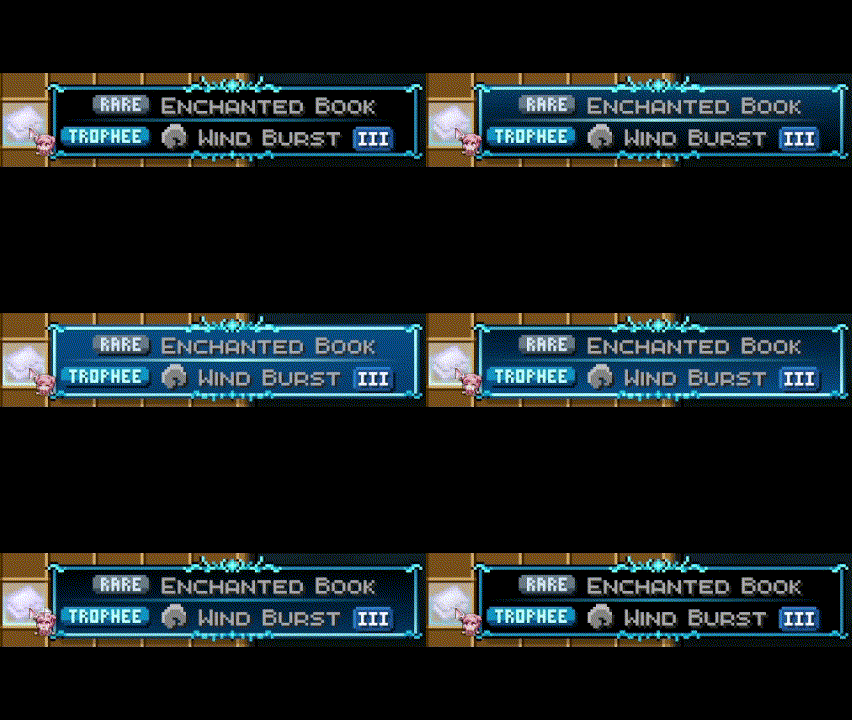
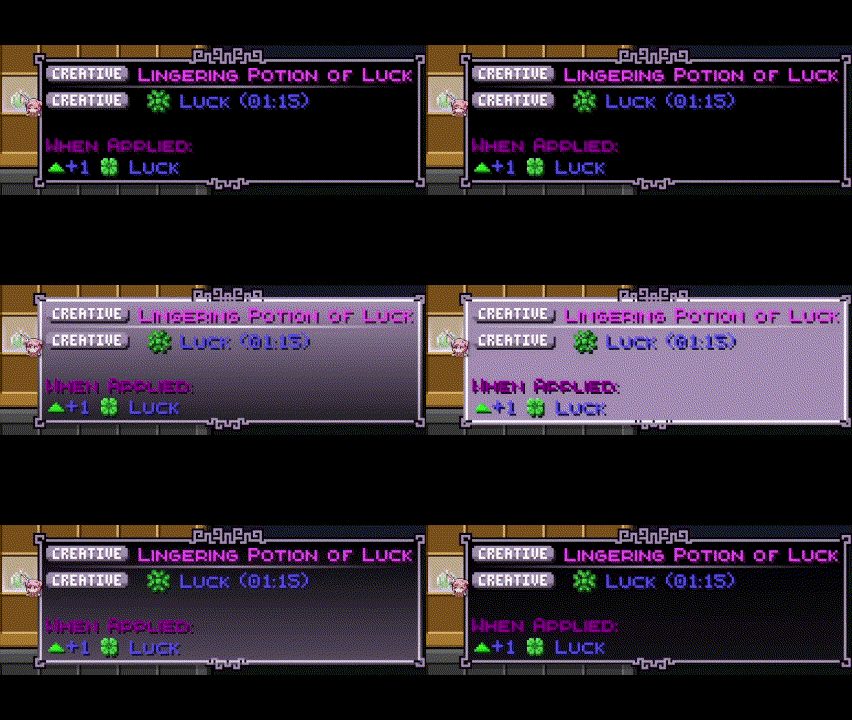
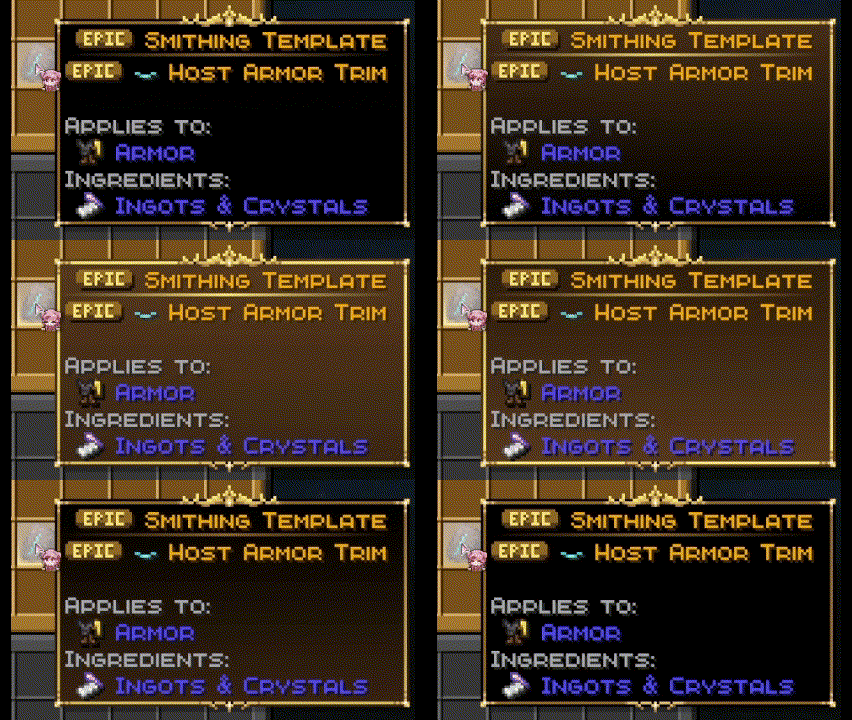
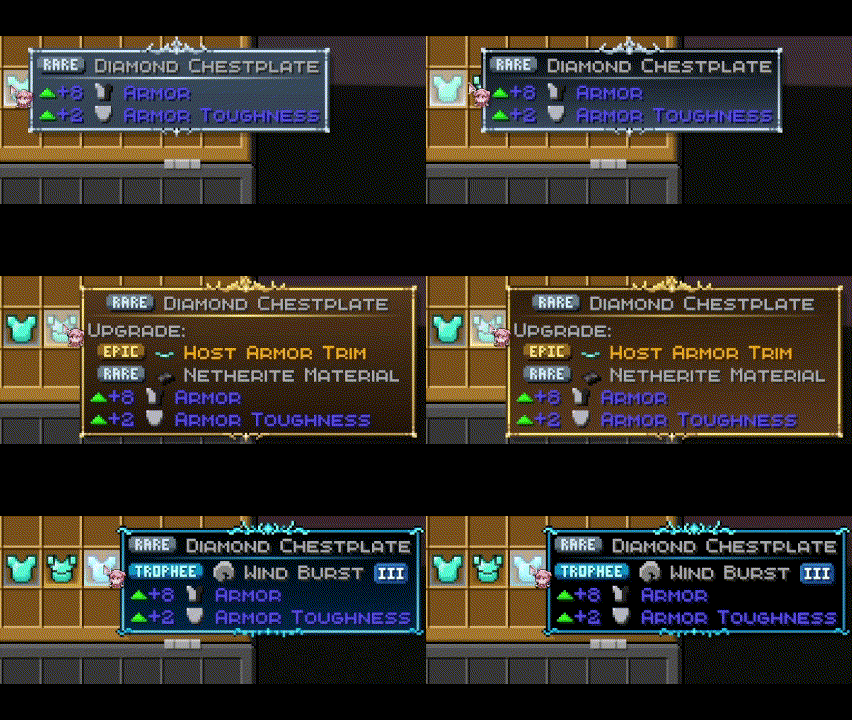
Enchant, Potions and Trims priority System
Enchants, Potions and Trims take the tooltip of the highest rarity they have. If you have mutiple enchants on a book for exemple, the tooltip will be the one of the best enchant ! This also works when equiped on armor as shown here :
Item Borders Support
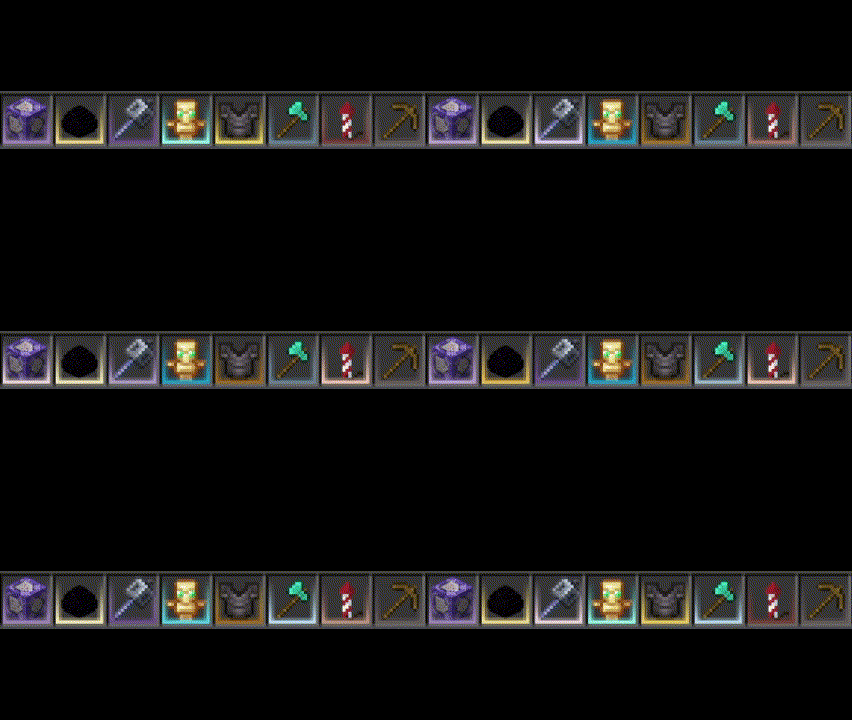
You will also need Items border to get the cool borders like here ! This will not work without Eclectic Trove + Legendary Tooltips
- <img alt="Static Badge" src="https://img.shields.io/badge/Item Borders-1.2.5 Fabric-dbb69b?logo=modrinth&logoColor=1bd96a&labelColor=16181c"> <img alt="Static Badge" src="https://img.shields.io/badge/Item Borders-1.2.5 NeoForge-f99e6b?logo=modrinth&logoColor=1bd96a&labelColor=16181c"> <img alt="Static Badge" src="https://img.shields.io/badge/Item Borders-1.2.5 Forge-959eef?logo=modrinth&logoColor=1bd96a&labelColor=16181c"> <img alt="Static Badge" src="https://img.shields.io/badge/Item Borders-1.2.5 Fabric-f16436?logo=curseforge&logoColor=f16436&labelColor=0d0d0d"> <img alt="Static Badge" src="https://img.shields.io/badge/Item Borders-1.2.5 NeoForge-f16436?logo=curseforge&logoColor=f16436&labelColor=0d0d0d"> <img alt="Static Badge" src="https://img.shields.io/badge/Item Borders-1.2.5 Forge-f16436?logo=curseforge&logoColor=f16436&labelColor=0d0d0d"> <img alt="Static Badge" src="https://img.shields.io/badge/Item Borders-1.2.5 Fabric-f16436?logo=curseforge&logoColor=f16436&labelColor=faf9fa"> <img alt="Static Badge" src="https://img.shields.io/badge/Item Borders-1.2.5 NeoForge-f16436?logo=curseforge&logoColor=f16436&labelColor=faf9fa"> <img alt="Static Badge" src="https://img.shields.io/badge/Item Borders-1.2.5 Forge-f16436?logo=curseforge&logoColor=f16436&labelColor=faf9fa">
YOU NEED TO USE MY CUSTOM CONFIG FILE (in the zip) FOR THIS TO WORK (more info in the readme.txt)
Fully Customisable !
You can customize the pack and the config files yourself ! I highly suggest doing it if you like coding things, its not hard I made it very explicit in the readme.txt, also you can change the rarity icons if you want
Have fun playing !
Gallery
Versions
1.0.4.1
release
1.0.3
release
1.0.4
beta
1.0.2
release
1.0.0
release