1.0
release

Mision:Bingo GUI
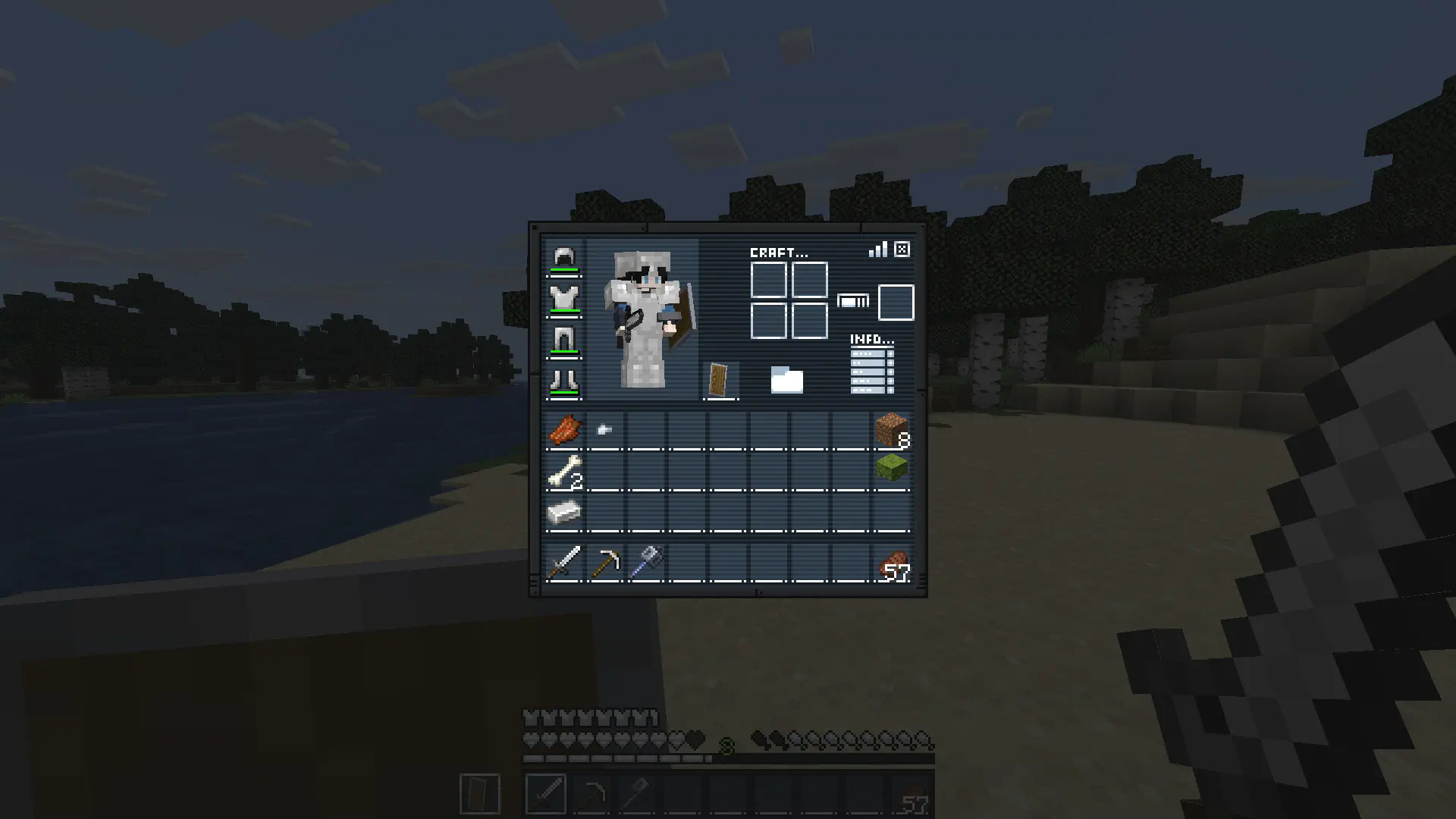
Replaces inventory, recipe book, changes hotbar, hearts and armor icons. Ready for the mission?
 1,90k
1,90k
Mision:Bingo GUI
Description
Gear up for the mission.
Mission: Bingo GUI transforms Minecraft’s interface with a complete mission-themed redesign, replacing the inventory, recipe book, hotbar, hearts, and armor icons for a sleek tactical look.
Perfect for players who want a more immersive and stylized HUD experience.
Ready for the mission?
How It Works
This resource pack replaces several default GUI and HUD textures with a custom mission-inspired design.
Installation / Usage
1. Download and install the resource pack 2. Enable it in Minecraft’s Resource Packs menu 3. Open your inventory or enter gameplay 4. Enjoy the new mission-style interface
Included Changes
- Custom inventory redesign - Replaced recipe book interface - New hotbar textures - Custom heart icons - Custom armor icons - Full mission-themed HUD aesthetic
In-Game Preview