





1.2
release

ModernConfig
ModernConfig is a Configuration Library for Modern Fabric Mods
 20,36k
ModernConfig
ModernConfig
<div align="center"> <img src="https://raw.githubusercontent.com/QWERTZexe/ModernConfig/refs/heads/main/src/main/resources/assets/modernconfig/icon.png" alt="ModernConfig Logo" width="150" height="150">
A beautiful, modern configuration library for Minecraft mods
</div>
🌟 Overview
ModernConfig is a sleek configuration library for Minecraft Fabric mods that makes managing settings easy. No more config commands - ModernConfig has animations, a modern style, and its really easy to implement in your mods.
✨ Features
<!--### 🎨 Dark Theme - Dark Theme: Fluid transitions and hover effects using advanced easing functions - Dark Theme: Adapts to different screen sizes and resolutions - Dark Theme: Sleek buttons, toggles, sliders, and input fields - Dark Theme: Eye-friendly interface with carefully chosen colors-->
🧩 Configuration Options
- 📁 Categories: Boolean switches - on or off - 📁 Categories: String inputs - 📁 Categories: Numeric inputs with customizable ranges and precision - 📁 Categories: Dynamic string lists with add/remove functionality - 📁 Categories: HSV color selection with hex input support - 📁 Categories: Selection menus - 📁 Categories: Organized sections with nested configurations
🚀 Easy to Develop with
- Listeners for config updates: Easy to use Builder - Listeners for config updates: Register a listener to fire when the config changes
🔧 Other Features
- Performance Optimized: One place to access all mods configs - Performance Optimized: Right Shift opens the config (configurable) - Performance Optimized: Non FPS draining animations
📸 Screenshots
Main Interface
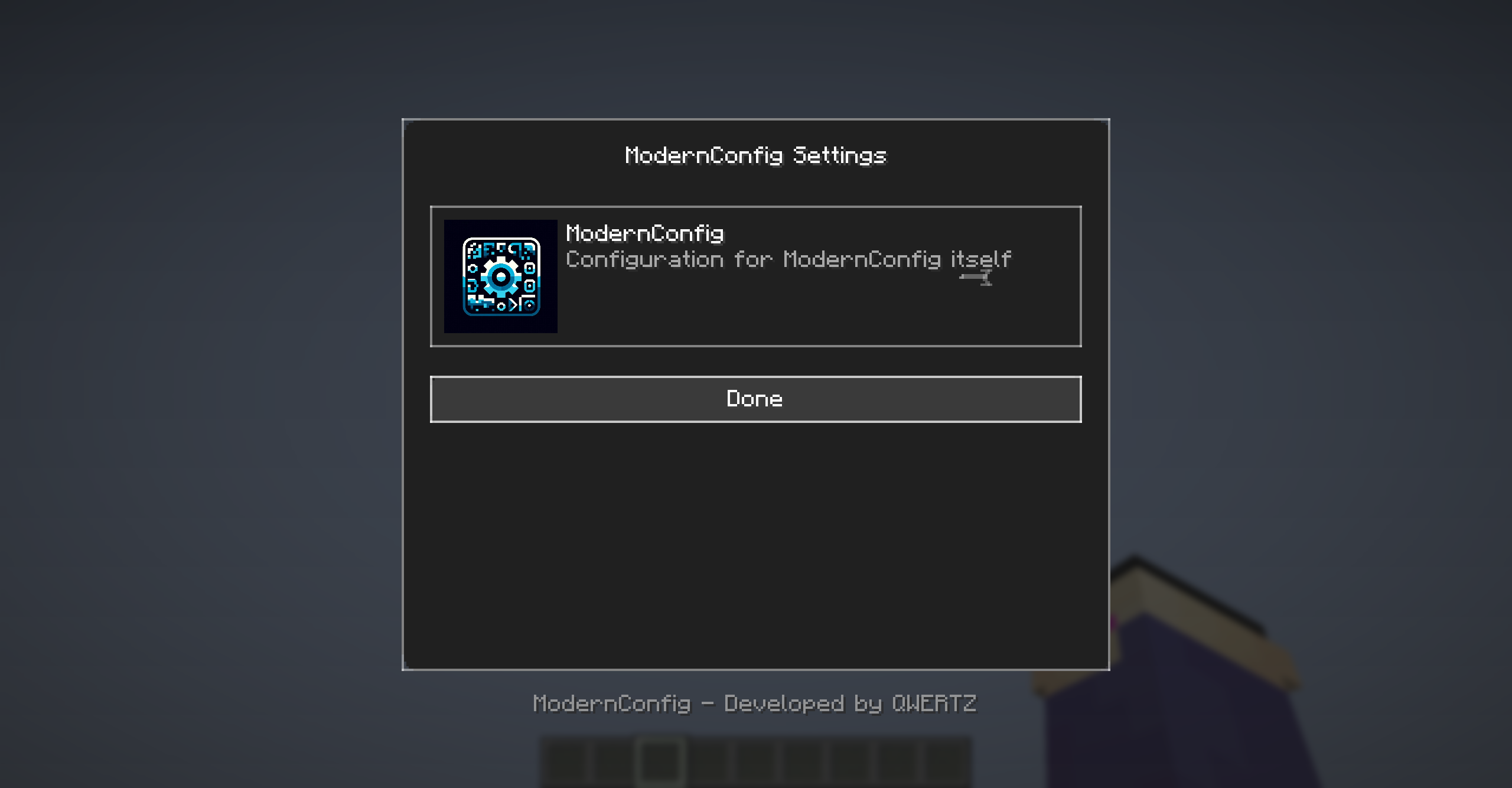
*Main interface with animations and modern design*
Configuration Options
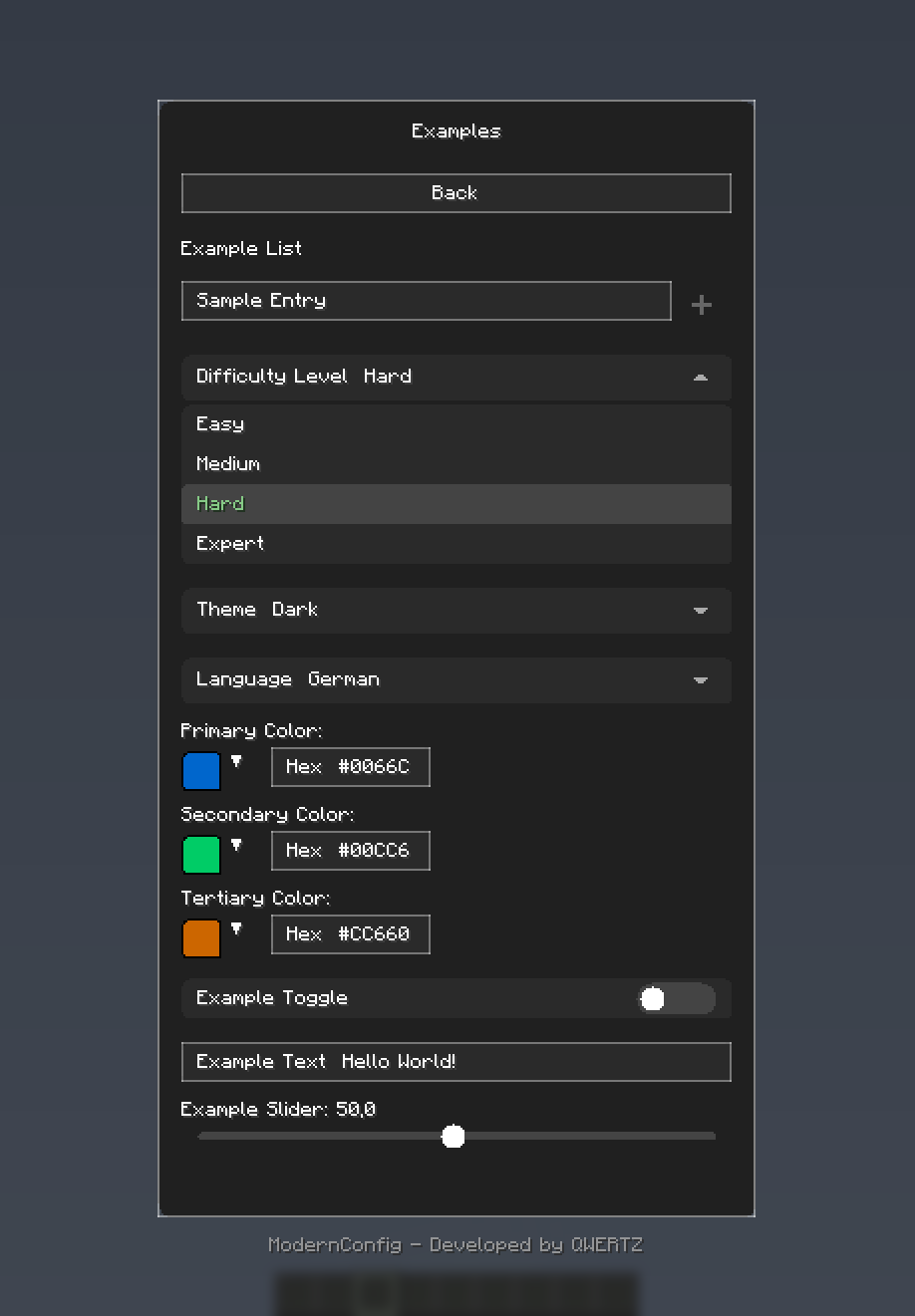
*Rich variety of input types: toggles, sliders, text fields, and more*
Color Picker
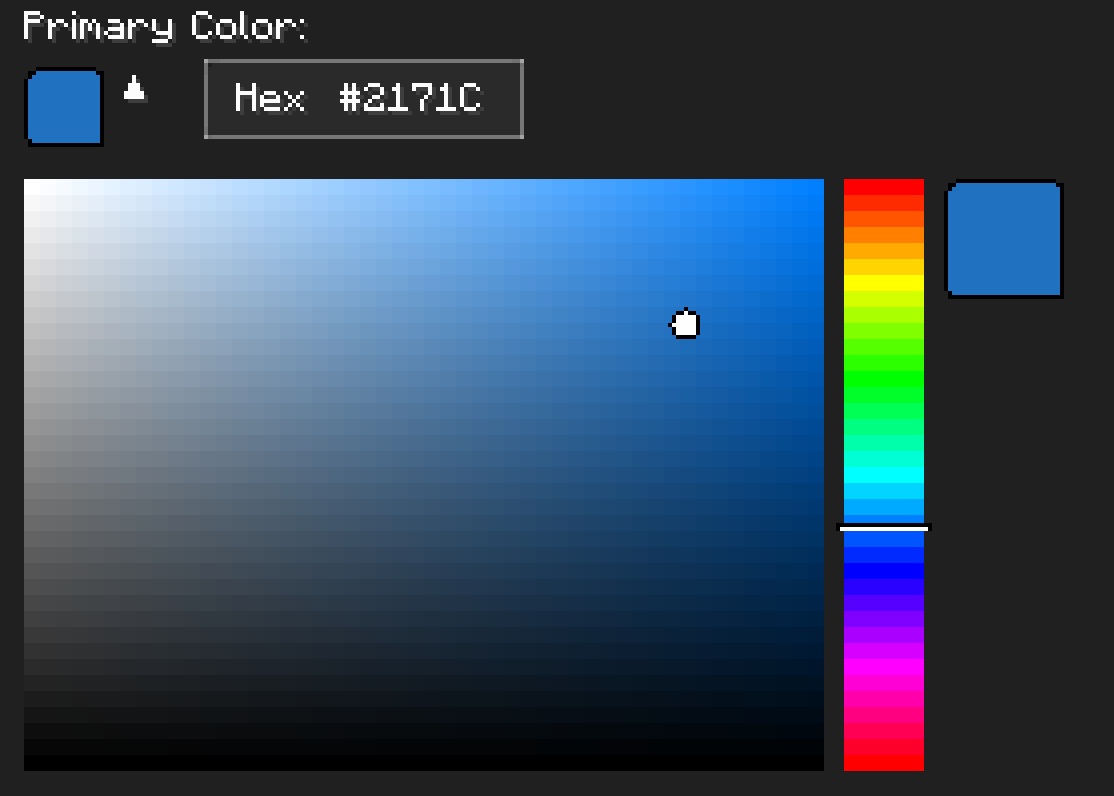
*HSV color picker with real-time preview*
🚀 Installation
For Players
1. Download and Install Fabric - Get Download and Install Fabric - Install %%MD1%%
2. Download ModernConfig - Download from Download ModernConfig
3. Install the Mod - Place the `.jar` file in your `mods` folder - Launch Minecraft with the Fabric profile
For Developers
Add ModernConfig to your `build.gradle`:
```gradle repositories { maven { name = 'QWERTZ-Repo' url = 'https://repo.qwertz.app/' } }
dependencies { modImplementation 'app.qwertz:modernconfig:1.3' } ```
🎮 Usage
Opening the Configuration
- In-Game: Press `Right Shift` (you can change this keybind)
Navigation
- Back Button: Shows all mods that use ModernConfig - Back Button: Opens that mod's settings - Back Button: Goes back to the previous screen
🔧 Developer Guide
Quick Start
Here is how easy it is to set up a config:
```java public class YourMod implements ClientModInitializer {
@Override public void onInitializeClient() { ModernConfig config = ConfigBuilder.create("YourMod", "Your Mod Configuration") .toggle("enabled", "Enable Mod", true) .slider("power", "Power Level", 50, 0, 100, 1) .text("username", "Player Name", "Steve") .color("theme_color", "Theme Color", 0x4A90E2) .list("whitelist", "Player Whitelist", "Player Name") .dropdown("difficulty", "Difficulty", Arrays.asList("Easy", "Normal", "Hard"), "Normal") .build(); } } ```
Using Categories
When you have lots of settings, organize them into categories:
```java ModernConfig config = ConfigBuilder.create("AdvancedMod", "Advanced Mod Settings") .category("general", "General Settings", "Main configuration options", category -> category .toggle("enabled", "Enable Mod", true) .slider("update_interval", "Update Interval", 20, 1, 100, 1) .text("server_url", "Server URL", "https://api.example.com") ) .category("ui", "User Interface", "Customize the user interface", category -> category .color("primary_color", "Primary Color", 0x4A90E2) .color("secondary_color", "Secondary Color", 0x2ECC71) .dropdown("theme", "Theme", Arrays.asList("Dark", "Light", "Auto"), "Dark") .slider("ui_scale", "UI Scale", 1.0f, 0.5f, 2.0f, 0.1f) ) .category("advanced", "Advanced Settings", "Advanced configuration options", category -> category .toggle("debug_mode", "Debug Mode", false) .list("blocked_items", "Blocked Items", "Item ID") .list("whitelist", "Whitelisted Servers", "IP") .text("api_key", "API Key", "") ) .build(); ```
Accessing Configuration Values
```java // Get configuration options by category path ConfigOption<?> enabledOption = config.getOption("general", "enabled"); ConfigOption<?> updateOption = config.getOption("general", "update_interval"); ConfigOption<?> whitelistOption = config.getOption("advanced", "whitelist");
// Get the actual values boolean isEnabled = (Boolean) enabledOption.getValue(); int updateInterval = (Integer) updateOption.getValue(); List<String> whitelist = (List<String>) whitelistOption.getValue(); ```
🎨 Configuration Options
Toggle (Boolean)
```java .toggle("toggle_id", "Display Name", defaultValue) ``` - Examples: On/off switches - Examples: Feature flags, enable/disable options
Text Field (String)
```java .text("text_id", "Display Name", "default_value") .text("text_id", "Display Name", "default_value", maxLength) ``` - Examples: Text input fields - Examples: Player names, server URLs, file paths, API keys
Slider (Numeric)
```java .slider("slider_id", "Display Name", defaultValue, minValue, maxValue, step) ``` - Examples: Numeric input with range constraints - Examples: Percentages, scales, intervals, counts, delays
Color Picker (Integer)
```java .color("color_option_id", "Display Name", 0xRRGGBB) ``` - Examples: Color selection with color picker - Examples: Theme colors, highlighting, UI customization
List (String Array)
```java .list("list_id", "Display Name", "Item Display Name") ``` - Examples: Lists of text entries - Examples: Player whitelists, blocked items, keywords
Dropdown (String Selection)
```java .dropdown("dropdown_id", "Display Name", Arrays.asList("Option1", "Option2"), "Default") ``` - Examples: Pick one option from a list - Examples: Difficulty levels, themes, render modes, language selection
Categories (Organization)
```java .category("category_id", "Category Name", "Description", category -> category // Add options here ) ``` - Examples: Organize related options - Examples: Group related settings logically
🤝 Contributing
Pull Request Process
1. Fork the repository 3. Make your changes 4. Test it 5. Submit a pull request
🙏 Credits
Development Team
- QWERTZ - *Lead Developer* - QWERTZ
📞 Support
- Discord: Discord
🌟 Star History
---
<div align="center">
Made with ❤️ and many tears 🥲
⬆ Back to Top
</div>