

1.1.0
beta

Modset Policy Enforcement (MPE)
This mod has a new concept of Anti Cheat for Minecraft. Instead of looking if the User does move right it sits on the users PC and looks what mods he has installed. With that the user cant even join with mods that have been baned by the Server.
 860
860
Modset Policy Enforcement (MPE)
Modset Policy Enforcement (MPE)
Ensure fair play on your Minecraft Fabric server with Modset Policy Enforcement (MPE). This mod introduces a new, advanced technique to detect cheaters, providing robust protection against unauthorized modifications.
Key Features
Client and Server Side Protection
The mod must be installed on both the client and server, ensuring consistent and reliable detection.
Mod Verification
Upon connection, the server verifies if the client has the MPE mod installed. Clients without the mod are automatically rejected.
Mod Scanning
The client sends a list of all active mods to the server when connecting.
Banned Mods Enforcement and Config
The server checks the list of client mods against a configurable banned mods list and prevents connections if any prohibited mods are detected.

* On the server, go to `config/anticheat/banned-mods.txt`. * In the config file, enter the mod IDs you want to ban.
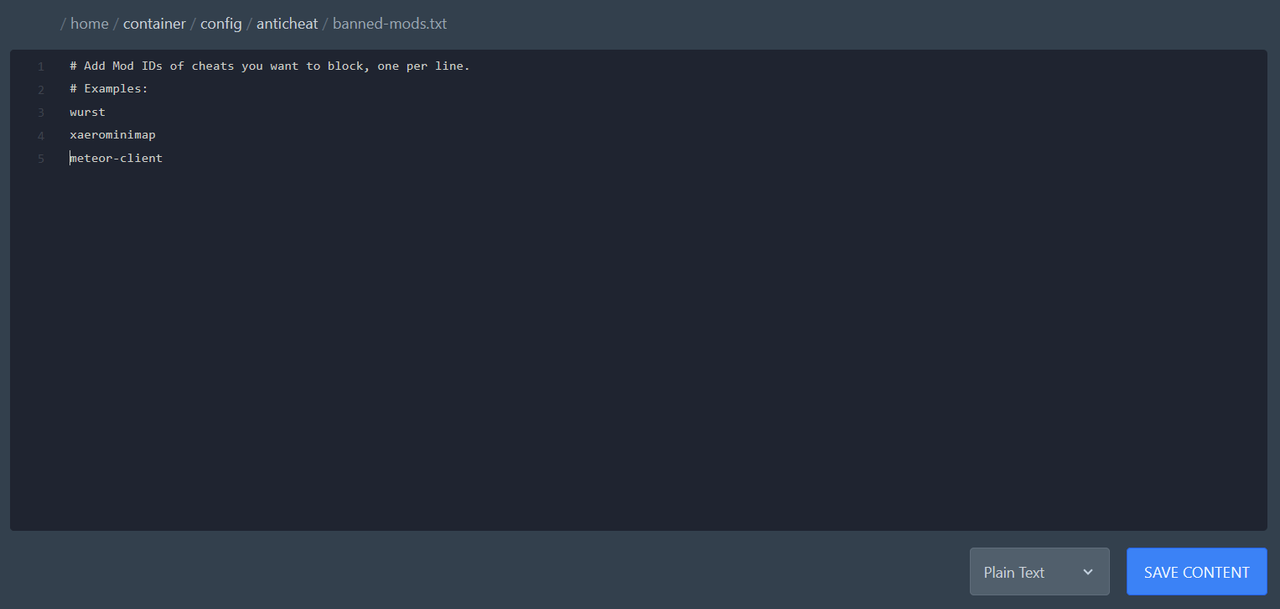
* .zip * Download the mod you want to ban and rename the file extension from .zip to .zip. * Open the mod’s ZIP folder (if you cant open it you have extract it first). * Read the `fabric.mod.json` file. * Take the value of the `id` field. Example: `{ "id": "meteor-client", "name": "Meteor Client" }` → put `meteor-client` into the file. * Each ID must be placed on a new line.