1.0.8
release

OptimizationUtils
A minecraft plugin that allows you to dynamically change mobcap and performance settings without a server restart!
 487
487
OptimizationUtils
OptimizationUtils
A minecraft plugin with some useful optimization utils (see below).
Features
- Animal Out of Range Cleanup - Automatically prevents mob spawning when server performance drops below configured thresholds (based on MSPT) (see config). - Animal Out of Range Cleanup - Automatically sets simulation distance for all worlds with proper despawn range adjustments following Paper optimization guidelines - Animal Out of Range Cleanup - Configure mob spawn limits and spawn frequency for different categories (MONSTER, ANIMAL, etc.) - Animal Out of Range Cleanup - Analyze loaded chunks to identify areas with the highest entity concentrations (shows top 10 chunks) - Animal Out of Range Cleanup - Remove animals that are outside specified range from players to reduce server load
Commands
Base command: `/optimizationutils` (aliases: `/ou`, `/opt`)
- `/ou reload` - Reloads the plugin configuration. - `/ou info` - Displays server and plugin information. - `/ou setsimulationdistance <distance>` - Set simulation distance for all worlds. This also changes spigot and paper configs according to https://paper-chan.moe/paper-optimization/?ref=paper-chan.moe#despawn-ranges-notes - `/ou setviewdistance <distance> [player]` - Set view distance for all worlds or for a specific player. - `/ou setspawnlimit <category> <limit>` - Set mob spawn limit (MONSTER, ANIMAL, etc.). Equivalent to `spawn-limits` in `bukkit.yml`. (ref) - `/ou setticksperspawn <category> <ticks>` - Set mob spawn frequency. Equivalent to `ticks-per` in `bukkit.yml`. (ref) - `/ou analyzechunks` - Shows in which chunk are the most entities. - `/ou killoutofrange <entity type> <range>` - Kills specified entities that are out of the given range from the player. This is useful for servers with a lot of entities, as it can help reduce lag.
All these commands only set the values in memory, they do not change the config files. The changes will be lost on server restart.
Permissions
- `optimizationutils.admin` - Access to all commands
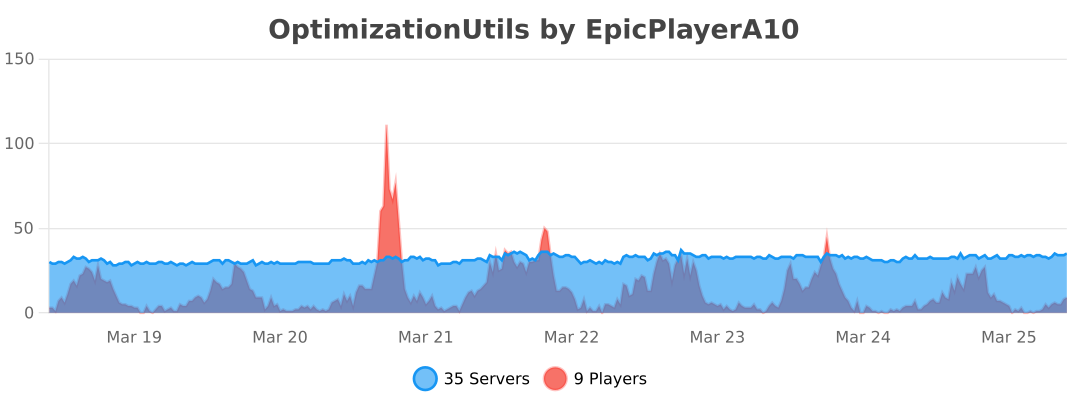
Stats