OldOrNew Lockdown
Have ever imagined how could be Minecraft 1.21.x+ if was released during Covid? well… this Modpack makes you to try this experience, the entire GUI didn’t change so much in this years by the way
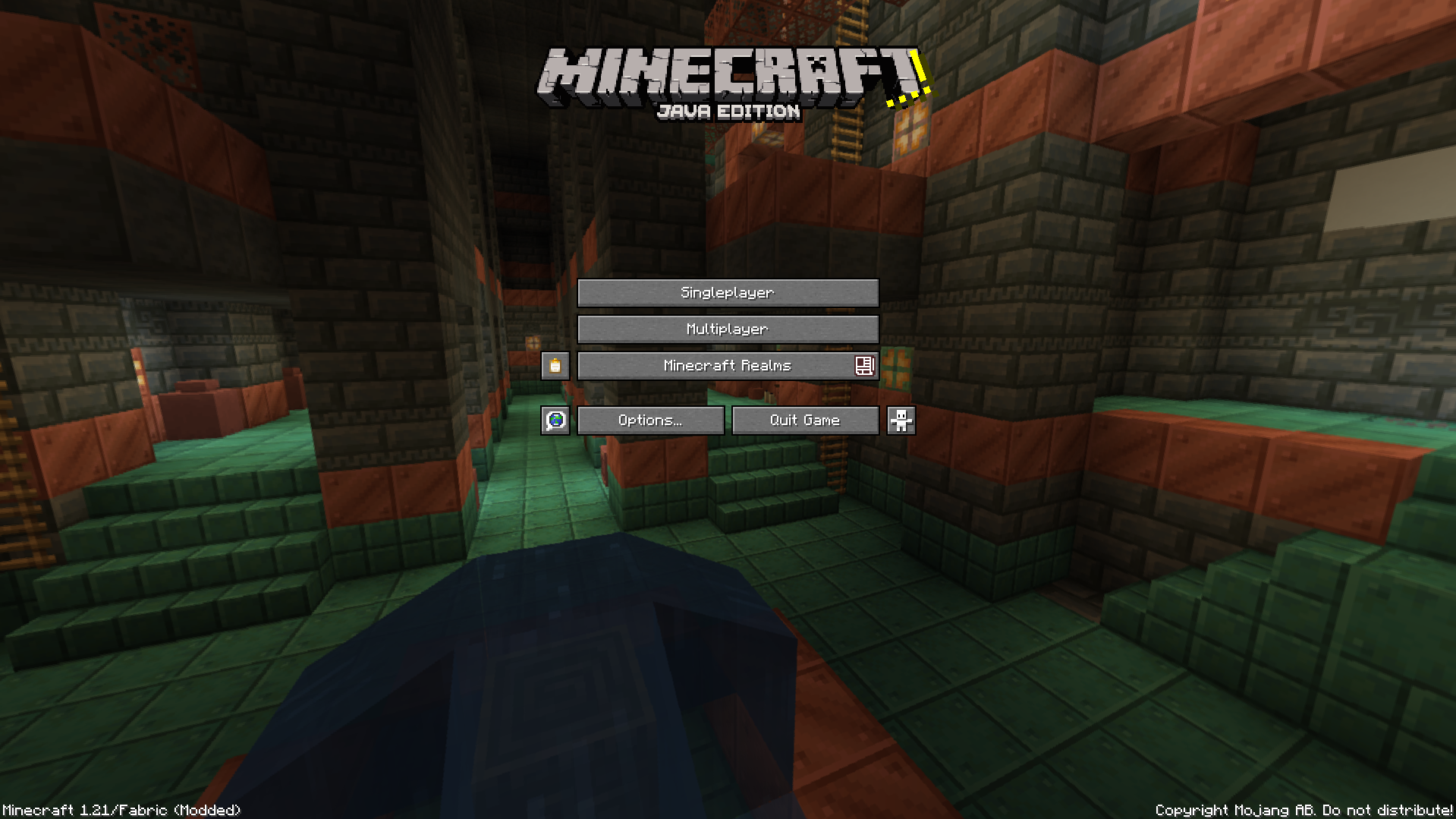
Here is the title screen, doesn’t look familiar that Minecraft logo to you?
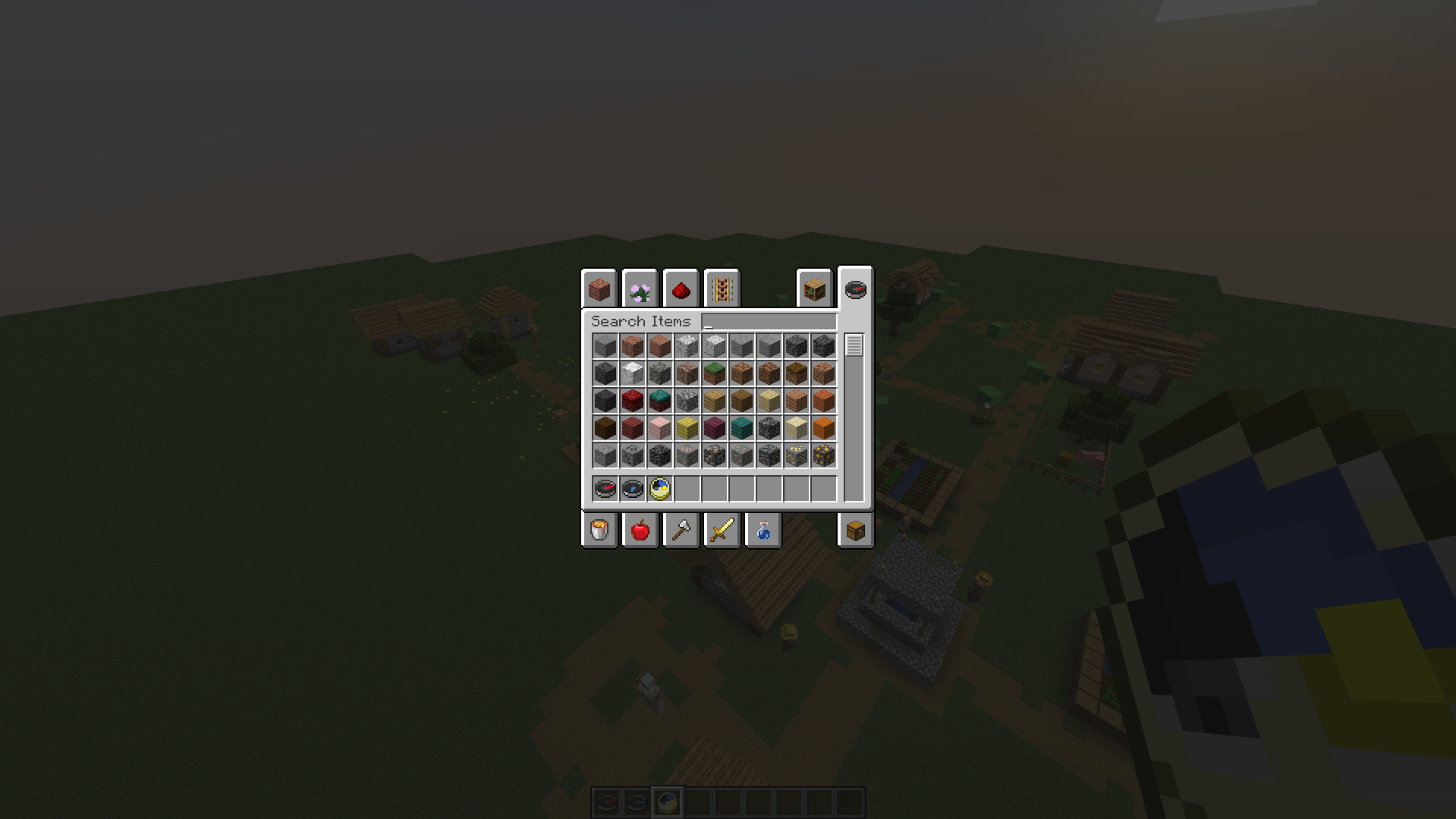
The old creative menu, so good…
[MORE EXAMPLES ON GALLERY](https://modrinth.com/modpack/oldornew-lockdown/gallery)
By the way, this doesn’t change game mechanics, even the shift is the newer one, but the entire game looks a version released in that period (so textures, sounds, models etc..) this means you can play on servers but **OBVIUOSLY AT YOUR OWN RISK**, could be very rare but **I’M NOT RESPONSIBLE ABOUT ANY SANCTION THE SERVER YOU PLAYED GAVE YOU FOR USING THIS MODPACK**
Yes, you can host your world on LAN or with mods like Essential (not included, you need to install it yourself) to friends that don’t use this modpack, also don’t apply these on servers because it’s useless
Known bugs
Nothing for now
Used Resource Packs (i’m listing them because are loaded from OpenLoader)
– OldOrNew Additional Tweaks
– [Classic Music Pack](https://modrinth.com/resourcepack/classic-music-pack)
– [Old Piston Sounds](https://modrinth.com/resourcepack/original-piston-sounds)
– [Legacy Glint](https://modrinth.com/resourcepack/legacyglint)
– [Obligatory Old Title](https://modrinth.com/resourcepack/obligatory-old-title)
– [Old Ores](https://modrinth.com/resourcepack/old-ores)
– [Old Potion Colors](https://modrinth.com/resourcepack/bring-back-old-potion-colors)
– [Old Trial Key](https://modrinth.com/resourcepack/old-trial-key)
– [Old Bundle](https://modrinth.com/resourcepack/old-bundle)
OldOrNew
Have ever imagined how could be Minecraft 1.20.x+ if was released in 2017/2018? well… this Modpack makes you to try this experience, the entire GUI looks like one of the 1.12/1.13 era (a very few guis are not so equal to them)
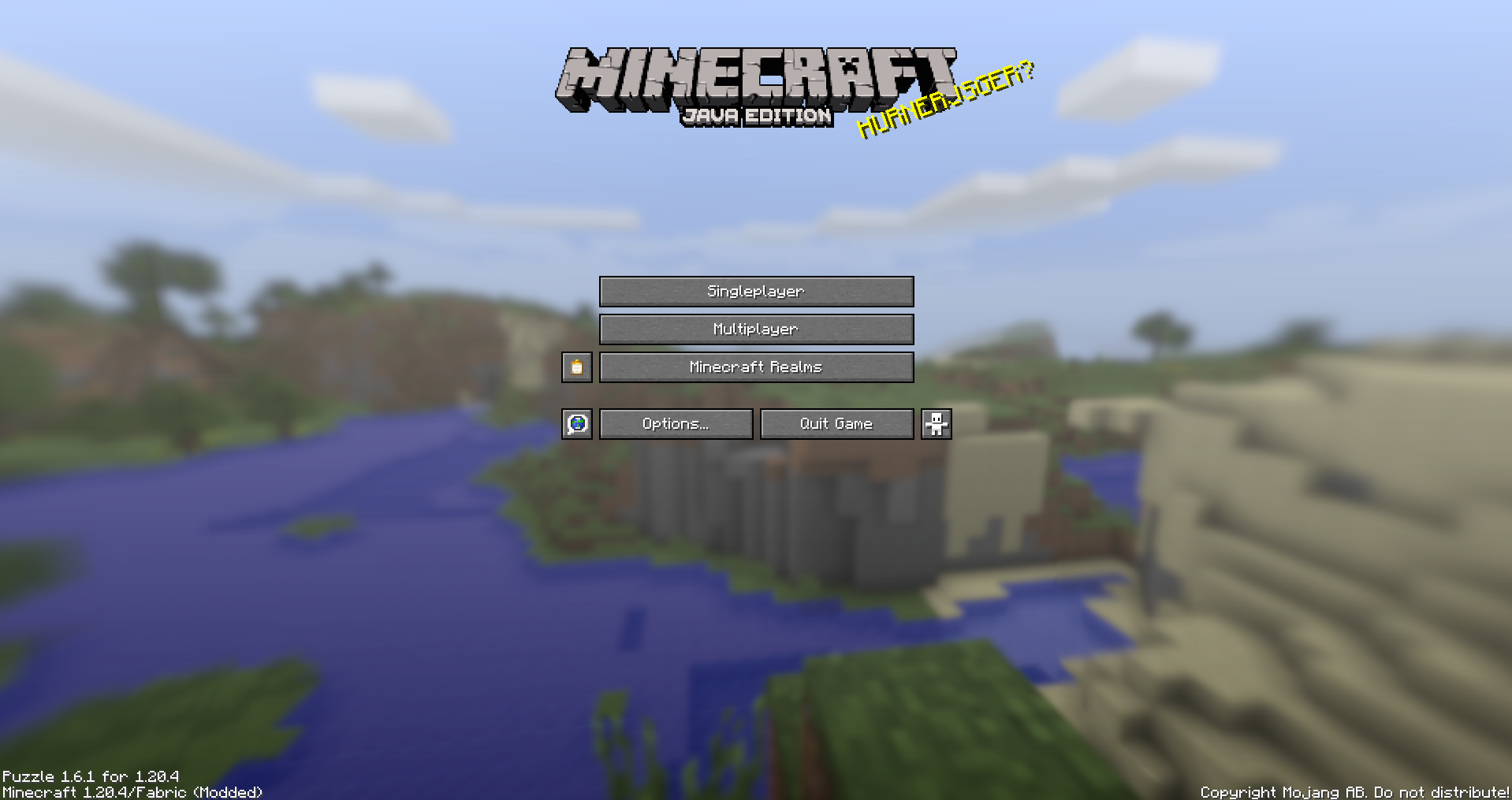
Here is the title screen, doesn’t look familiar to you?
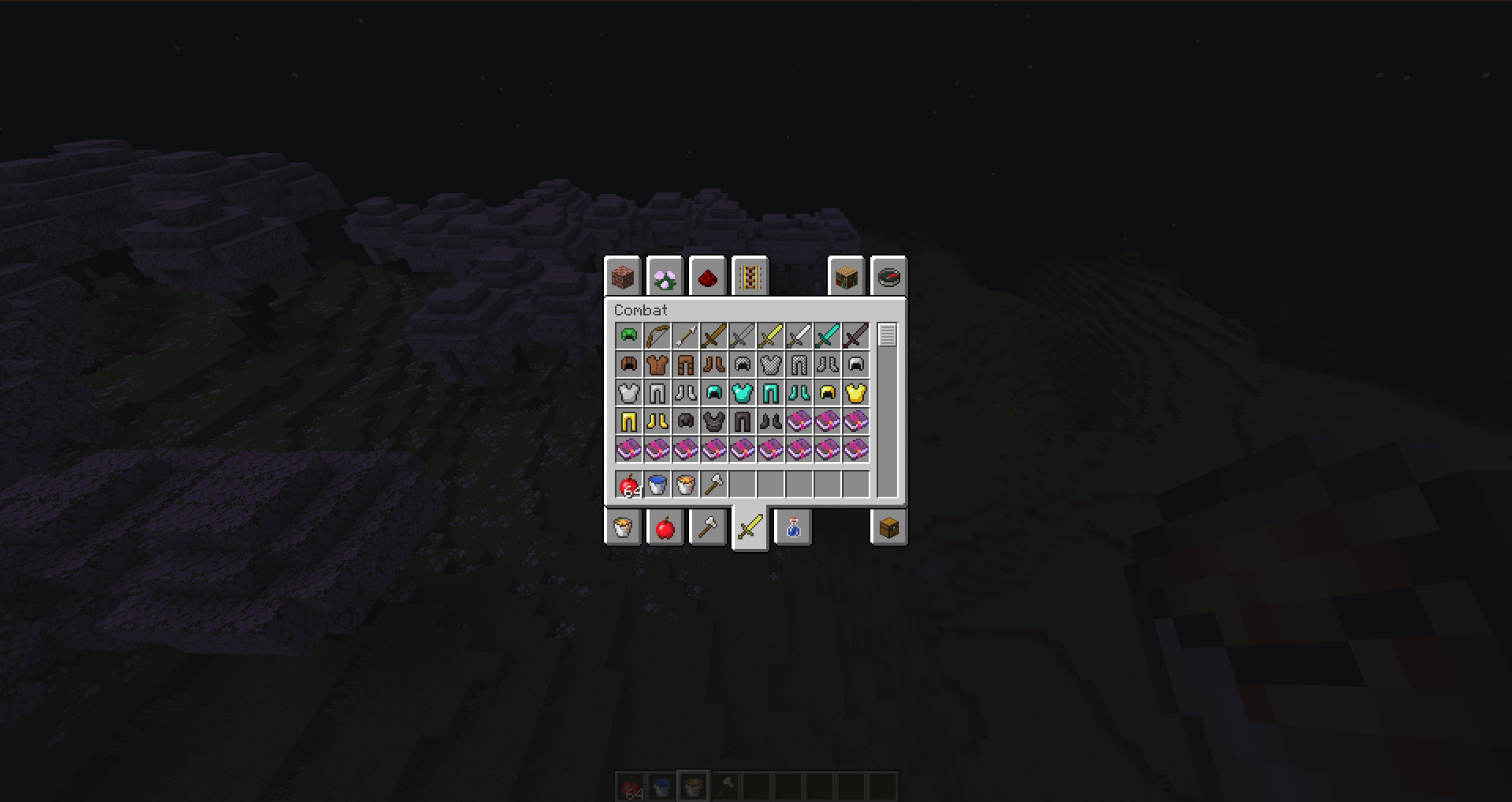
The old creative menu, so good…
[MORE EXAMPLES ON GALLERY](https://modrinth.com/modpack/oldornew/gallery)
By the way, this doesn’t change game mechanics, even the shift is the newer one, but the entire game looks a version released in that period (so textures, sounds, models etc..) this means you can play on servers but **OBVIUOSLY AT YOUR OWN RISK**, could be very rare but **I’M NOT RESPONSIBLE ABOUT ANY SANCTION THE SERVER YOU PLAYED GAVE YOU FOR USING THIS MODPACK**
Yes, you can host your world on LAN or with mods like Essential (not included, you need to install it yourself) to friends that don’t use this modpack, also don’t apply these on servers because it’s useless
Known bugs
Nothing for now
Used Resource Packs (i’m listing them because from version 1.2 are loaded from OpenLoader)
– OldOrNew Additional Tweaks
– [Default Pre-1.13 Minecraft Font](https://modrinth.com/resourcepack/pre1.13-minecraft-font)
– [Programmer Art Fix](https://modrinth.com/resourcepack/programmer-art-fix)
– [Classic Music Pack](https://modrinth.com/resourcepack/classic-music-pack)
– [Classic Menu Panorama](https://modrinth.com/resourcepack/classic-menu-panorama)
– [Old Piston Sounds](https://modrinth.com/resourcepack/original-piston-sounds)
– [Old Water Texture](https://modrinth.com/resourcepack/old-water-texture)
– Programmer Art
– [Roses](https://modrinth.com/resourcepack/nostalgic-roses)
– [The Original Minecraft Logo](https://modrinth.com/resourcepack/the-original-minecraft-logo)
– [Legacy Glint](https://modrinth.com/resourcepack/legacyglint)
Old Ore Drops
Brings back the classic ore drops!
Do you dislike those pesky raw materials? Well if you do, this is the mod for you!
This mod Makes Gold, Iron, And Copper Drop ores even without silk touch, just like old school Minecraft!
Modifies the Following Drops:
– Gold Ore – Now drops gold ore without silk touch.
– Iron Ore – Now drops gold ore without silk touch.
– Copper Ore – Now drops gold ore without silk touch.
– Deepslate Gold Ore – Now drops Deepslate Gold Ore ore without silk touch.
– Deepslate Iron Ore – Now drops Deepslate Iron ore without silk touch.
– Deepslate Copper Ore – Now drops Deepslate Copper ore without silk touch.
OldNetheriteUpgrades
# OldNetheriteUpgrades
Minecraft 1.20下界合金升级不再需要升级模板,表现与1.16-1.19相同.
~~因为1.20后smithing_transform合成表中template key不能为空,因此使用石头代替。~~
template key可以使用空数组填充代表啥也不放,现在完全不需要石头了,升级方式与旧版本保持一致。
Make 1.20 Netherite Upgrades don’t need smithing template, same as the behaviour in 1.16-1.19.
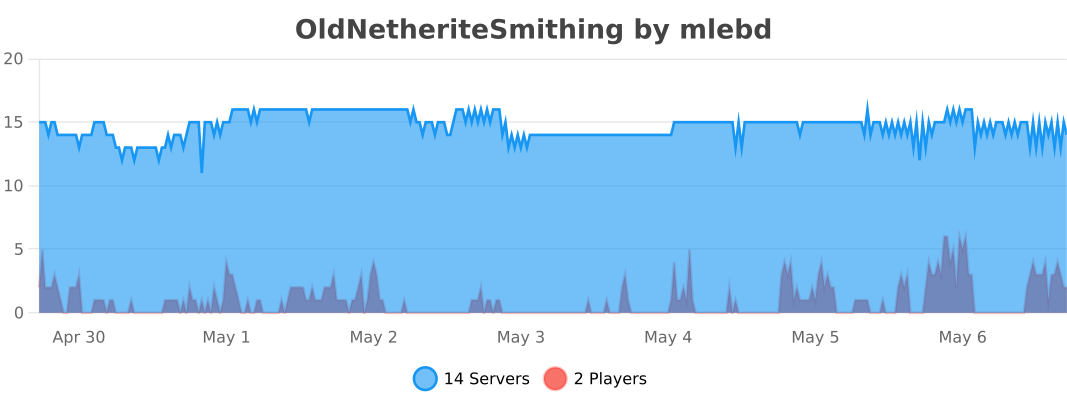
OldNetheriteSmithing
A simple plugin that allows to upgrade gear without smithing template
Permissions: `oldnethersmithing.smith`
Spigot: https://www.spigotmc.org/resources/oldnetheritesmithing.112594/
Modrinth: https://modrinth.com/plugin/oldnetheritesmithing

Also you may try https://github.com/TrollsterCooleg/NoNetheriteTemplate this is more straightforward plugin that adds custom smithing table recipes, but this implementation does not compatible with permissions because register recipes globally. Use this plugin only if you need permissions, otherwise use the one that was provided earlier.
OldMacDonald
# OldMacDonald
OldMacDonald allows your farms to continue to grow, even with no players nearby. The plugin even works with 0 players online!
# Key Features
– **Keep as many farms running as you’d like!** – There are no limits whatsoever!
– **Easy to set up** – Simple commands with autocomplete prompts.
– **Support for both plant and mob farms** – Mob spawners and most plants are functional currently, support for more will be coming in the future!
– **Lightweight** – OldMacDonald is designed to have as little impact on your server as possible!
– **Customisable farm size** – Players can customise the radius of their farm, up to the size limit that is decided by the server admins.
– **Admin customisation** – Admins are able to control what players can do with a permissions system (LuckPerms is recommended for permission management).
# Commands & Permissions
**/oldmacdonald** (_/omd_) – The prefix for all OldMacDonald commands.
**/oldmacdonald help** – Shows a list of commands that can be used.
**/oldmacdonald info** – Shows what version of the plugin is active on the server.
**/oldmacdonald addfarm** (current | coords ) () () – Add a farm at the player’s current location, or a specified location, with a farm name and a specified radius (in blocks). Specifying radius is optional. If no radius is specified, the radius will be the default (24 out of the box, can be changed by server admins).
**/oldmacdonald listfarms** – Provides a list of all active farms on the server.
**/oldmacdonald removefarm** ( | – Remove a farm from the list of farms by either the index in the list of farms, or by the name of the farm (removal permissions coming soon).
**/oldmacdonald setmaxradius** – Change the maximum allowed radius of farms. _Only available to Admins by default. Permission can be assigned via LuckPerms._
**/oldmacdonald setmaxradius** – Change the maximum allowed radius of farms. _Only available to Admins by default. Permission can be assigned via LuckPerms._
**/oldmacdonald setdefaultradius** – Change the default radius of farms when radius is not specified. _Only available to Admins by default. Permission can be assigned via LuckPerms._
**/oldmacdonald setmaxmobs** – Change the maximum allowed number of each mob type in the world. Only applies to mobs spawned by OldMacDonald (i.e. with the default mob cap of 50, if there are 10 naturally spawning skeletons and a player sets up a mob farm for a skeleton spawner, only 40 skeletons at a time will spawn in the farm). _Only available to Admins by default. Permission can be assigned via LuckPerms._
# Initial Setup
To start using OldMacDonald, simply download it, drag the file into your plugins folder and restart your server. That’s it! You can now login to your server and type ‘/omd help’ to get an overview of the available commands. A configuration file has also been generated, which is located in ‘/plugins/OldMacDonald/’.
# Dependencies
OldMacDonald will only work if the chunks are active, so [KeepChunks](https://modrinth.com/plugin/keepchunks) is essential. [LuckPerms](https://modrinth.com/mod/luckperms) is not essential, but highly recommended.
# Important Notes
This plugin is a work-in-progress, so please look forward to more functionality in the future!
# Report a Bug/Provide Feedback
If you have encountered a bug or wish to provide feedback/feature requests, please do so [here](https://forms.gle/pytFwiKybbmEfFzA8)
I am a solo developer working on this plugin in my spare time, so please be patient when waiting for updates to the plugin, as they may take some time.
Oldlogo
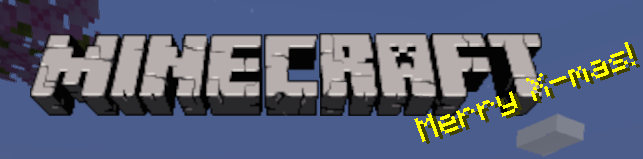
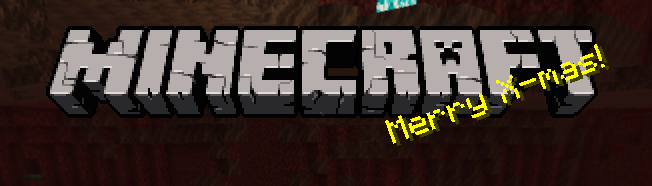
replaces new logo with older one
**1.0/1.20+ Logo**
**1.0/1.14 – 1.19.4 Logo**
OldInput

**OldInput** is a very simple mod that ports raw mouse input back to old minecraft versions!
It is heavily inspired by [the Raw Input mod](https://www.curseforge.com/minecraft/mc-mods/raw-input), big thanks to xCuri0 for the base mod.
### Warning: this mod is ✨ *experimental* ✨, there could be issues with it. Please report them if any occur.
oldgenerator
OldGenerator
==
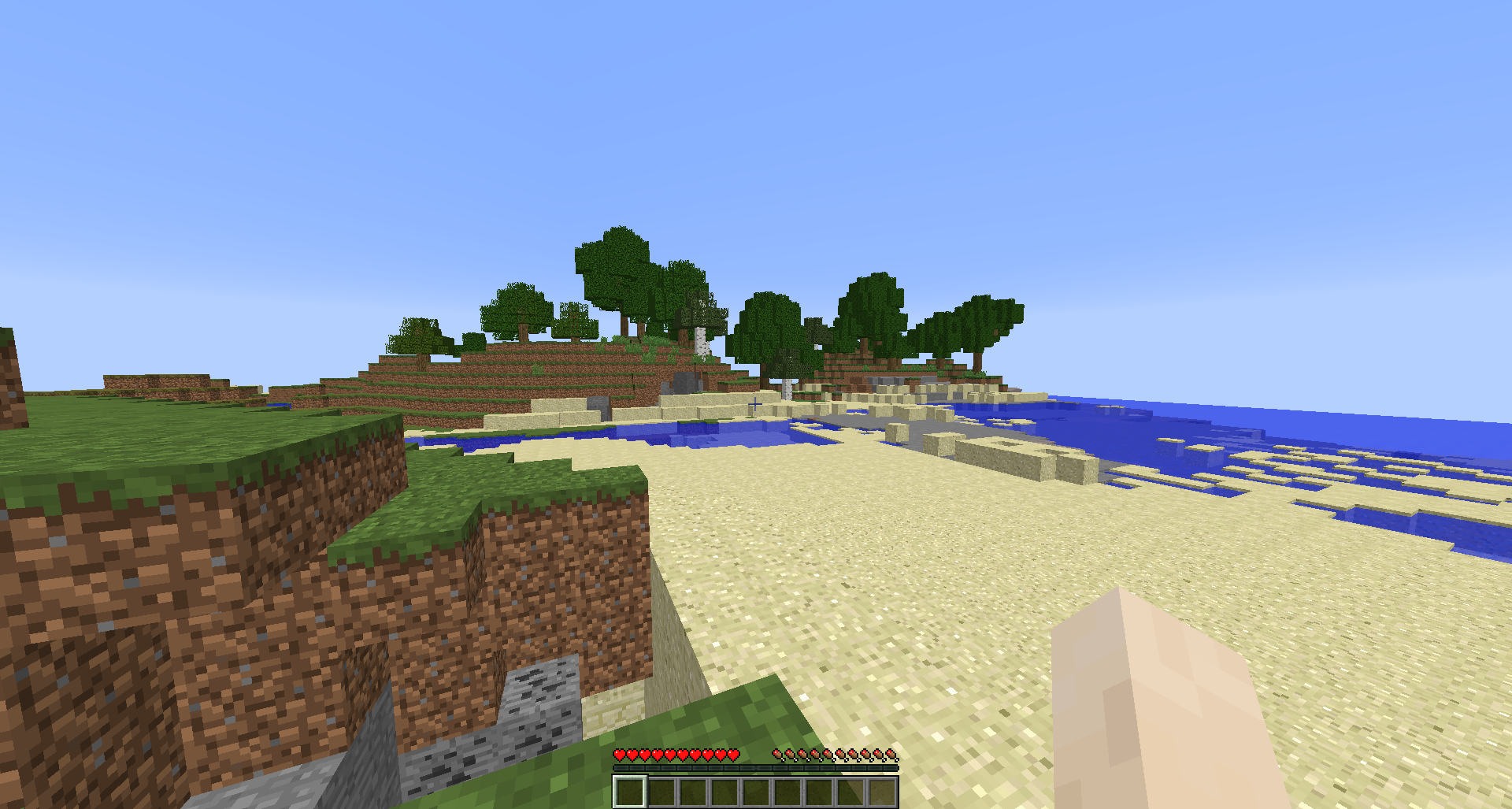
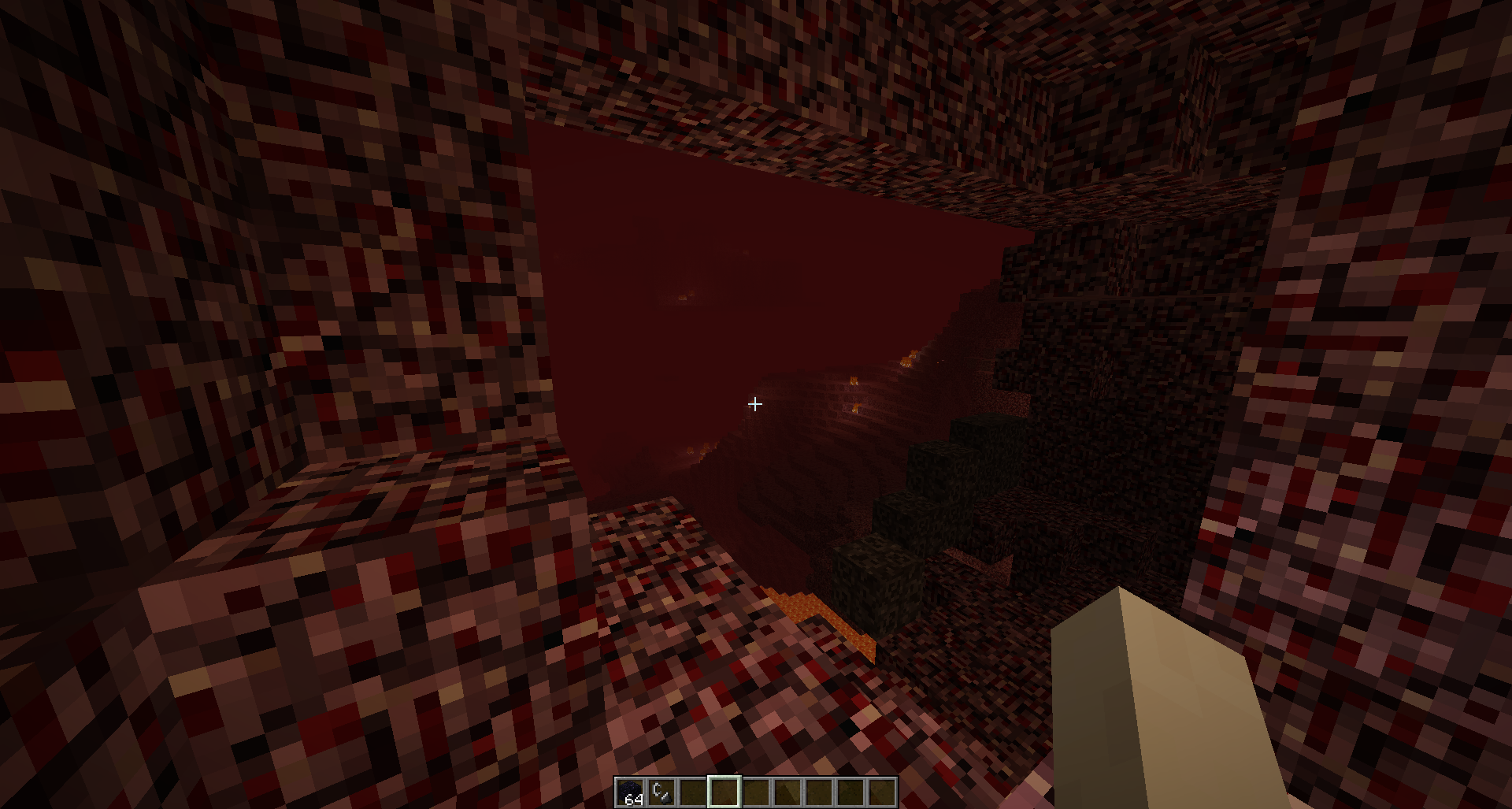
Spigot/Paper/Folia plugin for adding Beta 1.7.3 generation to modern versions of
Minecraft. This plugin can replace
[173generator](https://github.com/Barteks2x/173generator) for modern versions (please
see the How to Use section for proper configuration).
## Showcase
### Seed `worstseedever`
### Beta 1.7.3
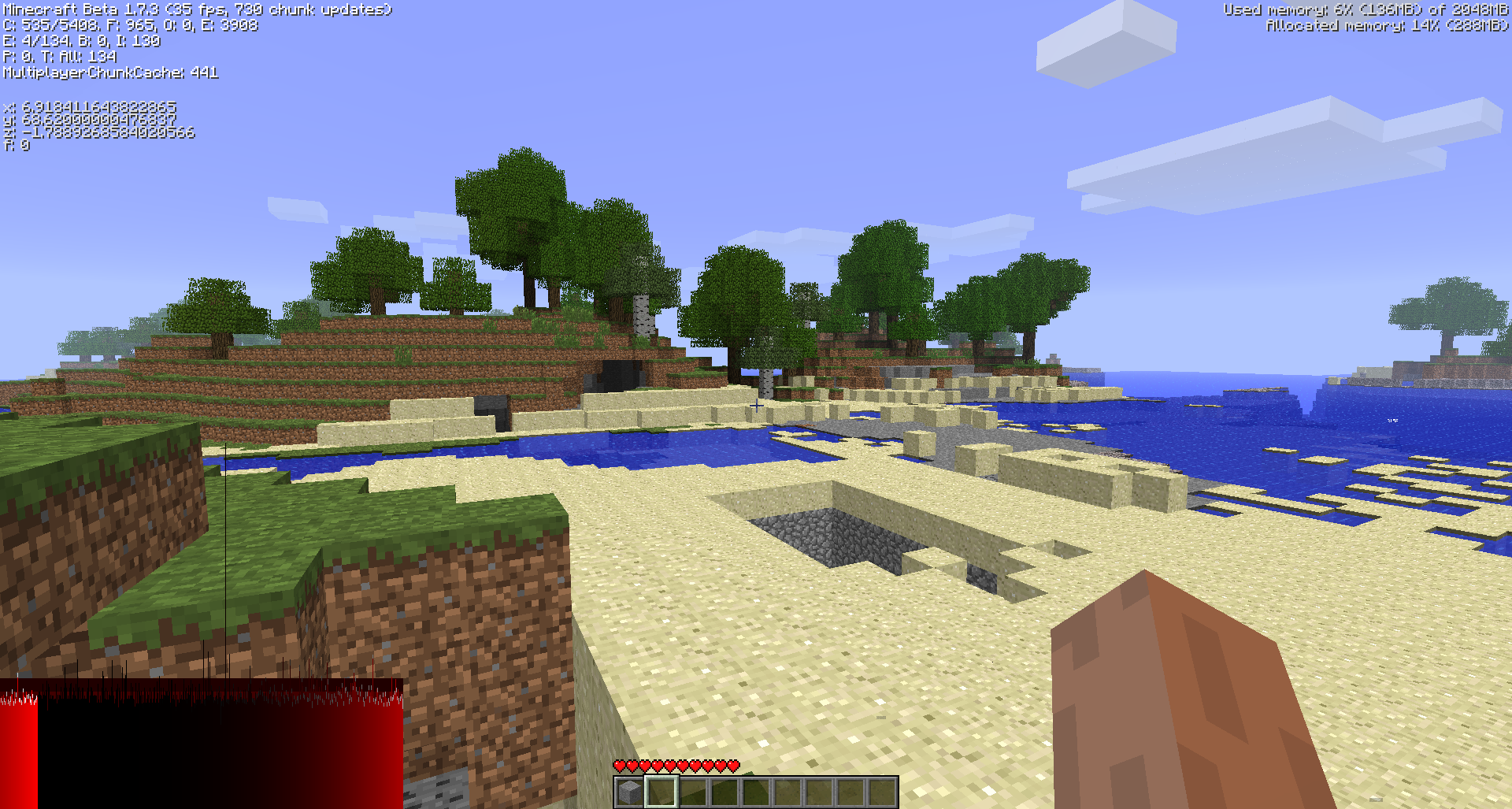
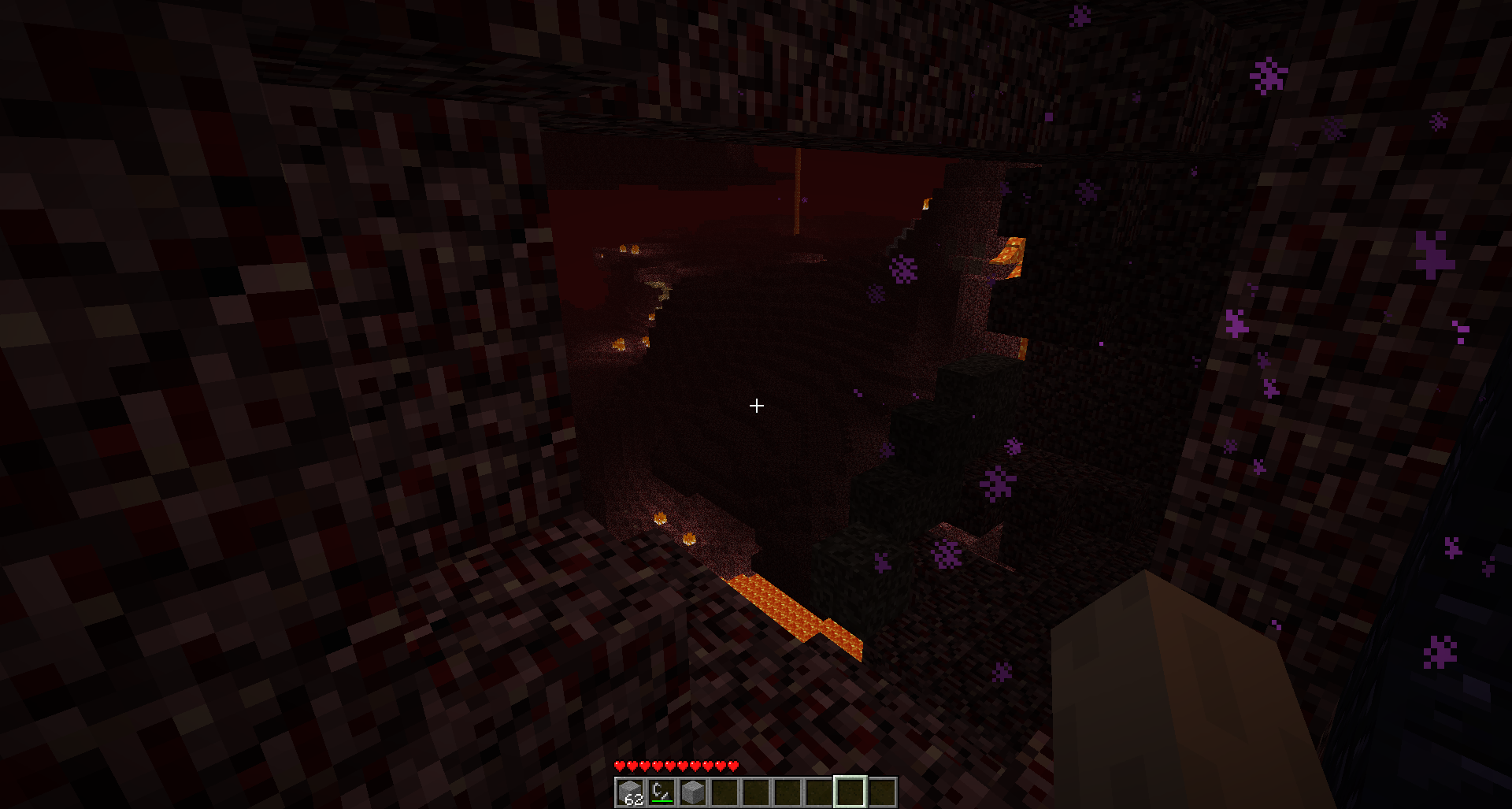
### OldGenerator on Minecraft 1.16.4
### Differences
#### Overworld
Block physics are not applied to gravel OR sand when placing. So, the dungeon sand will
not immediately cave in upon logging in, but the dungeon is still there .
Most chunks will look the exact same, but due to chunk generation order differences
the populators might fire differently and you’ll get different results (however the general
terrain will remain the same).
#### Nether
Fire, glowstone, and even lava placement (excluding the lava oceans) will generally not mirror Beta 1.7.3. However, the terrain
will remain the same.
Why aren’t fire/glowstone/lava correct? This is due to a technical bug in the old
beta populator code: The chunk seed is not setup when populating chunks! So the
placement is entirely dependent on chunk generation order (and a few other really technical details),
which is completely different in modern Minecraft.
There’s nothing I can do to match the old populator behavior, however I have modified the
populator code for nether to correctly setup a chunk seed per chunk – this means the results
should be consistent across world generations when using OldGenerator, but they still will not
match Vanilla Beta 1.7.3.
## How do I use?
#### If you do NOT have a world management plugin
Add this to your bukkit.yml
“`yaml
worlds:
worldname1:
generator: OldGenerator:b173
worldname2:
generator: OldGenerator:b173
“`
This will setup worldname1 and worldname2 to run OldGenerator as their generator. For example,
you can set worldname1 to `world` and worldname2 to `world_nether` to do exactly what you expect.
`b173` can be replaced with `sb173` to get a [skylands](https://minecraft.gamepedia.com/Sky_dimension) world.
#### If you have a world management plugin
Follow the guide that world management plugin to setup custom generators. I don’t
use any world management plugins, so I can’t help you!
## I want different old generators!
If enough people request other old generators, I can add them to this plugin.
## License
All of the world generation code is directly copied from decompiled sources
of the minecraft server jar (specifically, the beta 1.7.3 dedicated server jar),
and then modified further. The original decompiled sources can be found here:
https://github.com/Bukkit/mc-dev
As such, the world generation code is copyrighted by Mojang AB.
Everything else is licensed under the MIT License, see the LICENSE.md file for license text.
OldFashionedLimits
# OldFashionedLimits


**OldFashionedLimits** is a Minecraft data pack/mod which rollbacks Minecraft height limits back to pre-1.17 versions _just like in old times._
## 🚀 Quick Start
### 📥 Installation:
> **⚠️ Warning!**
>
> This data pack/mod should not be installed in already created worlds!
> If you want to install it, please create a new world.



> #### 🛠️ Install as data pack:
>
> Please ensure that you have the following software installed:
> – [Minecraft]() (≥ 1.19.4)
>
> To install the data pack to your Minecraft world, you should:
> 1. Open the world creation screen.
> 2. Go to “Data packs” menu.
> 3. Drag and drop this data pack to the game window.
> 4. Accept/ignore the experimental content warning.
> 5. Create a new world.
> #### ⚙️ Install as mod:
>
> Please ensure that you have the following software installed:
> – [Minecraft]() (≥ 1.19.4)
> – Mod loader ([Fabric](), [Forge](),
> [Quilt](), [NeoForge]())
>
> To install the mod to your client/server, you should:
> 1. Download the latest version.
> 2. Place it to the “mods“ directory in the Minecraft/server root folder.
> 3. Accept/ignore the experimental content warning.
> 4. Create a new world.
### 💡 Features:
– **Old build limit.** The maximum build height limit is now 256 blocks up,
_just like in old times!_
– **No negative height.** The data pack removes negative height from
your world.
## 📭 Contact me:


## 🙌 Acknowledgements:
This data pack/mod is based on code from [2032 World Height](),
which is made by [Obydux]().