SpyBedWars
# SpyBedWars
### (Join [Discord](https://discord.gg/fzcGYV7E9Q) for any issue/query/suggestion)
**SpyBedWars** is a high-performance BedWars minigame designed for modern networks. It’s built to be fast, stable, and easy to set up, using **SpyCore** for advanced world management.
# Commands are same as Bedwars1058
– bw create
– bw setup
– bw settype
– bw setmin
– bw setmax
– bw addgenerator
– bw enable
– bw disable
– bw gui
– bw gui
And more…
### ⚔️ Game Mechanics
– **Arena Modes**: Supports Solo and Team games with a dynamic lobby system.
– **Resource Generators**: Phase-based spawning for Iron, Gold, Diamond, and Emerald. Spawner speeds increase as the game progresses.
– **Team Upgrades**: Classic upgrades like Sharpness, Protection, and Haste.
– **Heal Pools**: Base upgrades that provide a regeneration radius (30 blocks) for your team.
– **Persistent Stats**: Locked hunger and disabled natural regen to keep the focus on strategy and Golden Apples.
### 🛠️ Key Features
– **NPC Integration**: Works natively with **SpyNPCs** for Shop and Upgrade villagers.
– **Safe State Handling**: Automatically saves and restores shop locations even if the world unloads unexpectedly.
– **Optimized Performance**: Lightweight tasks handle all resource spawning and scoreboard updates without server lag.
– **Spectator Mode**: Seamless transition to spectator mode upon final death.
### 🛡️ Requirements & Compatibility
– **Dependencies**: Requires [SpyCore](https://modrinth.com/plugin/spycore) and [SpyNPCs](https://modrinth.com/plugin/spynpcs).
– **Loaders**: PaperMC (Recommended) & Spigot.
– **Version**: Minecraft 1.21.11.
—
*Developed by SpyGamingOG*
Spy X Family GUI Pack
****
**It’s GUI ONLY Resource pack** **so you can freely use it with other resource packs. Just place it on top of resource pack you use.**
**This is a GUI packed themed towards the show “Spy X Family GUI Pack”. Don’t hesitate to comment down below, I have even changed hot bar as well hope you enjoy. I have taken the opportunity to experiment with adding different pictures to each container**. **The palette that I choose is Blue & Pink but maybe in the future, If you guys want other colors like Gray & white or any colors else.**
**please tell me I will think about it!**
**If you found any bugs please report to me I will fix it as soon as I can.**
****Images****
****hud****
[****](https://listarmc.com/packs/Doki-Doki-Literature-Club!-Custom-GUI-Pack)
********
****Creative Menu****
****
****Crafting Table****
********
**Brewing Stand**
****
**Furnace**
****
**Anvil**
****
**Loom**
****
**Beacon Menu**
****
**Villager** **Trading Menu**
****
[****](https://legacy.curseforge.com/linkout?remoteUrl=https://listarmc.com/)
[****](https://discord.gg/RvScgzj3Ph)
****Join the discord by clicking the image****
[](https://legacy.curseforge.com/linkout?remoteUrl=https://www.buymeacoffee.com/listarMc)
**Thank you for your support ! ❤**
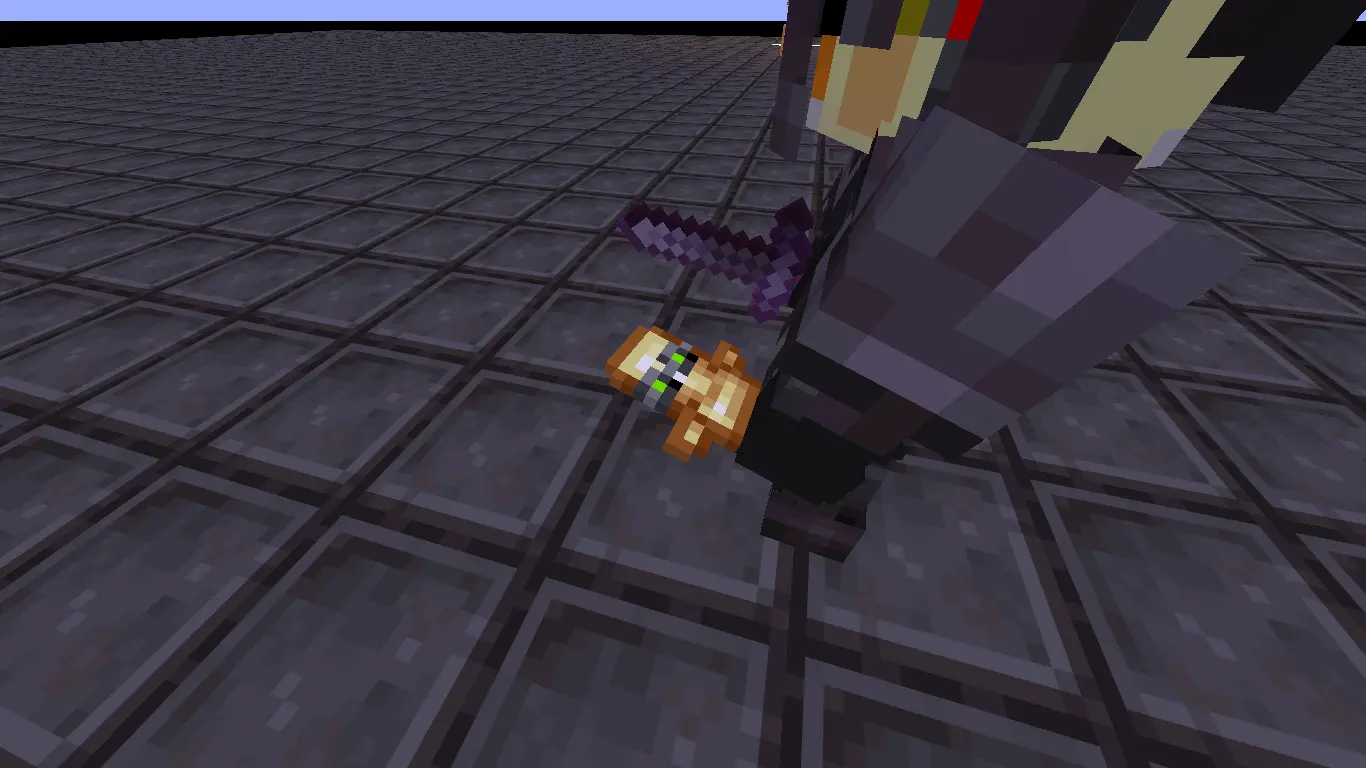
Spy Totem
**Gives the totem of undying green night vision goggles..
Gives the sense of the totem watching over you..**
A Quality of life feature,
**First Person View**.**In other players hands.**
Also support me on youtube..
Thankyou for visiting..
AppleSkin + Sapixcraft Support
## Want to use **Sapixcraft** together with [AppleSkin](https://modrinth.com/mod/appleskin)?
If the default **golden saturation icons** feel out of place next to Sapixcraft’s hunger bar, this patch fixes that.
This resource pack replaces AppleSkin’s saturation icons with Sapixcraft-styled versions, so everything matches properly.

### You can choose between **three styles**:
#### Normal yellow

#### Orange

#### Gradient fatigue meter

***
**Load order:** place this mod patch **above** Sapixcraft.

***
This pack is designed specifically to use with [**Sapixcraft**](https://modrinth.com/resourcepack/sapixcraft) and [**AppleSkin**](https://modrinth.com/mod/appleskin) mod.
Spellbound Weapons Better Combat Addons
Add Better Combat compatabilities to [Spellbound Weaponds](https://modrinth.com/datapack/spellbound-weapons) using provided presets, each weapons now have their own unique animations, hitboxes and attributes.
Notes: Ocean Edge is unobtainable so it retains the default sword animation, however I did add some cool stuff to other easter eggs item like Spellbound Sword and [Delete]
Datapack need to be installed before you obtain a weapon, weapons obtained before installing the pack won’t be updated. For more customization, visit my [Github](https://github.com/NMDx86/Spellbound-Weapons-BetterCombat)
#SP Wallet
## EN
Mod made specifically for #SP servers. It will add a Diamond Ore counter (currency on #SP servers) to the inventory and to the storage GUI. You can choose 2 modes: Show the counter on a special plate under the inventory or display the counter directly in the inventory. You can also adjust the position of all counters in the config (relative to the center).
## RU
Мод сделан специально для серверов #СП. Он добавит в инвентарь и в GUI хранилищ счетчик Алмазной Руды (валюта на серверах #СП). Вы можете выбрать 2 режима: Показывать счетчик на специальной плашке под инвентарем или отображать счетчик прямо в инвентаре. Вы так-же можете настроить положение всех плашек и счетчиков в конфиге (относительно центра).
Если вы игрок #СП, то вы можете добавить в конфиг API токен и айди карты, что позволит вам видеть ваш баланс прямо в инвентаре. Также вы можете вывести баланс прямо в чат, воспользовавшись командой `/spwallet balance get ` или просто `/spwallet balance get`, чтобы взять данные из конфига.
Как получить API токен и айди карты
1. Зайдите на сервер СП
2. Зайдите на сайт СП в “Кошелёк”
3. Выберите нужную карту и нажмите на значок “Поделиться”
4. Нажмите “Сгенерировать новый API токен” и, прочитав открывшуюся информацию, нажмите “ОК”
5. В течение минуты на СП в чат вам отправят API токен и айди карты, которые вам нужно поочерёдно скопировать, наведясь в чате и нажав ЛКМ, а после чего вставить в конфиг #SP Wallet в списке модов.
Баланс карты стал красного цвета?
Это означает то, что при получении баланса карты от SPworlds API. Чтобы выяснить причину, используйте пункты ниже:
1. Попробуйте `/spwallet balance get`. Если ошибка связана с “ддос защитой” – просто подождите (возможно, долго).
2. Перепроверьте API токен и айди карты, вписанные в конфиг.
3. Если ничего из вышеперечисленного не помогло, то посмотрите полную ошибку через консоль/логи и напишите issue на GitHub мода или обратитесь в наш [Discord](https://discord.gg/U23C6ewP2X).
## Discord
https://discord.gg/U23C6ewP2X
##### Специально для [#СП](https://spworlds.ru/)
SPW Modpack Lite
This “LITE Version” modpack is designed for our private Russian-language server “SPW”. It provides all mods needed to join our community and a richer, more enjoyable gameplay experience in a welcoming atmosphere.
🎯What’s Inside:
🛠 Tech & Automation: Mods for complex machines, engineering, and automation to streamline your projects.
🗺 Exploration & World: Explore new biomes, caves, and structures on a more beautiful and diverse map.
🏡 Building & Decor: An expanded library of blocks and furniture to create detailed and cozy builds in any style.
⚙️ Performance: Optimized for smooth gameplay and enhanced with quality-of-life improvements.
📌 How to Join: Our server is private. To play, you must join our community. All access information and rules are on our Discord server.
If you’re looking for a friendly place to explore, build, and create with others, we’d love to have you!
SPW Modpack
This modpack is designed for our private Russian-language server “SPW”. It provides all mods needed to join our community and a richer, more enjoyable gameplay experience in a welcoming atmosphere.
🎯What’s Inside:
🛠 Tech & Automation: Mods for complex machines, engineering, and automation to streamline your projects.
🗺 Exploration & World: Explore new biomes, caves, and structures on a more beautiful and diverse map.
🏡 Building & Decor: An expanded library of blocks and furniture to create detailed and cozy builds in any style.
⚙️ Performance: Optimized for smooth gameplay and enhanced with quality-of-life improvements.
📌 How to Join:
Our server is private. To play, you must join our community. All access information and rules are on our [Discord](https://discord.gg/bzn9BF7KJr) server.
If you’re looking for a friendly place to explore, build, and create with others, we’d love to have you!
SPWorlds GPS
## Features
– **Automatic Highway Detection** – the mod automatically determines which highway you’re on (Red, Green, Yellow, or Blue line)
– **Coordinate Display** – see your coordinates in the HUD
– **SPWorlds Multi-Server Support** – works on SP and SPm servers
– **Full Configuration** – customize colors, highway names, and HUD position via ModMenu
– **YACL Integration** – convenient configuration menu right in the game
## Usage
After starting on a SP or SPM server in the Nether, your ice highway coordinates will automatically appear. You can customize it via Mod Menu → SPWorlds GPS.
# Русский язык
## Возможности
– **Автоматическое определение ветки** – мод сам определит, на какой ветке ты находишься (Красная, Зеленая, Желтая или Синяя)
– **Отображение координат** – видишь свои координаты в HUD
– **Поддержка всех серверов SPWorlds** – работает на СП и СПм
– **Полная конфигурация** – настраивай цвета, названия веток и позицию HUD через ModMenu
– **YACL интеграция** – удобное меню конфигурации прямо в игре
## Использование
После запуска на сервере СП или СПм в аду тебе автоматически покажется координата ветки. Настройку можно сделать через Mod Menu → SPWorlds GPS.
spvelocity
Spvelocity — a Paper / Spigot plugin that **downloads and launches a Velocity proxy**
————————————————————————————
  
—
## What is it?
Spvelocity is a Paper / Spigot plugin that automatically:
1. Downloads a Velocity jar from a given URL
2. Starts Velocity in a separate process
3. Lets you control it in-game / from console with `/proxy start|stop|status`
Perfect for quick network testing, CI pipelines, or ad-hoc test servers.
—
## Features
* **Auto-download** of `velocity.jar` on the very first `/proxy start`
* Works on Paper / Spigot 1.12 – latest (built against the 1.21.4 API)
* Requires only Java 11+, recommended Java 17 or 21
* Runs in a background thread – won’t block the main server
* Stops Velocity automatically when the Paper server stops
* Simple configuration via `plugins/Spvelocity/config.yml`
—
## Requirements
* A Paper or Spigot server
(1.12 – latest, built against Paper-1.21.4)
* Java 11 or newer (Velocity itself needs 11+)
* Internet access the first time you run `/proxy start` (to download Velocity)
—
## Getting started (pre-built jar)
1. Download `spvelocity--shaded.jar` from the Releases page
2. Drop it into `/plugins`
3. Start your Paper / Spigot server with **Java 17 / 21** etc.
4. Run in-game or in console:
“`text
/proxy start
“`
→ `velocity.jar` is downloaded to `plugins/Spvelocity/proxy/` and booted on port 25577
—
## Building from source
“`bash
git clone https://github.com//spvelocity.git
cd spvelocity
mvn clean package # produces target/spvelocity-*-shaded.jar
“`
—
## Configuration — `config.yml`
“`yml
velocity:
download-url: “https://api.papermc.io/v2/projects/velocity/versions/3.3.0-SNAPSHOT/builds/261/downloads/velocity-3.3.0-SNAPSHOT-261.jar”
jar-name: “velocity.jar”
port: 25577
“`
* Copy the download URL from PaperMC’s downloads page:
* Stable versions (`3.2.0`, etc.) keep the same URL.
* For SNAPSHOTs you may want a script that queries the API for the latest build or update the URL manually.
—
## Commands & permissions
| Command | Description | Permission | Default |
|——————–|————————————-|————————-|———|
| `/proxy start` | Download & start Velocity | `spvelocity.command` | OP |
| `/proxy stop` | Stop the running Velocity instance | `spvelocity.command` | OP |
| `/proxy status` | Show proxy status | `spvelocity.command` | OP |
—
## How it works
1. `SpvelocityManager` checks whether `plugins/Spvelocity/proxy/velocity.jar` exists
2. If not, it downloads it via **Apache Commons IO** from the configured URL
3. Runs `java -jar velocity.jar –port ` through **ProcessBuilder**
4. Redirects proxy output to the Paper console
5. When the Paper server shuts down, the child process is destroyed via `destroy()`
—
## License
MIT License — see `LICENSE` for details.
Fork, modify, redistribute, enjoy!