Overload
An expansion on Minecraft’s art style to add more life to the game. Overload is a massive Vanilla themed resource pack aimed towards smaller details, such as variated textures and models for everything you can find while playing.
**WARNING ABOUT MODS**
“`
Many features in Overload require the use of mods to partially/fully function (Like connected textures.)
While these arent required for the entire pack to function, there might be some strange visual bugs that can happen without them.
OptiFine is an option for this, however I recommend Fabric alternatives to OptiFine which I have listed in the version download dependancies.
“`
**TERMS OF USE**
“`
You cannot use any of my original assets or resources for commercial use
You cannot use any of the assets or resources borrowed from others in this pack for commercial use without following their own terms.
You can redistribute my assets in your own resource pack as long I receive credit for it in a credits.txt file within the resource pack and on the page it is being hosted
You can use this resource pack within videos or live streams, however a link to my profile would be appreciated
“`
Basically, follow the [CC-BY-NC-SA License](https://creativecommons.org/licenses/by-nc-sa/4.0/).
OverLevelEnchant
🪄 OverLevelEnchant — Go Beyond Vanilla Enchanting!
💎 Description
OverLevelEnchant supercharges Minecraft’s enchanting system, allowing players to go beyond the vanilla level cap and unlock enchantments up to level 100+!
At normal levels, the enchantment table behaves as usual (up to level 30).
But once a player surpasses level 35, the enchantment table begins granting mysterious, powerful “? Enchantments” — like Efficiency 25, Unbreaking 40, or even Sharpness 100!
Perfect for Lifesteal SMPs, custom RPG servers, or progression-based worlds that want to reward long-term players.
⚙️ Features
✅ Works exactly like a normal enchantment table until level 30
✅ Unlocks OverLevel Enchantments past level 35
✅ Configurable boost level and enchantment cap
✅ Dynamic scaling system for fair and exciting gameplay
✅ Fully customizable messages and behavior via config.yml
✅ Compatible with Paper / Spigot / Purpur (1.17 → 1.21+)
Overlay Tweaks




# Overlay Tweaks
A small QOL mod that lets you alter vanilla’s overlays in small ways.
## Features
### Miscellaneous
#### Containers
– Container Background Opacity
– Container Texture Opacity
#### Hand
– Keep Hand in Hidden HUD
– Hand Invisibility Opacity
### HUD
#### Water
– Remove Water Overlay
– Remove Underwater FOV Change
#### Fire
– Remove Fire Overlay When Resistant
– Fire Overlay Height
– Fire Overlay Opacity
#### Elements
– Remove Held Item Name Tooltip
– Closed Caption Background Color
### Effects
#### Elder Guardian
– Elder Guardian Opacity
– Elder Guardian Scale
#### Full Screen Effects
– Pumpkin Overlay Opacity
– Freezing Overlay Opacity
– Spyglass Overlay Opacity
– Spyglass Background Color
– Constant Vignette Darkness
– Constant Vignette Darkness Value
– Suffocation Overlay Brightness
– Portal Overlay Opacity
### Items
#### Shield
– Shield Height
– Shield Opacity
Overlay’s

**Overlay’s** is a texture pack that adds **dynamic overlays and smooth transitions between blocks**, such as dirt, moisture, cracks, and more.
It enhances immersion without replacing the original block textures.
Lightweight, visually impactful, and fully compatible with **Minecraft versions 1.14 through 1.26**, including visual support for selected mods.
***
## Latest Update v14
* THANKS FOR 1M ♥️
* Compatible with newer versions of Minecraft
* A problem with the Netherrak was fixes
***
## Requirements
* **[Optifine](https://optifine.net/home)** (for versions without native CTM support)
* **[Continuity](https://www.curseforge.com/minecraft/mc-mods/continuity)** (modern alternative with Sodium and CTM support)
* Continuity are recommended for the best visual experience
***
## Installation Guide
1. Install **Optifine** or **Continuity**, depending on your setup
2. Download the `.zip` file of **Overlay’s**
3. Place it into your `/.minecraft/resourcepacks/` folder
4. Activate it from the resource packs menu in-game
5. Make sure **Overlay’s is placed at the top** if you’re using other packs
***
## Support the Project
Want to support **Overlay’s** or send suggestions?
[**Click here to contribute**](https://www.paypal.com/donate/?hosted_button_id=9WLFDT4FYCVSJ)
***
## Usage License
This project is distributed under a **custom license inspired by Mojang’s EULA**.
* **Redistribution, modification, and commercial use are strictly prohibited**
* Only use through official download sources
* Unauthorized use may result in legal action or platform takedown requests
***
[YouTube -](https://youtu.be/_srPykohHSQ?si=5Jv1X0UN-sRA–0r) [@EnderVerse](https://github.com/EnderVerse)

OverlayLib
# OverlayLib
A **rendering library** for live info-overlays
### Overlays
This mod allows other mods to create “Overlays”, which can render textures on some or even all blocks with variable color, texture and more, built with informative overlays in mind (e.g. a light level overlay).
### This is a LIBRARY mod.
This is a **library** mod, so only installing this without any other mods won’t do anything.
## Some features
– All rendering is done for you with custom shaders and pipelines
– Configurable yet simple computing of overlay information
– Caching of overlay data to prevent recomputation every frame
– Presets for OverlayRenderers and OverlayManagers so you don’t have to! (You can code your own too though)
## For Developers
Add OverlayLib to your fabric dependencies:
“`json
{
“depends”: {
“overlaylib”: “VERSION” // Replace VERSION with a version selector
}
}
“`
Add the modrinth maven to your repositories in `build.gradle`:
“`groovy
repositories {
maven { url “https://api.modrinth.com/maven” }
}
“`
Add OverlayLib to your gradle dependencies:
“`groovy
dependencies {
modApi “maven.modrinth:overlaylib:VERSION” // Replace VERSION with a version number
}
“`
Now you can start using OverlayLib:
“`java
import net.lugo.overlaylib.Overlay
Overlay myOverlay = new Overlay(…);
myOverlay.register();
“`
Overlayed Snow
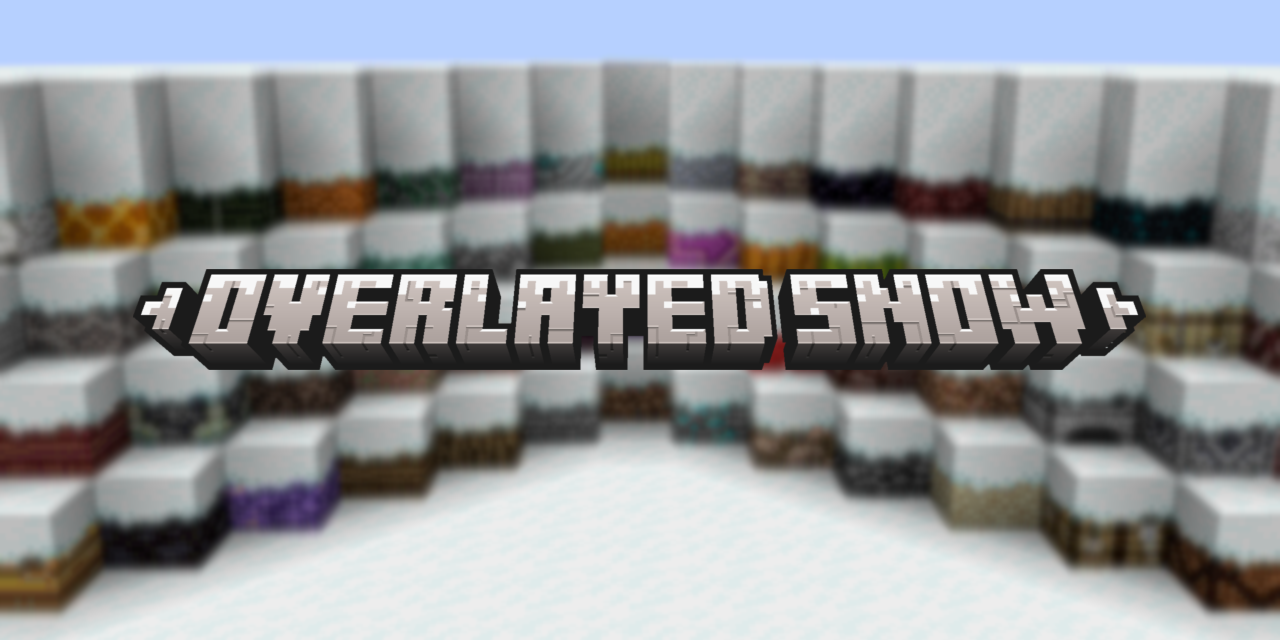
**Overlayed Snow** is a resource pack for 1.20.1 (and under) that adds snow overlays onto blocks when covered with Snow layers, Snow Blocks, and Powdered Snow. A project from MarbledHubb Studios. [REQUIRES FUSION (CONNECTED TEXTURES)!](https://modrinth.com/mod/fusion-connected-textures)
## Features
– Snow Layers on top of blocks add snowy overlays on top of them.
– Snow Blocks on top of blocks add snowy overlays on top of them.
– Powdered Snow on top of blocks add snowy overlays on top of them.
## Usage
– You may use this in your modpacks, no credit required but it would be apprecated.
– You may use this in your video, no credit required but it would be appreciated.
– You may NOT re-distribute this mod or its assets ANYWHERE.
**MarbledHubb Studios** is proudly partnered with **[BisectHosting!](https://bisecthosting.com/marbledhubb?r=Modrinth)** When using our code “**marbledhubb**”, you are saving **25%** off any gaming server while supporting us by commission, supporting the development of our projects!
Overkill Modpack
# Overkill Modpack
A modpack (not really designed) to make playing JJThunder to the max datapack more fun. The good tech mods are included here, with some extra fun mobs and what not. The main point of the pack is to enjoy the datapack and not really go too far other than that.
Overkill Enchantment – Harv
This enchantment is actually for a map I eventually wanna upload.
You can obtain the Overkill Enchantment by combining a dragon head, nether star, echo shard and book in a crafting table. Alternatively, use the command /enchant @s minecraft:overkill or search for overkill in the creative menu.
**Usage**: Store overkill damage when killing a mob. Overkill damage is equal to the negative value of a mob’s HP, if it existed. Overkill damage decreases over time. Hit a mob and deal the stored damage to it.
Equipment: Swords, Axes, Spears, Tridents, Bows, Crossbows and Maces
Ways for these enchantments to work with overkill have been added: Sharpness, Bane of Anthropods, Smite, Power, Impaling and Density. (Warning: Density is a tad inaccurate, but I’d rather be inaccurate in favor of the player)
Balance: Questionable. Open to feedback. In particular, I’m curious if there is a way to have it work accurately with the density enchantment. Feel free to message me under u/Unreasonable_Mess on Reddit.
See debug messages: /tag @s add dev
Enable or disable players with high overkill damage glowing: /trigger overkillsetting
(This only works if you have the dev tag and reloaded.)
Thanks to: u/TheStarGamer1 (for a smarter approach and getting me motivated to try again) and u/GalSergey (for the crit detection advancement ya posted like 9 months ago)
OverHub

SUPPORT [DISCORD](https://discord.gg/jreCQVxsfr) SERVER
**OverHub** is an all-in-one, lightweight, optimized and modern HubCore plugin designed for Minecraft versions **1.8.x to 1.21.x**
✨ Features
– Parkour System
– Chat System
– BossBar System
– Hotbar System
– HubSword System
– Scoreboard System
– Double Jump System
– Server Selector System
– Lobby Server System
– Profile System
– All messages configurable
🤖 Commands
– /overhub -See the hubcore commands
– /parkour – See the parkour commands
– /setspawn – Set the spawn location
– /spawn – Teleport to spawn location
📃 Permissions
– overhub.chat.color – Write in colors
– overhub.donator – Permission for them to see you when you have rank
– overhub.staff – Permission for them to see you when you staff rank
Hellay’s Overhualed Creepers X Fresh Animations

# **About**
#### **A simple resource pack that makes creepers in [Fresh Animations]() look like [Hellay’s Overhauled Creepers]()**
## **FAQ**
– ### **What does this pack do?**
**This pack changes the creeper’s texture in [Fresh Animations]()**
– ### **What versions does it support?**
**it almost supports avery version that [Fresh Animations]() supports but the game will say it’s for newer versions if you use 1.20 or below**
– ### **Does it require any additional mods or resource packs?**
**yes, obviously you need [Fresh Animations]() and the mods [Fresh Animations]() requires**
– ### **How can I use the pack?**
**First install this pack and Fresh Animations then put [Fresh Animations]() under this pack and you’re done!**
– ### **Where can I report any issues that I have?**
**You can communicate with me and report bugs and issues in the [discord server]()**
– ### **Can I modify this pack?**
**Yes , if it’s for personal use feel free to change anything you want.But if you want to publish the modified pack or put my pack in a modpack or show it in a video pls mantion my name , put a link to my pack or let me know in my discord**
## **Check Out My Other Packs**
– [**Hellay’s Xp Containers**]()
– [**Hellay’s 3D Bows**]()
– [**Hellay’s Overhauled Creepers**]()
– [**Hellay’s Overhauled Endermans X Fresh Animations**]()
## **Discord server**
– [**Hellay Designs**]()
#