

1.0.0
release

PickupHighlight
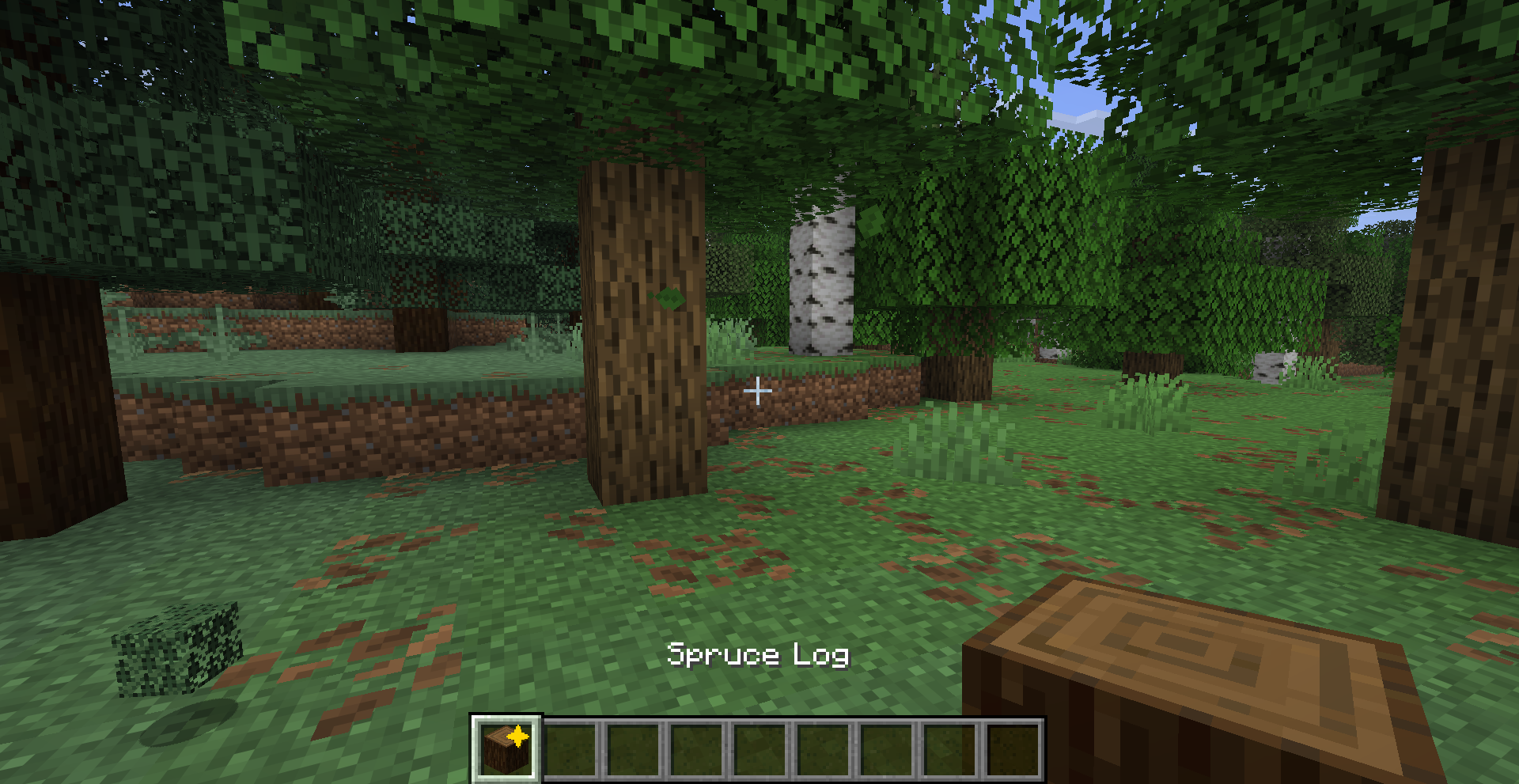
Never lose track of newly picked-up items — a golden star marks every new item in your hotbar and inventory.
 29
29
PickupHighlight
PickupHighlight
Never lose track of newly picked-up items again — a golden star marks every new item in your hotbar and inventory.
What it does
PickupHighlight adds an animated ✦ star to item slots whenever you pick up something new. Glance at your hotbar and instantly know what changed.
- ✦ Simple config on newly picked-up items - 🎯 Simple config both supported - 🔄 Simple config on hover, inventory close, or hotbar selection - ⏱️ Simple config — auto-clear after X seconds - 🎨 Simple config — gold by default - ⚙️ Simple config — JSON file or in-game Cloth Config screen
Preview
Configuration
Config file: `.minecraft/config/pickuphighlight.json`
| Option | Default | Description | |--------|---------|-------------| | `clearOnHover` | `true` | Remove highlight when hovering over the item | | `clearOnClose` | `true` | Remove all highlights when closing inventory | | `clearOnSelect` | `true` | Remove highlight when selecting on hotbar | | `highlightColor` | `0xFFD700` | Star color (gold by default) | | `timeoutSeconds` | `0` | Auto-clear after X seconds (0 = never) |
If Cloth Config and Mod Menu are installed, you can configure the mod in-game from the Mods screen.
Requirements
- Minecraft 26.1.x - Fabric Loader ≥ 0.18.5 - Fabric API
Optional
- Cloth Config — in-game config screen - Mod Menu — access config from the Mods list
License
MIT — see LICENSE