

2.0.0
release

ResolutionControl+
Allows you to set render resolutions and take large screenshots.
 513,77k
ResolutionControl+
<p align="center"> <img width=256px src="GitHub/logo.png" /> </p>
ResolutionControl+
ResolutionControl+ is a fork of Resolution Control with additional functionality.
Features
Resolution Scaling
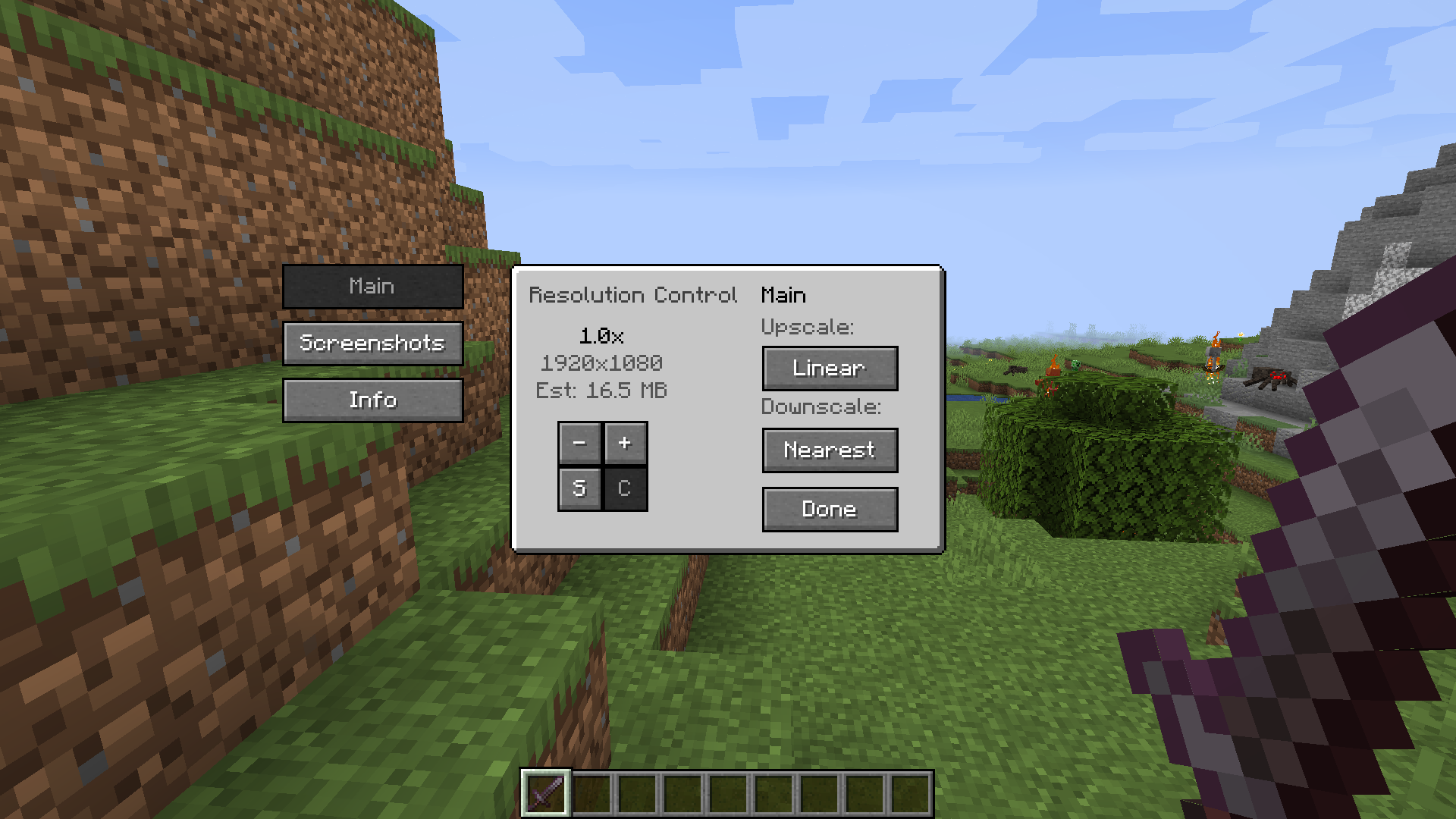
ResolutionControl+ allows you to change Minecraft's render resolution separately from the HUD elements. If you have a good GPU, you can increase the multiplier for anti-aliasing. Otherwise, you can lower the multiplier to improve performance or give Minecraft a retro style. You can also set a custom multiplier value by pressing the `S` button.
Additionally, you can set the upscale/downscale algorithm used to scale the render to the viewport. Linear is useful as an anti-aliasing filter, and nearest neighbor generally looks better for lower than native resolutions.
---
Screenshots
ResolutionControl+ can be used to take larger than native resolution screenshots. To do this, use the `Screenshot Framebuffer` keybind which is unbound by default.
Compared to *Fabrishot*, this implementation does not lock up the game until the screenshot is saved. This makes taking large screenshots much faster. And while a screenshot is being processed, you can take another one without any problems.
Here is the time it takes to take a 16k screenshot, on an i7 4770 and GTX 1060:
`Fabrishot: 12 seconds (pause)`
`ResolutionControl+: <1 second (initial pause) + 13 seconds (background processing)`
---
Settings
Resolution Scaling
- Render scale - 0.0 - 8.0x (can be exceeded by manually setting the value) - An estimate VRAM usage is displayed - Upscale/downscale algorithm - Linear, nearest
Screenshots
- Use set size - Enabled: render screenshots at the specified resolution - Note: can produce artifacts if the screenshot aspect ratio is significantly different from the aspect ratio of the viewport - Disabled: render at the scaled render resolution - Always allocated - Enabled: screenshot framebuffer is always allocated in memory - May reduce screenshot pause times, at the cost of more VRAM usage during normal gameplay - Disabled: screenshot framebuffer is allocated on-demand and freed immediately after - Screenshot size - Screenshot size if `use set size` is enabled - An estimate VRAM usage is displayed
---
Compatibility
Currently, ResolutionControl+ does not work with Fabulous Graphics.
Sodium - Compatible
Canvas Renderer - Mostly compatible, lower resolutions break HUD item rendering
Optifine - Compatible, stacks with its own render scale implementation
Versions
2.0.1
release
1.19.4-3.0.0
release
3.0.0
release
1.20-3.0.0
release
1.20.2-3.0.0
release