



1.21
release

RHSignItem
Do you want to add a personalized signature to your item? Or maybe rename it? Look no further! ☄️
 286
286
RHSignItem

<center>With <b>RHSignItem</b> you are able to add a signature to an item of your choice.<p></p>
Made with love in Germany 🇩🇪</center>
Features
<u>Commands</u>
/sign
With this command you can sign an item instantly. The lore will be determined by the content under `SHORT` inside of the `config.yml`.<p></p> <u>Here is a list of all arguments for `/sign`:</u> * `/sign help` → will show you a list of all commands. * `/sign <text>` → creates a signature with a custom text, depending on the `DEFAULT` content * `/sign delete` → removes an applied signature * `/sign lock` → will lock an item to prevent adding a signature with `/sign` or `/sign <text>` * `/sign unlock` → will free an item from it's locked state and allows signatures again * `/sign version` → shows you some version information
<u>Example:</u> ``` /sign <yellow>That item is so <gold>awesome<yellow> and <gold>rare<yellow>,<br>that every player wants to own. ```
/rename
With the command `/rename <text>` you can change an items displayname. It uses color formats and placeholders here too!<p></p>
<u>Example:</u> ``` /rename This is a <aqua>cool<reset> item name! ```
<u>Formatting</u>
All messages within the configuration and language files support PlaceholderAPI. To learn how to use it, please visit the PlaceholderAPI website.<p></p> I highly recommend using the PlaceholderAPI format, as it is also the current best practice for all users of Paper and it's derivatives. Legacy formats such as `&` or `&#rrggbb` will *kinda work* too, but are <u>PlaceholderAPI</u> recommended!<p></p> You can also use all placeholders from the PlaceholderAPI and it's expansions!
<u>Language Files</u>
RHSignItem ships with some default language files: German, English and Russian. You can change these as you desire. But you can also create a new file and integrate it. In this case, make sure to properly set the `locale` to the files name in the config.
<u>Auto-Locking</u>
In order to make the signing process as easy as possible, you can enable the `auto-lock` setting. After that, every new signature will automatically set the locked state onto the item.<p></p> If you want to specify that feature, while only allowing players with the correct permission to do that, activate it through the `permission-based` setting. Players will need the `rhsignitem.command.sign.lock.auto` permission.
<u>Optional Offhand Requirements</u>
With the `offhand-item-mode` setting you can choose, if the player needs to hold an item in his offhand in order to create a signature with `/sign` or `/sign <text>`.<p></p> `type` determines the item that is needed.<p></p> Also you can choose, if the item should be used. * durability -1 * amount -1
<u>Item Blacklist</u>
As a server owner or administrator, you probably don't want all items to be allowed for signatures. RHSignItem comes with a blacklist feature, that can easily be configured and extented.
<u>Vault integration</u>
If you want to make the commands only usable through a payment, just toggle it's setting inside the `config.yml` file! You can set a fixed price for executing any command, toggle each command and choose, which ones should be set behind a paywall. Also you can toggle messages when using the payment system.
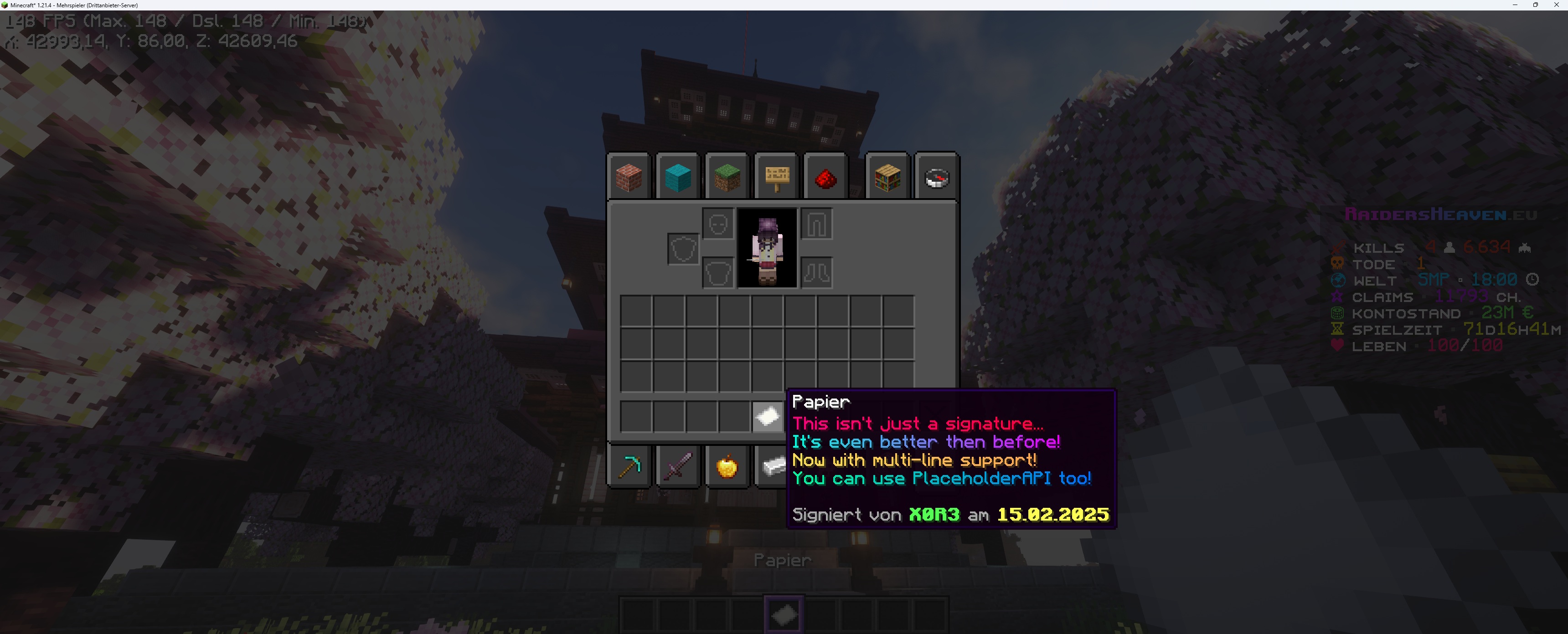
What does it look like in-game?
 https://raw.githubusercontent.com/RHX0R3/RHSignItem/refs/heads/main/rhsignitem_paper_preview.jpg
Permissions
The plugin requires a player to have the respective permissions listed below:
* `rhsignitem.*` → grants access to auto-lock plugin commands * `rhsignitem.admin` → grants an override status to *delete* and *unlock* (for administrative purposes) * `rhsignitem.command.sign` → `/sign` and `/sign help` * `rhsignitem.command.sign.sign` → `/sign <text>` * `rhsignitem.command.sign.delete` → `/sign delete` * `rhsignitem.command.sign.lock` → `/sign lock` * `rhsignitem.command.sign.lock.auto` → for auto-lock with permission based command handling * `rhsignitem.command.sign.unlock` → `/sign unlock` * `rhsignitem.command.sign.version` → `/sign version` * `rhsignitem.command.rename` → `/rename <text>`
Support
If you need help with RHSignItem, you can join the RHSignItem on Discord. Just post inside the %%MD1%% channel.<p></p> Since support is provided exclusively by me, there may be delays and longer response times as I cannot read all messages immediately or only at certain times of the day. Thank you for your understanding!
Metrics collection
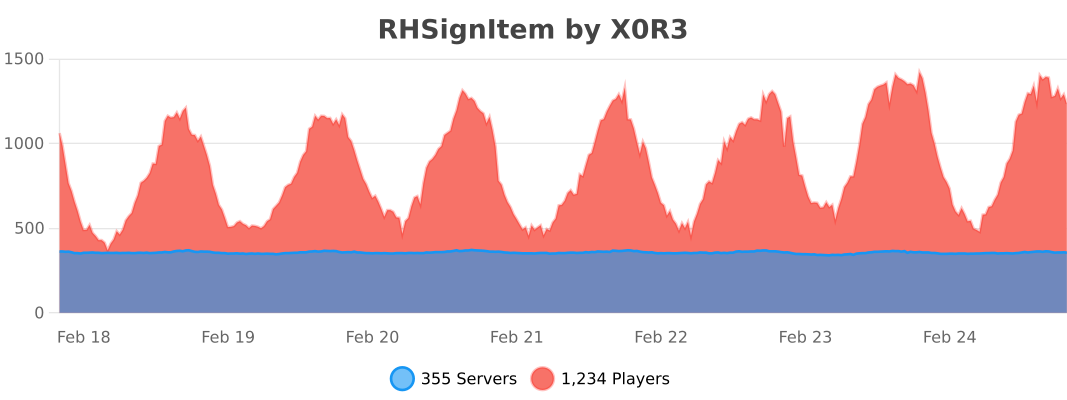
RHSignItem collects anonymous server statistics through RHSignItem, an open-source statistics service for Minecraft software. You can opt out in ` plugins/bStats/config.yml ` at anytime.
Versions
1.21
release