

0.0.81
release

Search on MCMOD
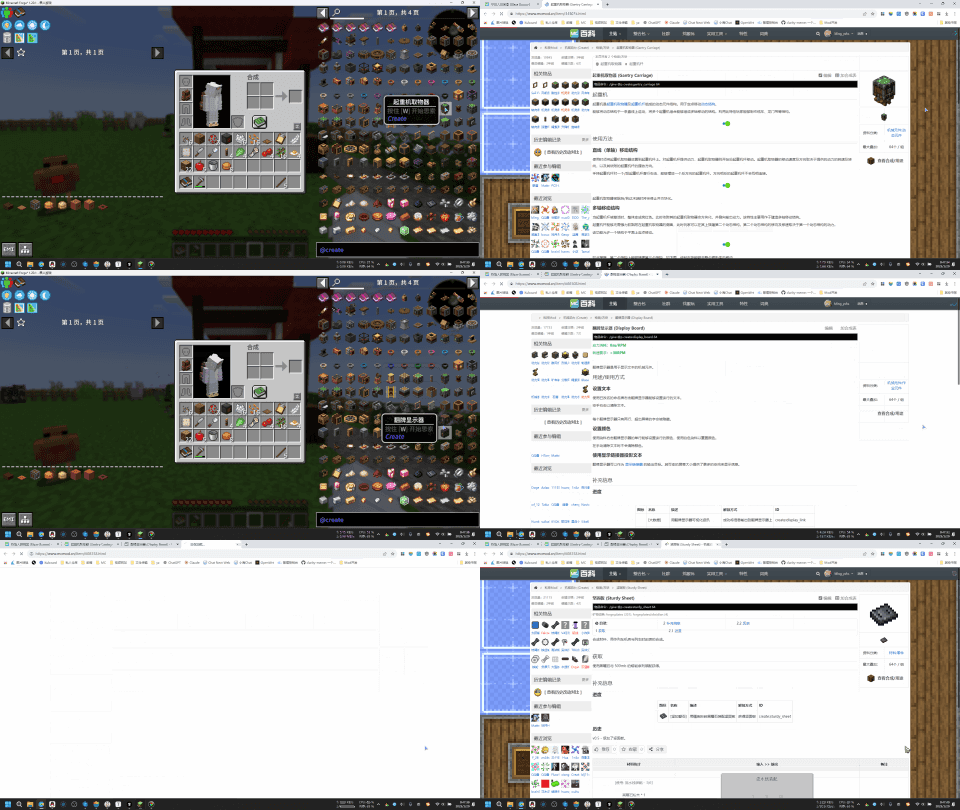
Search for items under the cursor on mcmod.cn
 1,7M
1,7M
Search on MCMOD
ENG
Search for items under the cursor on mcmod.cn
Usage:
1. Hover your mouse over the item bar, the JEI item list, or any area that displays item information. 2. Press the "B" key on your keyboard (this can be modified in the settings), which will automatically open the item information page on mcmod.cn 3. If the item information page cannot be directly opened, a search will be performed on mcmod.cn instead.
中文
在 MC百科 中搜索鼠标下方的物品
使用方式:
1. 将鼠标放在物品栏,或者JEI的物品列表,或者任意的地方上面,只要能显示物品信息就行 2. 按键盘B键(可以在设置里修改),会自动打开MC百科的物品介绍页面 3. 如果无法直接打开物品介绍界面,则会在MC百科里进行搜索
Versions
0.0.5
release
0.0.5
release
0.0.81
release
0.0.4
release
0.0.81
release
0.0.81
release
0.0.6
release
0.0.7
release
0.0.7.2
release
0.0.7
release
0.0.7
release
0.0.7
release
0.0.7.1
release
0.0.6
release
0.0.6
release
0.0.8
release
0.0.7
release
0.0.81
release
0.0.8
release
0.0.4
release
0.0.7
release
0.0.4
release
0.0.4
release
0.0.6
release
0.0.4
release
0.0.8
release
0.0.5
release
0.0.8
release
0.0.3
release
0.0.81
release
0.0.3
release
0.0.5
release
0.0.7
release
0.0.3
release
0.0.81
release
0.0.3
release
0.0.5
release
0.0.81
release
0.0.5
release
0.0.81
release
0.0.5
release
0.0.3
release
0.0.8
release
0.0.2
release
0.0.7.2
release
0.0.5
release
0.0.5
release
0.0.81
release
0.0.7
release
0.0.81
release
0.0.3
release
0.0.7
release
0.0.5
release
0.0.4
release
0.0.7
release
0.0.8
release
0.0.5
release
0.0.81
release
0.0.5
release
0.0.8
release
0.0.4
release
0.0.3
release
0.0.4
release
0.0.6
release
0.0.81
release
0.0.3
release
0.0.81
release
0.0.4
release
0.0.4
release
0.0.4
release