

1.21.11
release

Spectrum Outlines EntzuMC
Smooth animated outlines that bring a clean and dynamic spectrum effect to your Minecraft world.
 282
282
Spectrum Outlines EntzuMC
Spectrum Outline EntzuMC
Upgrade your block highlights with vibrant moving colors and a sleek modern style.
---
✨ Features
- 🌈 Animated spectrum outlines - 🔄 Flowing color loop around edges - 🎨 Custom color mode - 📏 Adjustable thickness - ⚡ Lightweight & optimized - 🧩 Vanilla shader based
Perfect for PvP, building and cinematic gameplay.
---
🖥 Compatibility
✔ Minecraft 1.21.x ✔ Vanilla ✔ Iris ✔ Sodium ✔ OptiFine
---
📦 Installation
1. Download the pack 2. Move it to `.minecraft/resourcepacks` 3. Activate it in game
---
❤️ Credits
Created by EntzuMC
⚙️ Configuration Guide
Spectrum Outline EntzuMC
All visual effects can be customized directly inside the shader files.
No extra mods or menus required — just edit a few lines.
---
📂 Where to edit
Open the pack and go to:
assets/minecraft/shaders/core/
You will find:
- `rendertype_lines.vsh` - `rendertype_lines.fsh`
At the top of both files you will see the configuration panel.
---
🎮 Changing the Mode
Find this line in both files:
#define MODE RAINBOW_LOOP
Replace `RAINBOW_LOOP` with one of these:
- `VANILLA` → Default Minecraft outline - `RAINBOW_FADE` → Smooth animated color shift - `RAINBOW_LOOP` → Colors travel around the edges - `CUSTOM` → Uses your selected color
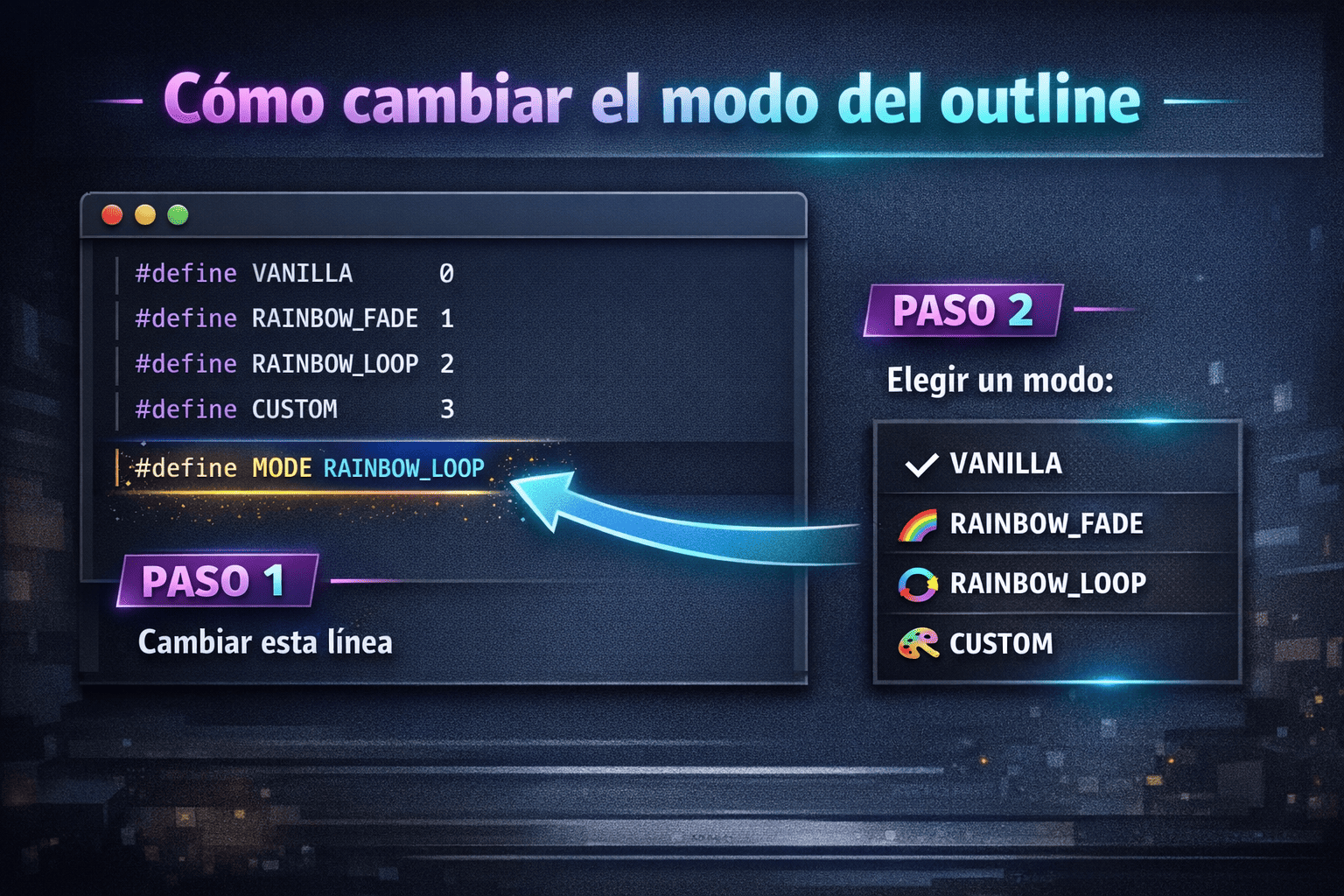
⚠️ The mode must match in both files.
---
📏 Changing the Thickness
In `rendertype_lines.vsh`:
#define THICKNESS 2.5
Examples: - `1.0` → vanilla - `2.0` → slightly thicker - `3.0` → bold - `4.0+` → very thick
---
🎨 Custom Color Mode
If you use:
#define MODE CUSTOM
Change this in `rendertype_lines.fsh`:
#define CUSTOM_COLOR vec4(0.2, 0.8, 1.0, 1.0)
Format: vec4(R, G, B, A)
Values go from 0.0 to 1.0.
Examples:
White: vec4(1.0, 1.0, 1.0, 1.0)
Red: vec4(1.0, 0.0, 0.0, 1.0)
Purple: vec4(0.7, 0.2, 1.0, 1.0)
---
🌈 Changing Rainbow Speed
#define SPEED 2000.0
Higher = faster Lower = slower
---
🔁 Direction
#define DIRECTION 1.0
- `1.0` → normal - `-1.0` → reverse
---
🎚 Smooth Transitions
#define SMOOTH true
- `true` → soft gradient - `false` → hard color steps
---
💡 Tips
✔ Restart Minecraft after editing ✔ Use CUSTOM mode for quick testing ✔ If nothing changes → make sure both files match
---
Enjoy your personalized outlines 🔥