1.1
release

Teh
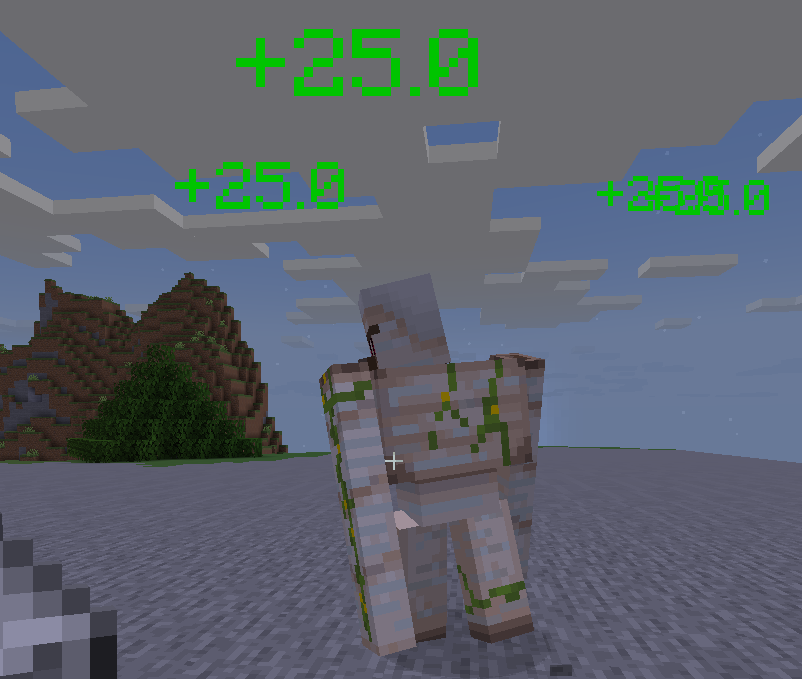
Floating Damage/Heal/XP Indicator
 435
435
Teh
Teh - Floating Damage/Heal/XP Indicator
Features
- Animated floating text for damage, healing, XP gain/loss - Fully customizable colors, icons, and messages via `config.yml` - MiniMessage support (true color, icons, advanced formatting) - All display settings (see-through, background, shadow, alignment, billboard) are configurable - XP loss indicators and separate color for XP loss - Only shows indicators to players who have them enabled (per-player visibility) - PlaceholderAPI support: `%teh_enabled%` placeholder for player indicator state
Quick Config Example
```yaml indicator-colors: hp-lost: '#FF3B30' hp-gain: '#34C759' xp-gain: '#5EDE3E' xp-lost: '#FFAA00' messages: damage: template: "<color:{indicator_color}>{icon} -{amount} {type}</color>" icons: ENTITY_ATTACK: "🗡" heal: template: "<color:{indicator_color}>✨ +{amount} {type}</color>" xp-gain: template: "<color:{indicator_color}>🟢 +{amount} XP</color>" xp-lost: template: "<color:{indicator_color}>🔴 -{amount} XP</color>" display-settings: see-through: true background-color: '#00000080' shadowed: true alignment: center billboard: true ```
PlaceholderAPI
If PlaceholderAPI is installed, Teh registers the following placeholder:
| Placeholder | Description | |---------------------|---------------------------------------------| | `%teh_enabled%` | Returns `Enabled` or `Disabled` for a player (whether indicators are enabled for them) |
Usage Example: - In chat plugins, scoreboards, etc: `%teh_enabled%`
Permissions
- `teh.indicator.toggle` — Use `/toggleteh` - `teh.reload` — Use `/tehreload`
Commands
- `/toggleteh` — Toggle your indicator visibility - `/tehreload` — Reload all config at runtime
Soft Dependencies
- PlaceholderAPI (for placeholders)
Damage
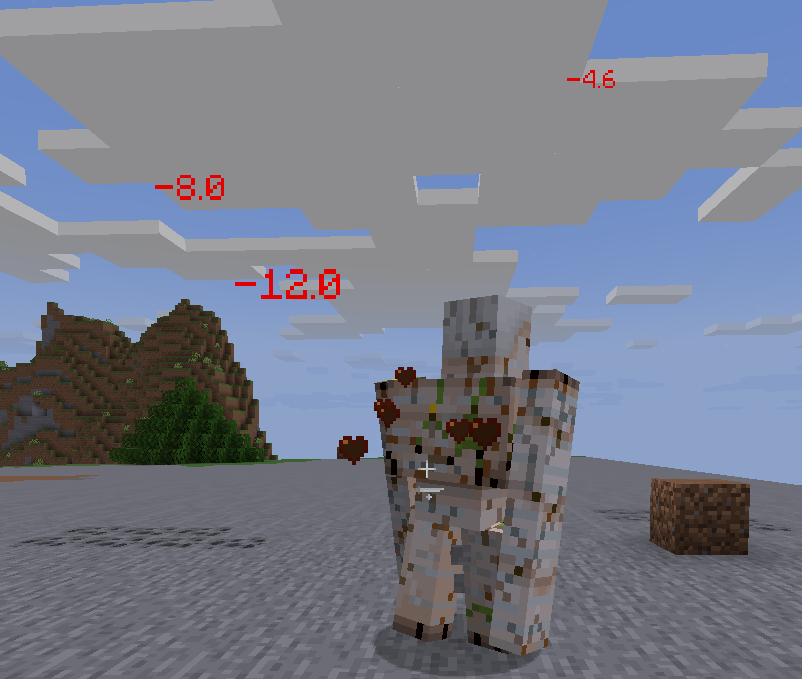
Healing